EasyManua.ls Logo

Lexmark XM5270 - User Manual

Lexmark XM5270
359 pages
Print Icon
To Next Page IconTo Next Page
Loading...
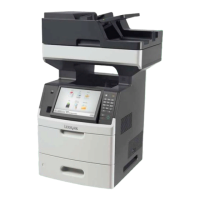
XM5100 and XM5200 Series
User's Guide
June 2017 www.lexmark.com
Machine type(s):
7463
Model(s):
096, 296, 297

Table of Contents

Other manuals for Lexmark XM5270

Questions and Answers

  • M
    martinezmichelleSep 3, 2025
    What does 'Change [paper source] to [custom string] load [orientation]' mean on Lexmark XM5270 Mfp and how to fix it?
    • J
      jessicamitchellSep 3, 2025
      When your Lexmark Mfp displays 'Change [paper source] to [custom string] load [orientation]', try loading the correct size and type of paper in the tray. Also, specify the paper size and type in the Paper menu on the control panel, and then touch Finished changing paper.
  • M
    Margaret PerezSep 1, 2025
    What to do if my Lexmark XM5270 Mfp says 'Error reading USB drive. Remove USB.'?
    • W
      William CoxSep 1, 2025
      If your Lexmark Mfp displays the message 'Error reading USB drive. Remove USB.', it means that an unsupported USB device is inserted. Remove the USB device, and then insert a supported one.
  • S
    Samuel MatthewsAug 31, 2025
    Why does my Lexmark XM5270 Mfp say 'Cartridge, imaging unit mismatch [41.xy]'?
    • J
      Joseph GainesAug 31, 2025
      The 'Cartridge, imaging unit mismatch [41.xy]' error on your Lexmark Mfp indicates that you are not using supported supplies. Make sure to use only a supported toner cartridge and imaging unit.
  • C
    Cynthia DuranAug 29, 2025
    What to do if Lexmark XM5270 Mfp displays 'Invalid cartridge introduced. replace cartridge [58]'?
    • R
      Ryan LynchAug 29, 2025
      If your Lexmark Mfp displays the message 'Invalid cartridge introduced. replace cartridge [58]', it means that you may need to order a replacement toner cartridge. If necessary, touch Continue on the printer control panel to clear the message and continue printing.
  • U
    ufloresAug 27, 2025
    What does 'Close door or insert cartridge' mean on my Lexmark XM5270 Mfp, and how do I fix it?
    • T
      Thomas MillerAug 28, 2025
      The 'Close door or insert cartridge' message on your Lexmark Mfp indicates that the toner cartridge is either missing or not installed correctly. To resolve this, insert the cartridge properly, and then ensure that all doors and covers are securely closed.
  • P
    pthompsonAug 26, 2025
    What to do if my Lexmark Mfp displays 'Cartridge nearly low [88.xy]'?
    • W
      Wendy AliAug 27, 2025
      If your Lexmark Mfp displays the message 'Cartridge nearly low [88.xy]', you can touch Continue on the printer control panel to clear the message and continue printing.
  • N
    Nathan KennedyAug 25, 2025
    What to do if my Lexmark XM5270 Mfp says 'Imaging unit low [84.xy]'?
    • C
      Cheryl GriffinAug 25, 2025
      If your Lexmark Mfp shows an 'Imaging unit low [84.xy]' message, you may need to order a replacement imaging unit. You can select Continue on the printer control panel to clear the message and continue printing.
  • S
    Susan ChambersAug 22, 2025
    What to do if my Lexmark XM5270 says 'Cartridge low [88.xy]'?
    • M
      Misty AllenAug 23, 2025
      If your Lexmark Mfp displays a 'Cartridge low [88.xy]' message, it indicates that you may need to order a replacement toner cartridge. You can touch Continue on the printer control panel to clear the message and continue printing temporarily.

Lexmark XM5270 Specifications

General IconGeneral
Print TechnologyLaser
FunctionalityPrint, Copy, Scan, Fax
Print Resolution1200 x 1200 dpi
Hard Disk320 GB
ADF (Automatic Document Feeder)Yes
ADF Capacity100 sheets
Fax Speed33.6 Kbps
Operating System CompatibilityWindows, Mac, Linux
Print Speed (Letter, Black) Duplex47 ipm
Processor Speed1.2 GHz
Memory (Standard)2 GB
Hard DriveOptional
Scanner TypeFlatbed
Scan Speed (Black)80 ipm
Scan Speed (Color)80 ipm
Standard PortsUSB, Ethernet
Optional PortsWireless
Paper Output Capacity (Standard)250 sheets
ConnectivityUSB, Ethernet
Network ConnectivityEthernet, Wireless
Mobile PrintingApple AirPrint, Google Cloud Print
Warranty1 year
Memory (Maximum)6 GB

Related product manuals