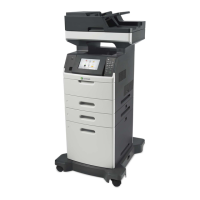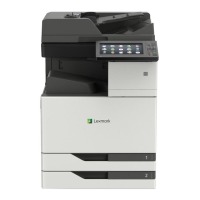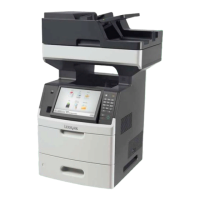
EasyManua.ls Logo

Lexmark XM5100 Series - User Manual

Lexmark XM5100 Series
359 pages
Print Icon
To Next Page IconTo Next Page
Loading...
XM5100 and XM5200 Series
User's Guide
June 2017 www.lexmark.com
Machine type(s):
7463
Model(s):
096, 296, 297

Table of Contents

Questions and Answers

  • A
    Amy NguyenSep 10, 2025
    What to do if my Lexmark XM5100 Mfp says 'Configuration change, some held jobs were not restored [57]'?
    • A
      Ann WardSep 10, 2025
      If your Lexmark Mfp displays the message 'Configuration change, some held jobs were not restored [57]', touch Continue from the printer control panel to clear the message.
  • R
    Rachel GrahamAug 22, 2025
    What to do if my Lexmark XM5100 says 'Cartridge low [88.xy]'?
    • E
      Eddie HartAug 23, 2025
      If your Lexmark Mfp displays a 'Cartridge low [88.xy]' message, it indicates that you may need to order a replacement toner cartridge. You can touch Continue on the printer control panel to clear the message and continue printing temporarily.
  • S
    Shane RobertsonAug 25, 2025
    What to do if my Lexmark Mfp says 'Imaging unit low [84.xy]'?
    • D
      donnagonzalezAug 25, 2025
      If your Lexmark Mfp shows an 'Imaging unit low [84.xy]' message, you may need to order a replacement imaging unit. You can select Continue on the printer control panel to clear the message and continue printing.
  • T
    Tyrone MaxwellAug 27, 2025
    What to do if my Lexmark XM5100 displays 'Cartridge nearly low [88.xy]'?
    • L
      Leonard OnealAug 27, 2025
      If your Lexmark Mfp displays the message 'Cartridge nearly low [88.xy]', you can touch Continue on the printer control panel to clear the message and continue printing.
  • J
    John SimpsonAug 28, 2025
    What does 'Close door or insert cartridge' mean on my Lexmark XM5100 Mfp, and how do I fix it?
    • A
      Angela RodgersAug 28, 2025
      The 'Close door or insert cartridge' message on your Lexmark Mfp indicates that the toner cartridge is either missing or not installed correctly. To resolve this, insert the cartridge properly, and then ensure that all doors and covers are securely closed.
  • W
    Wendy BenjaminAug 29, 2025
    What to do if Lexmark XM5100 Mfp displays 'Invalid cartridge introduced. replace cartridge [58]'?
    • E
      Emily RosarioAug 30, 2025
      If your Lexmark Mfp displays the message 'Invalid cartridge introduced. replace cartridge [58]', it means that you may need to order a replacement toner cartridge. If necessary, touch Continue on the printer control panel to clear the message and continue printing.
  • D
    Derrick ColeSep 18, 2025
    What does 'Scanner disabled by admin [840.01]' mean on my Lexmark Mfp and how to fix it?
    • I
      icollinsSep 18, 2025
      If your Lexmark Mfp displays the message 'Scanner disabled by admin [840.01]', you can print without the scanner, or contact your system support person.
  • A
    alexanderfrostSep 12, 2025
    What to do if Lexmark Mfp displays 'Complex page, some data may not have printed [39]'?
    • K
      Katherine SalinasSep 12, 2025
      If your Lexmark Mfp displays the message 'Complex page, some data may not have printed [39]', touch Continue on the printer control panel to ignore the message and continue printing.
  • E
    Eduardo PowellSep 8, 2025
    What to do if Lexmark XM5100 says 'Disk full [62]'?
    • B
      Becky CherrySep 8, 2025
      If your Lexmark Mfp displays a 'Disk full [62]' message, touch Continue on the printer control panel to clear the message and continue processing.
  • F
    Frances MillerSep 5, 2025
    What to do if my Lexmark XM5100 Mfp says 'Error reading USB hub. Remove hub.'?
    • G
      ggalvanSep 5, 2025
      If your Lexmark Mfp displays the message 'Error reading USB hub. Remove hub.', it indicates that an unsupported USB hub has been inserted. Remove the USB hub, and then install a supported one.

Lexmark XM5100 Series Specifications

General IconGeneral
Print TechnologyLaser
Print Resolution1200 x 1200 dpi
Print Resolution, Black1200 x 1200 dpi
Copy Resolution600 x 600 dpi
Scan Resolution600 x 600 dpi
Fax Resolution300 x 300 dpi
Fax Transmission Speed33.6 Kbps
Modem Speed33.6 Kbps
Duplex PrintingYes
FunctionsCopy, Fax, Print, Scan
Scanner TypeFlatbed, ADF
ADF (Automatic Document Feeder)Yes
ConnectivityUSB, Ethernet
Operating Systems SupportedApple OS X (10.6+), Linux, Microsoft Windows
Paper Output Capacity, Standard250 sheets
Paper Output Capacity, Maximum250 sheets
Media Types SupportedCard Stock, Envelopes, Labels, Plain Paper, Transparencies
Media Sizes SupportedLetter, Legal, Executive, A4, A5, B5, Envelopes
Reduction / Enlargement Range25% to 400%

Related product manuals