Set user accounts
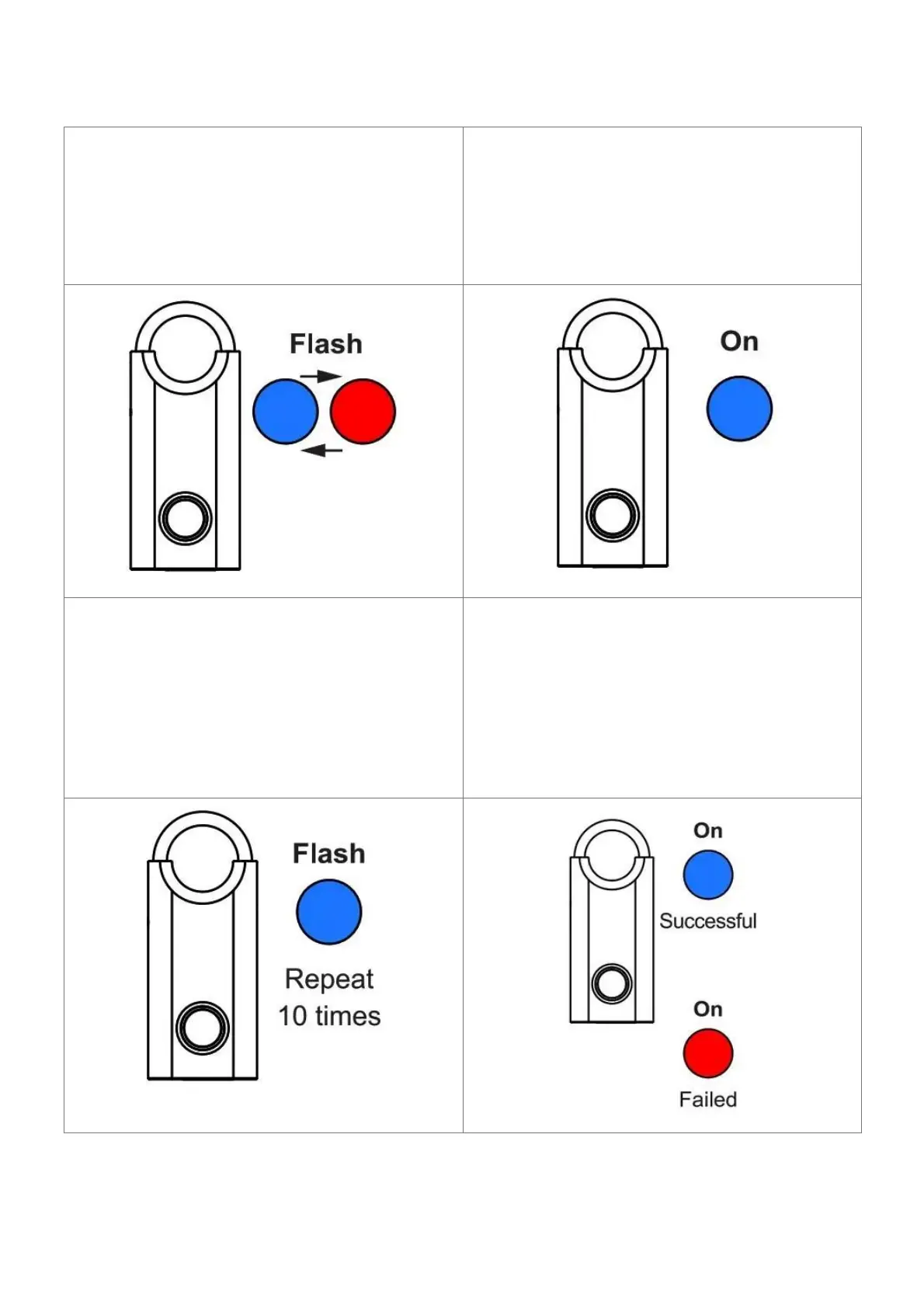
1. Press and hold your finger on the
fingerprint reader for about 4 seconds.
Release your finger as soon as the blue and
red light starts f lashing.
2. Put the administrator account’s finger on
the fingerprint reader. Then wait until the
light turns blue.
3. Put the user account’s finger on the finger
print reader. Repeat 10 consecutive times with
the same finger.
4. After successfully recording the fingerprint
s ten times, a long beep sound will be heard
to confirm the success of the operation. In
case of failure, the light indicator turns re d.
Notice: If the user accounts are full. you must reset the padlock when you want to register a new
user account



 To Next Page