341
ES300h_OM_OM33B71U_(U)
5-7. Connecting Bluetooth
®
5
Lexus Display Audio system
Displaying a Bluetooth
®
device details
Go to “Bluetooth* Setup”: “MENU” button “Setup” “Bluetooth*”
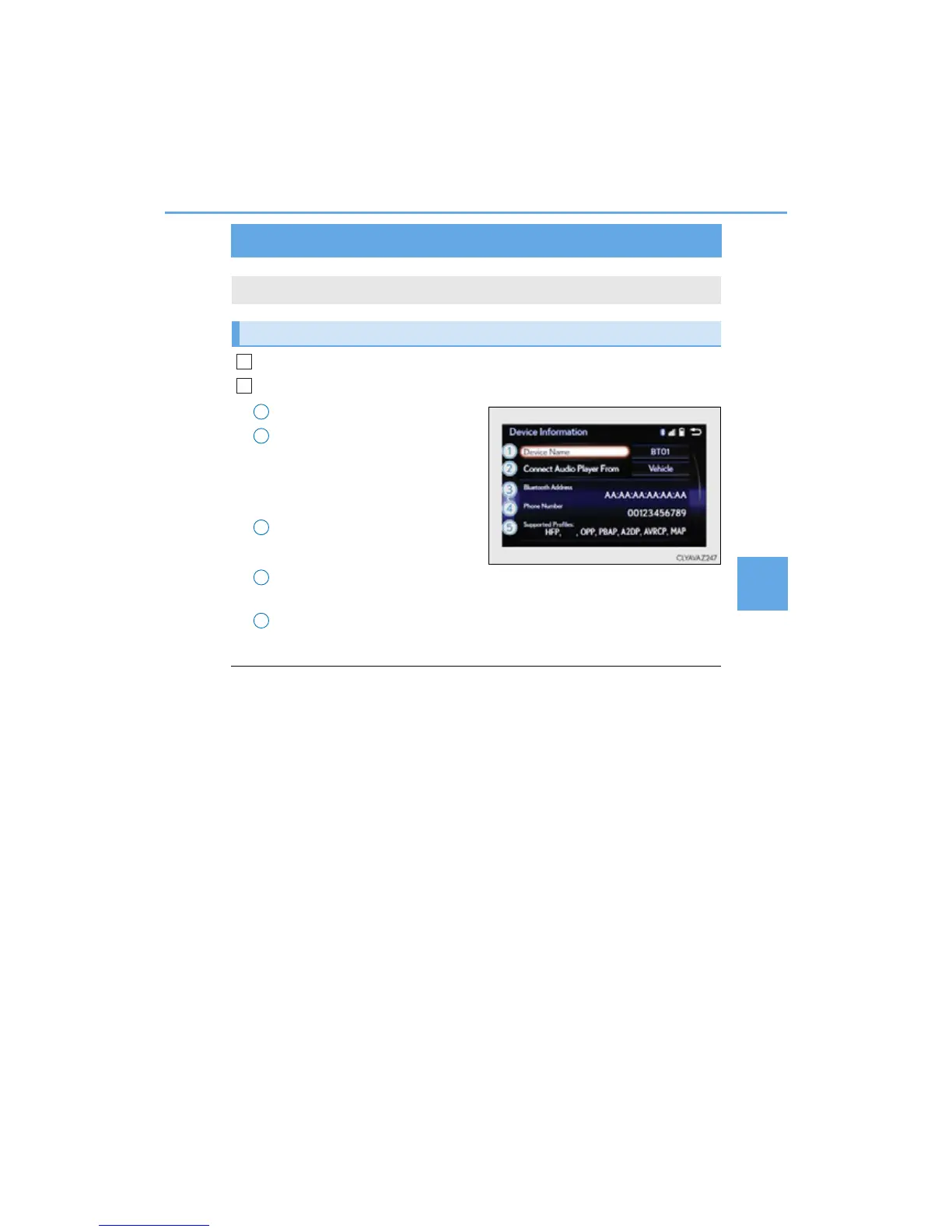
Select the desired device and then select “Device Info”.
Change the name of the device
Change the connection method
“Vehicle”: Connect the audio system
to the portable audio player.
“Device”: Connect the portable
audio player to the audio system
Device address
Device telephone number
Depending on the model of phone, the number may not be displayed.
Compatibility profile of the device
*: Bluetooth is a registered trademark of Bluetooth SIG, Inc.
■ Restoring the default settings
Move the controller to the left and select “Default” on the “Device Information” screen.
You can confirm and change the registered device details.
Bluetooth
®
device registration status
1
2
1
2
3
4
5



 To Next Page