LEXUS NAVIGATION SYSTEM*
a)Withthe“POWER”switchinACCESSORYorONmode,
checkthattheinitial“LEXUS”screenappearsforafew
secondsandthenchangestothe“CAUTION”screen.
NOTE:
“CAUTION”screenappearsifmapordestinationscreen
wasdisplayedduringlastuse.
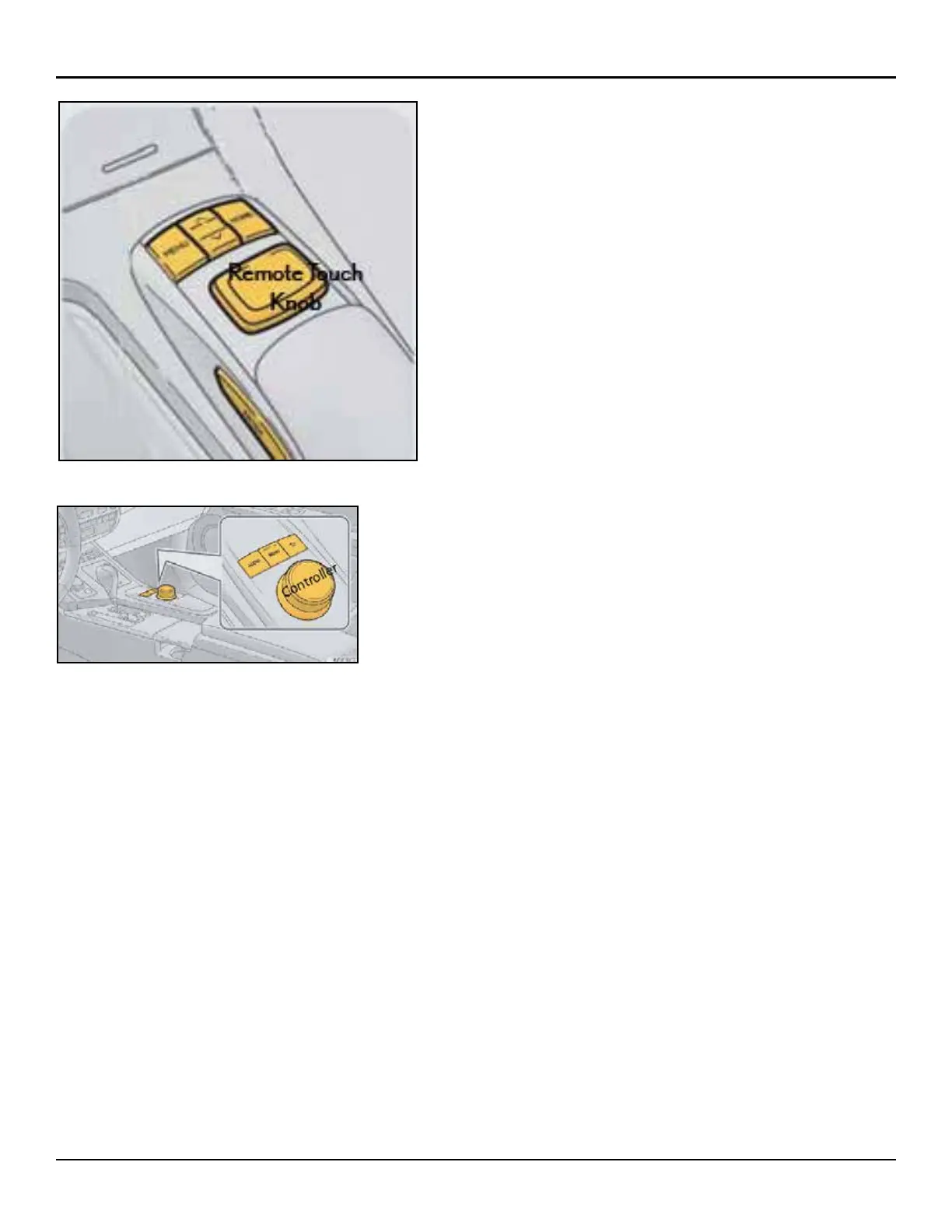
b)Pressthe“MENU”buttonandselectthe“Destination”,
“InfoApps”,“Setup”,“Radio”,“Media”,“Phone”,and
“Climate”icon.Pushtheremotetouchknobandcheck
thatthedisplaychanges.
NOTE:
Afterabout5seconds,the“CAUTION”screenautomatically
switchestothemapscreen.Whenthe“MAP/VOICE”button
ispressed,themapscreenisdisplayed.
LEXUS DISPLAY AUDIO*
a)Withthe“POWER”switchintheACCESSORYorON
mode,checkthattheinitial“LEXUS”screenappears.
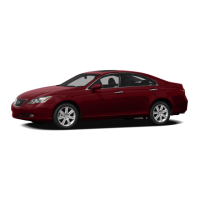
b)Pressthe“MENU”buttonandselectthe“Climate”,
“Phone”,“Car”,“Setup”and“Display”icon.Pushthe
controllerknobandcheckthatthedisplaychanges.
*Ifequipped
28
ES350/ES300h
INSPECTION DETAILS - C. LEFT FRONT



 To Next Page