453
3-5. Using the hands-free system (for cellular phone)
3
Interior features
Setting a Bluetooth
®
phone
■ Selecting a Bluetooth
®
phone
If multiple Bluetooth
®
phones are registered, follow the procedure
below to select the Bluetooth
®
phone to be used. You may only use
one phone at a time.
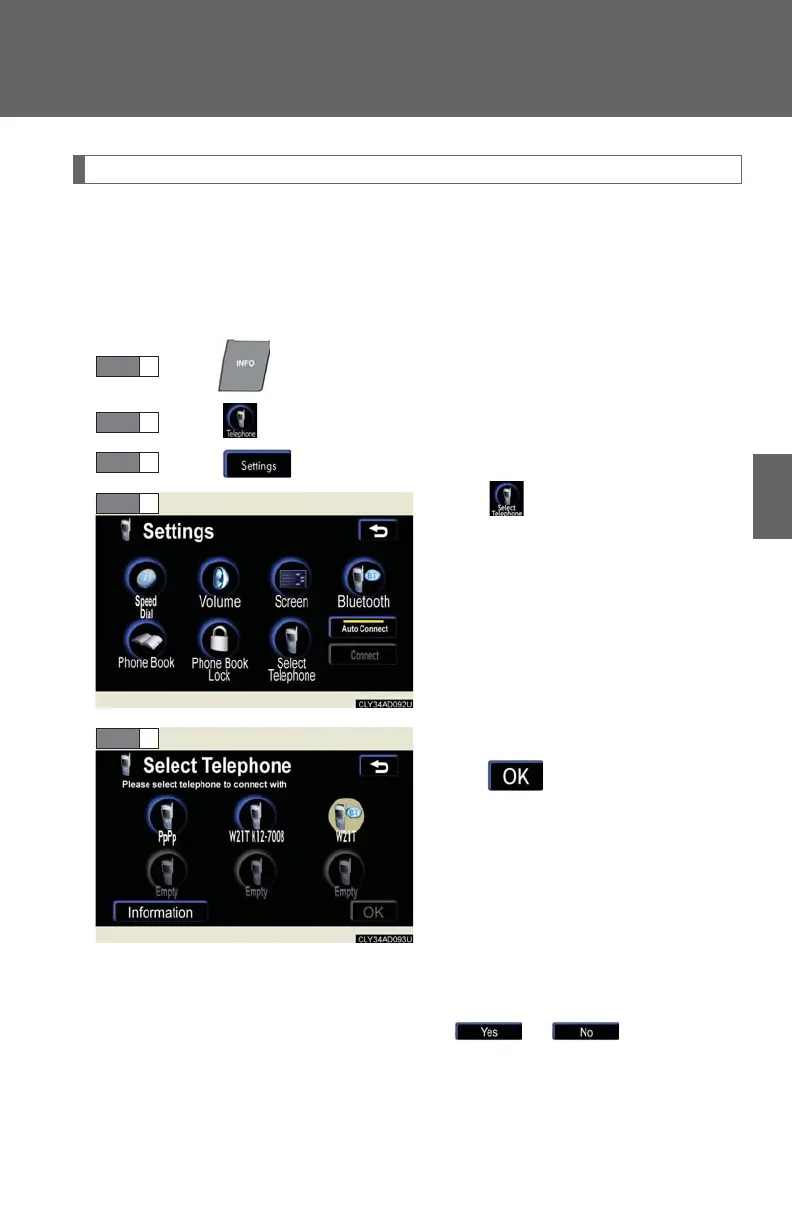
Press .
Touch on the “Information” screen.
Touch on the “Telephone” screen.
Tou c h .
Select the phone to be used, and
touch .
If no phones are registered,
“Empty” will be displayed.
If “Bluetooth* connection
successful” is displayed,
registration was successful.
If another Bluetooth
®
phone is
already connected, a confirmation
message is displayed. Touch
or .
*: Bluetooth is a registered trade-
mark of Bluetooth SIG. Inc.














 To Next Page