454
3-5. Using the hands-free system (for cellular phone)
■ Displaying Bluetooth
®
information
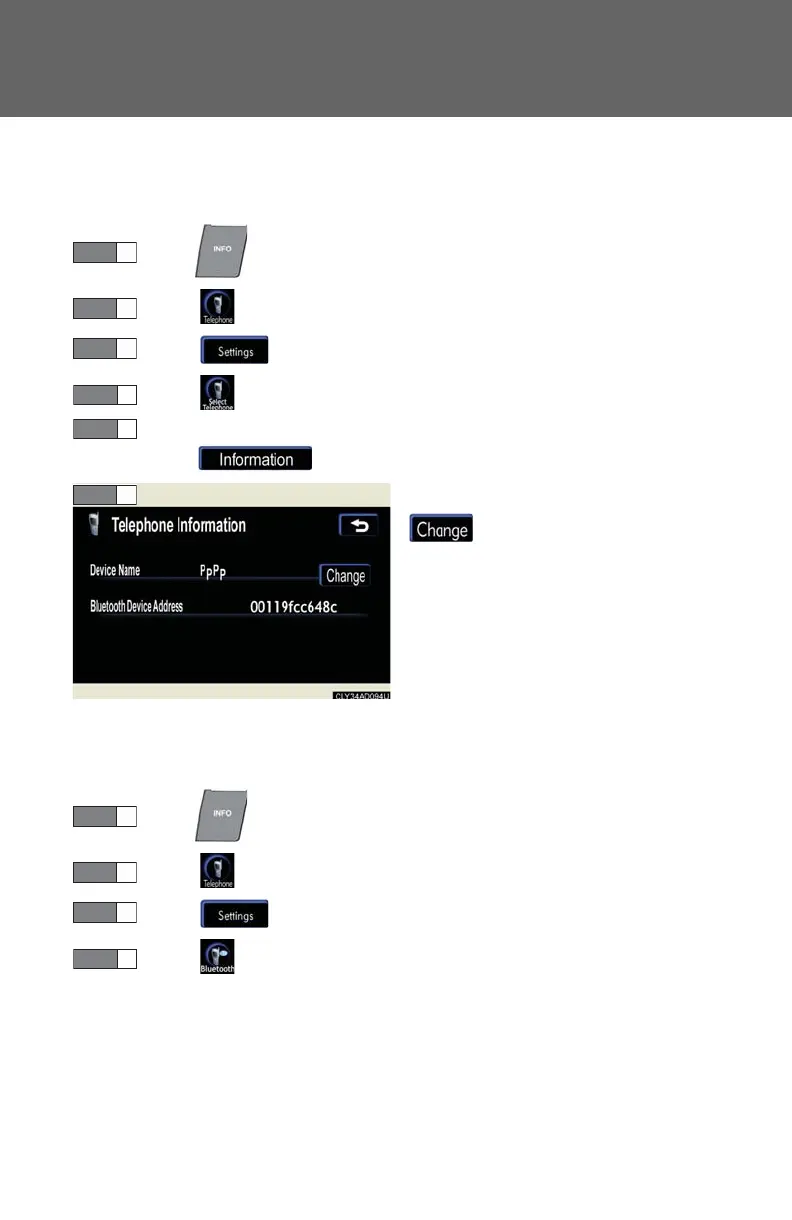
You can check the device address and device name.
Press .
Touch on the “Information” screen.
Touch on the “Telephone” screen.
Touch on the “Settings” screen.
On the “Select Telephone” screen, select the desired phone and
touch .
To change the device name, touch
in the “Device Name” sec-
tion, and input the name on the
“Name” screen (max. 20 charac-
ters).
■ To change the Bluetooth
®
settings
You can change the device name and passkey.
Press .
Touch on the “Information” screen.
Touch on the “Telephone” screen.
Touch on the “Settings” screen.














 To Next Page