271
4-5. Using the driving support systems
4
Driving
etc.
*
● Vehicles moving away from your vehicle
● Vehicles approaching from the parking
spaces next to your vehicle
*
● Objects which are extremely close to a
radar sensor
*
● Vehicles which are approaching from the
right or left at the rear of the vehicle at a
traveling speed of less than approxi-
mately 5 mph (8 km/h)
● Vehicles which are approaching from the
right or left at the rear of the vehicle at a
traveling speed of more than approxi-
mately 15 mph (24 km/h)
*
: Depending on the conditions, detection
of a vehicle and/or object may occur.
■ PKSB buzzer
If the Parking Support Brake is enabled and
brake control is performed, a buzzer will
sound to notify the driver.
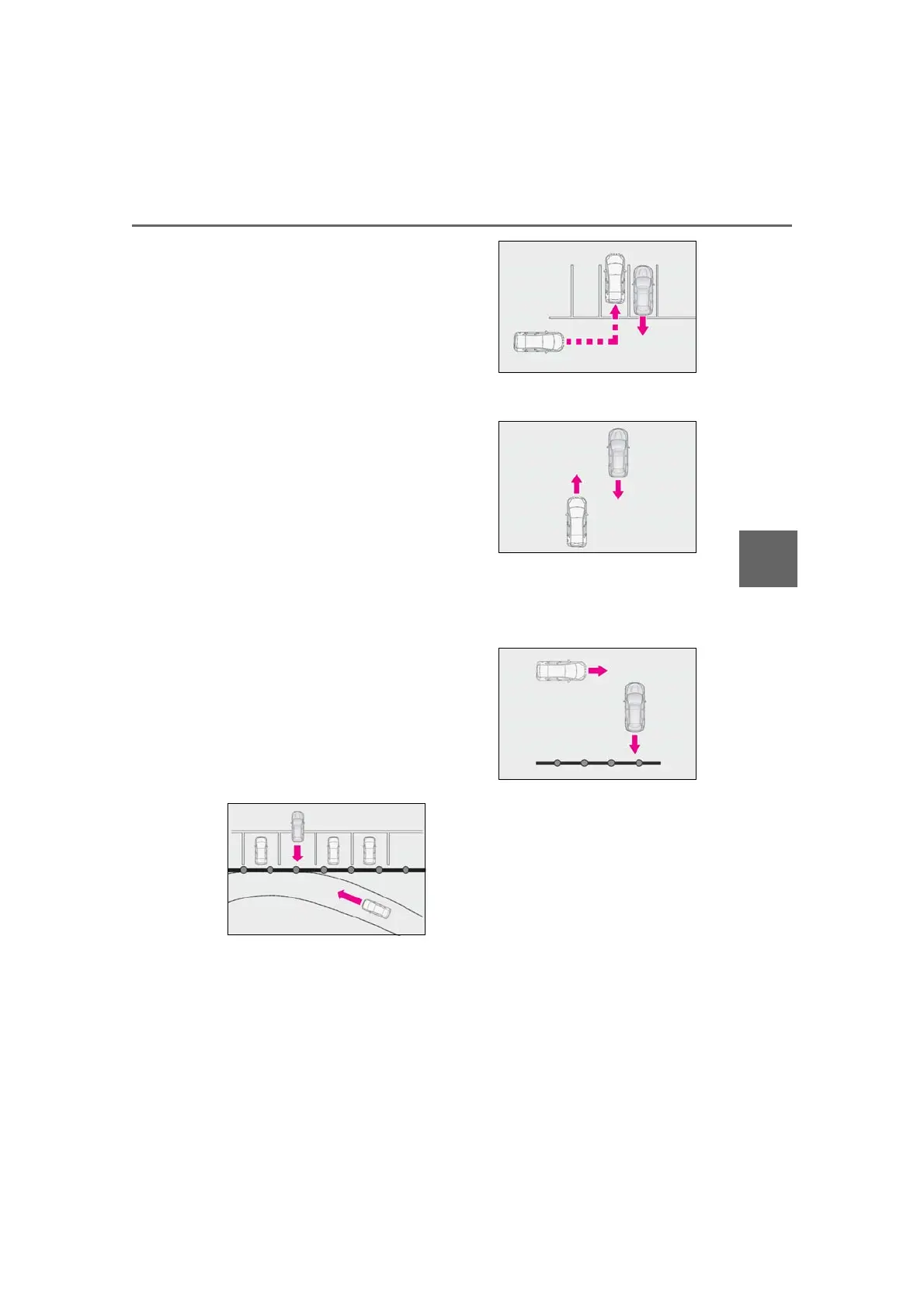
■ Situations in which the system may
operate even though there is no possi-
bility of a collision
In some situations such as the following, the
Parking Support Brake function
(rear-crossing vehicles) may operate even
though there is no possibility of a collision.
● When the parking space faces a street
and vehicles are being driven on the
street
● When a detected vehicle turns while
approaching the vehicle
● When a vehicle passes by the side of your
vehicle
● When the distance between your vehicle
and metal objects, such as a guardrail,
wall, sign, or parked vehicle, which may
reflect electrical waves toward the rear of
the vehicle, is short
● When there are spinning objects near
your vehicle such as the fan of an air con-
ditioning unit
● When water is splashed or sprayed
toward the rear bumper, such as from a
sprinkler
■ Situations in which the Parking Support
Brake function (rear-crossing vehicles)
may not operate properly
In some situations, such as the following, the
radar sensors may not detect an object and
this function may not operate properly
● Stationary objects
● When a sensor or the area around a sen-
sor is extremely hot or cold
● If the rear bumper is covered with ice,



 To Next Page