308
5-3. Using the air conditioning system and defogger
Select the rear seats air flow mode
: Air flows to the upper body
: Air flows to the upper body and feet
: Air flows to the feet
Adjust the rear seats temperature
setting
Function on/off indicators
When the function is on, the indicator illu-
minates on the control screen.
Sub function menu
When the sub function button on the
Remote Touch is pressed, the following
functions can be switched on and off.
“Rear off”: Turn the rear seats fan off
“Rear AUTO”: Set the rear seats automatic
mode on/off (P.309)
: Disables operation of the rear air
conditioning system using the Rear air con-
ditioning system control panel
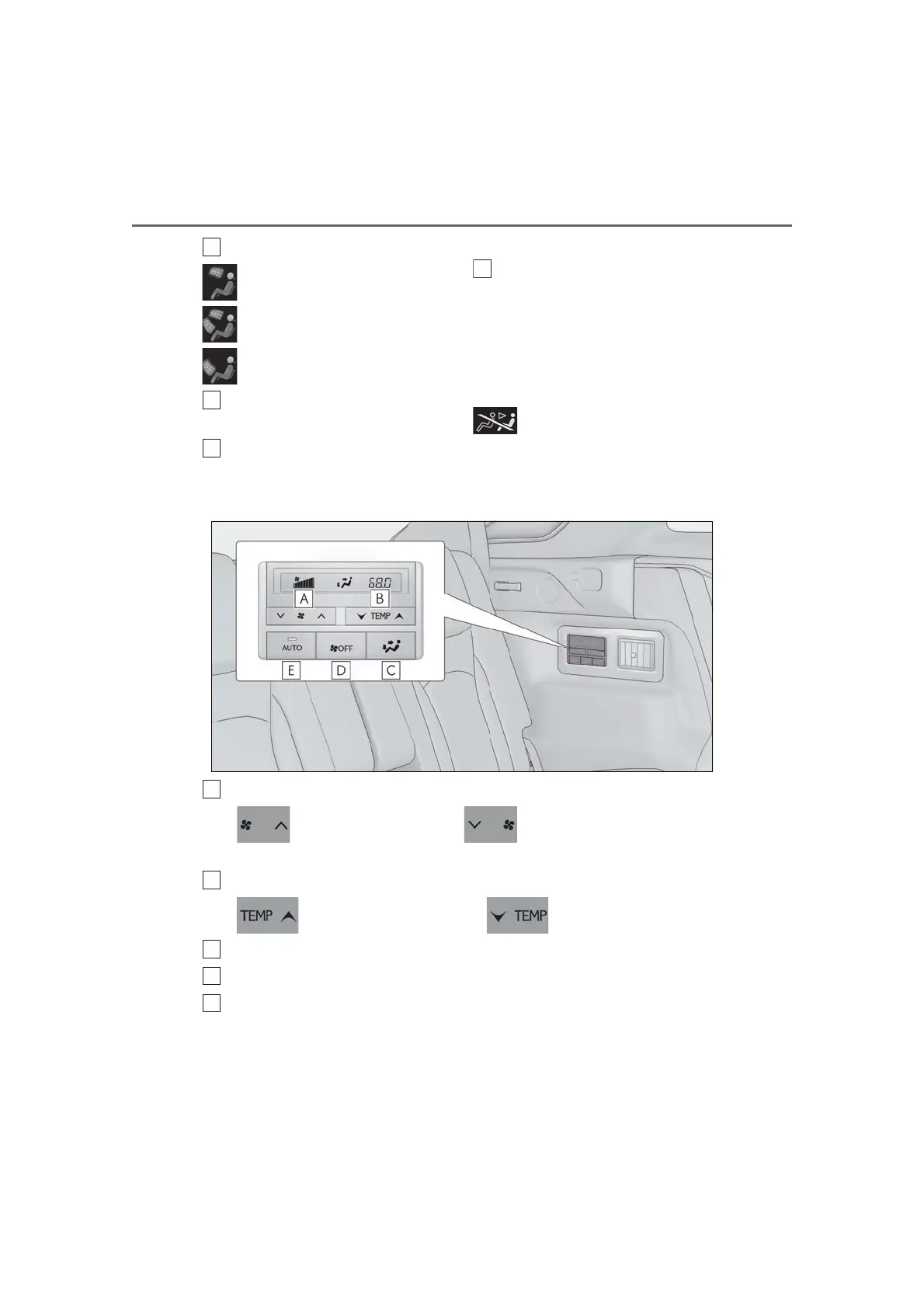
■ Rear air conditioning system control panel
Adjust the rear seats fan speed setting
Press to increase the fan speed and to decrease the fan speed.
Press the OFF switch to turn the fan off.
Adjust the rear seats temperature setting
Press to increase the temperature and to decrease the temperature.
Select the air flow mode
OFF switch
AUTO button
When the function is on, the indicator illuminates on the control screen.



 To Next Page