323
5-5. Using the storage features
5
Interior features
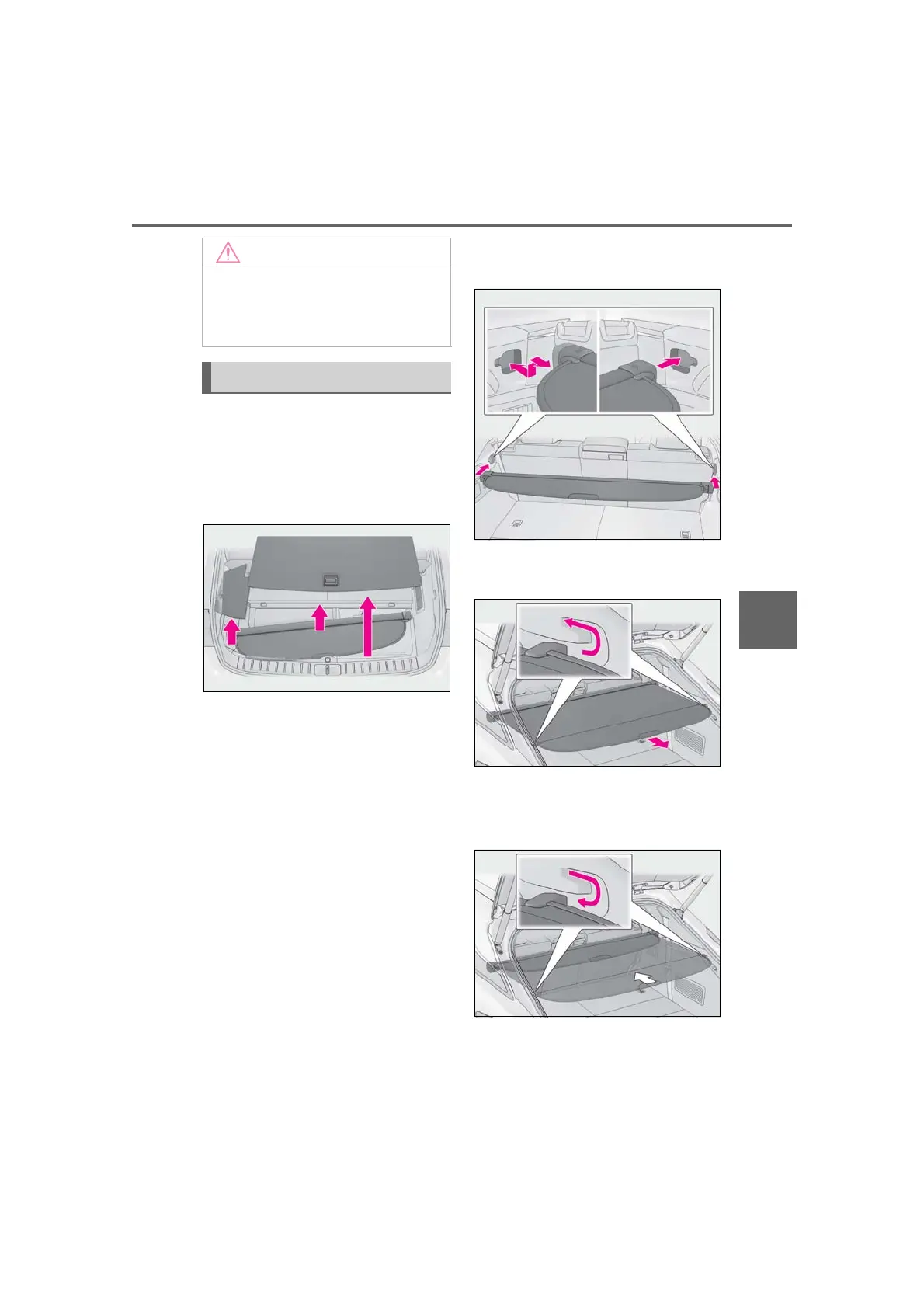
■ Removing the luggage cover unit
(RX350L)
Remove the deck board and side auxil-
iary box cover and take out the lug-
gage cover unit. (P.324)
■ Using the luggage cover
RX350L: Before installing the luggage
cover, fold down the third-row seats.
(P.123)
1 Insert either end of the luggage
cover into the recess, then com-
press the other end of the luggage
cover and insert it into the recess.
2 Pull out the luggage cover and
hook it onto the anchors.
■ Removing the luggage cover
1 Release the cover from the left and
right anchors and allow it to retract.
2 Compress the end of the luggage
cover and lift the luggage cover up.
■ To prevent damage to the grocery
bag hooks
Do not hang any object heavier than 8.8
lb. (4 kg) on the grocery bag hooks.
Luggage cover



 To Next Page