80
2-1. Instrument cluster
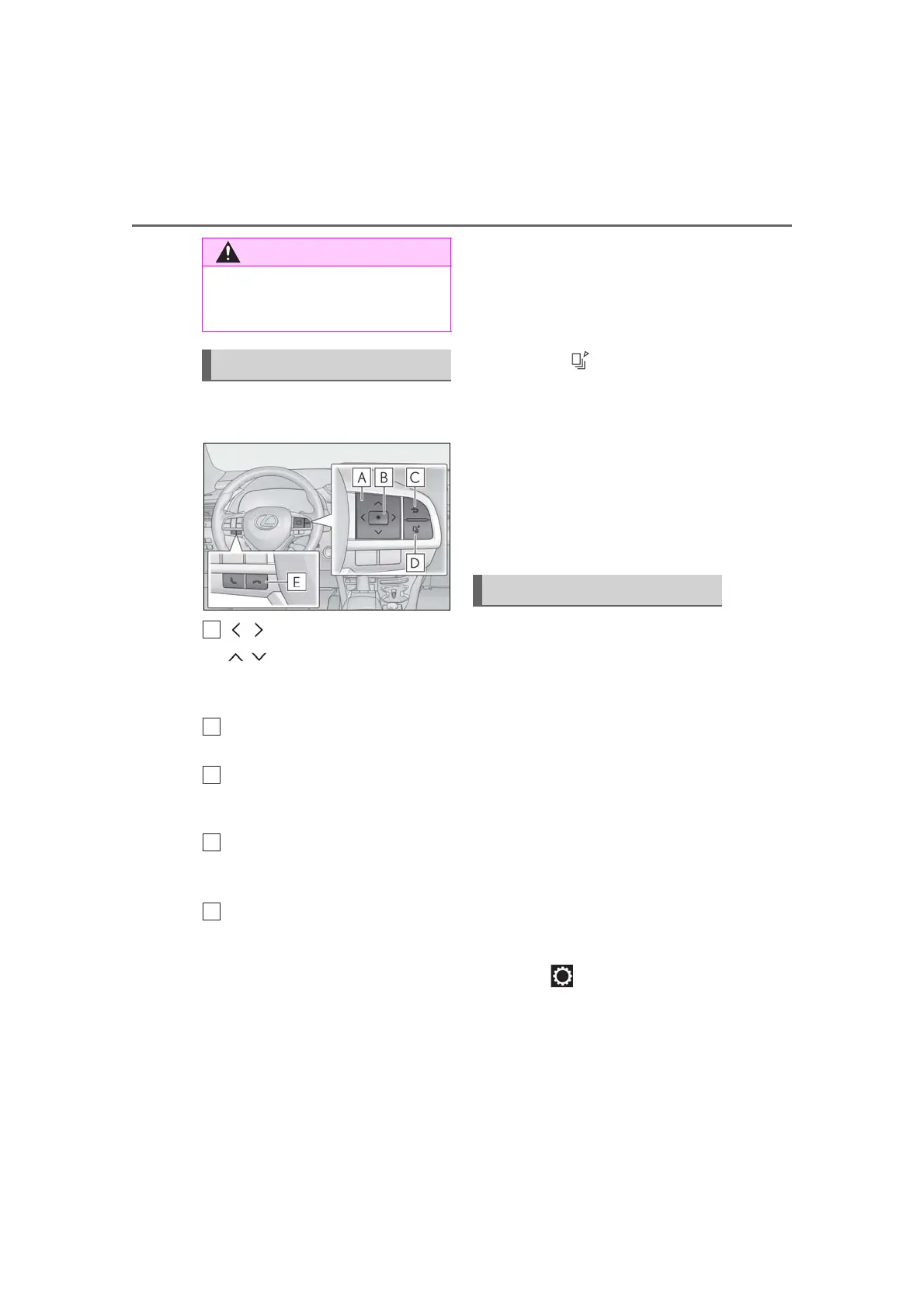
The multi-information display is oper-
ated using the meter control switches.
: Select menu icons
: Change displayed content,
scroll up/down the screen and
move the cursor
Press: Enter/Set
Press and hold: Reset
Return to the previous screen
Pressing and holding the switch will display
the first screen of the selected menu icon.
Press: Display the top screen
Press and hold: Register current
screen as the top screen
Call sending/receiving and history
display
Linked with the hands-free system, sending
or receiving call is displayed. For details
regarding the hands-free system, refer to
the “NAVIGATION AND MULTIMEDIA
SYSTEM OWNER’S MANUAL”.
■ Registering a top screen
The displayed top screen can be
changed to a registered screen of your
choice. To register a screen as the top
screen, display the desired screen and
press and hold .
A message asking to confirm if reg-
istration is desired will be displayed.
If the selected screen cannot be
registered, a registration failure
message will be displayed.
When no screen has been regis-
tered, the drive information screen
will be displayed.
■ Content displayed as drive infor-
mation
Displays drive information such as the
following:
Drive information 1
• Current fuel consumption
• Average fuel economy (after reset)
Drive information 2
• Distance (driving range)
• Average vehicle speed (after reset)
Drive information 3
• Average fuel economy (after refuel)
• Elapsed time (after start)
Displayed items (listed below) can be
changed on . (P.83)
Current fuel consumption
Displays instantaneous current fuel con-
sumption
■ The information display at low tem-
peratures
P.77
Changing the meter display
Drive information



 To Next Page