Uploading a Ride to a computer
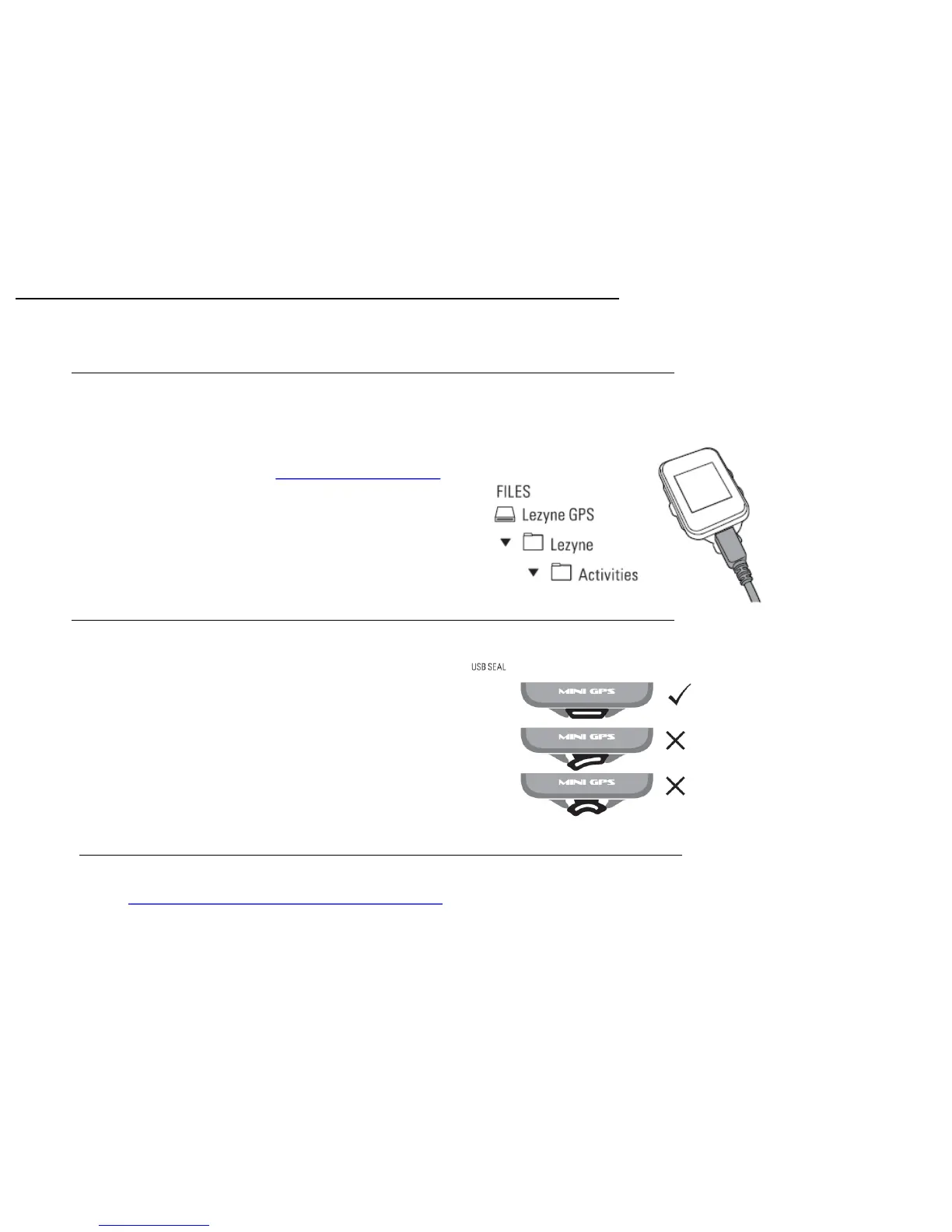
1. Remove the USB port seal.
2. Connect your Power or Super GPS to a computer via Micro USB cable.
3. The GPS will read like a USB drive with included folders.
4. Within the Lezyne GPS folder find your .Fit ride files in the Activities folder to
upload and share at www.lezyne.com/gpsroot
Getting Started
USB Seal
Its important to re-install the USB seal between the two seal locks to maintain a
good seal against the weather.
GPS Device updates
Software updates for your GPS device can be found at
http://www.lezyne.com/support-downloads.php
10


 To Next Page