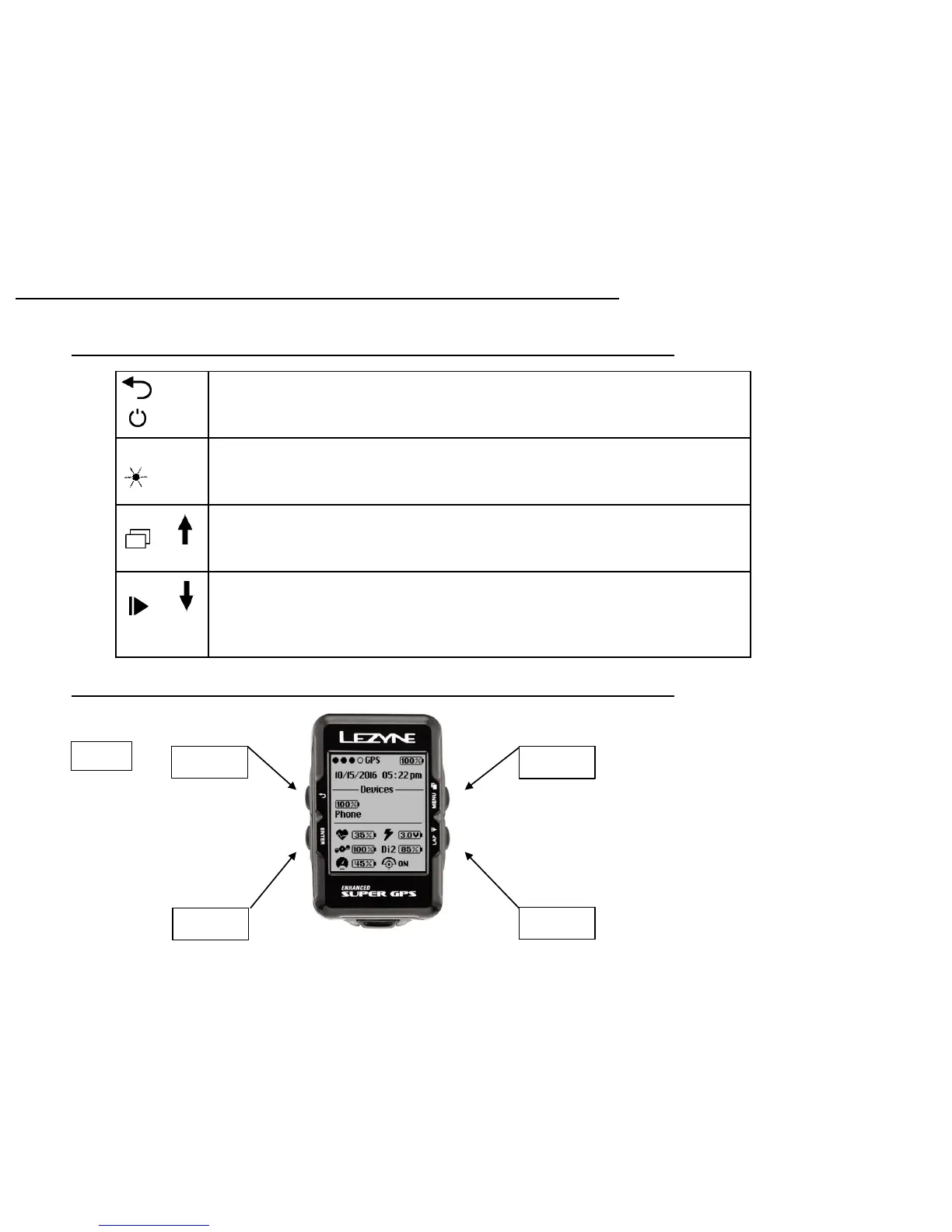
Press for Back button function
Hold for 2 seconds to turn ON/OFF the device
Press to Scroll left through pages
ENTER Press to ENTER a selection in the menu screen
Press to turn Backlight ON/OFF
MENU Hold to access the MENU screen
Press to move UP in the menu screen
Press to Scroll right through pages
LAP Press to start a ride
Hold to end a ride
Press to move DOWN in the menu screen
During a ride, Press to mark a LAP
Getting Started
Buttons
5
Press
Hold
Menu
Scroll Right
Pause
Start/Lap
Ride Screen Button Functions
On/Off
Scroll Left
Enter
Backlight


 To Next Page