* Before you pair your Power monitor, see the manufactures instructions on how to
set up, pair, and calibrate the monitor with devices.
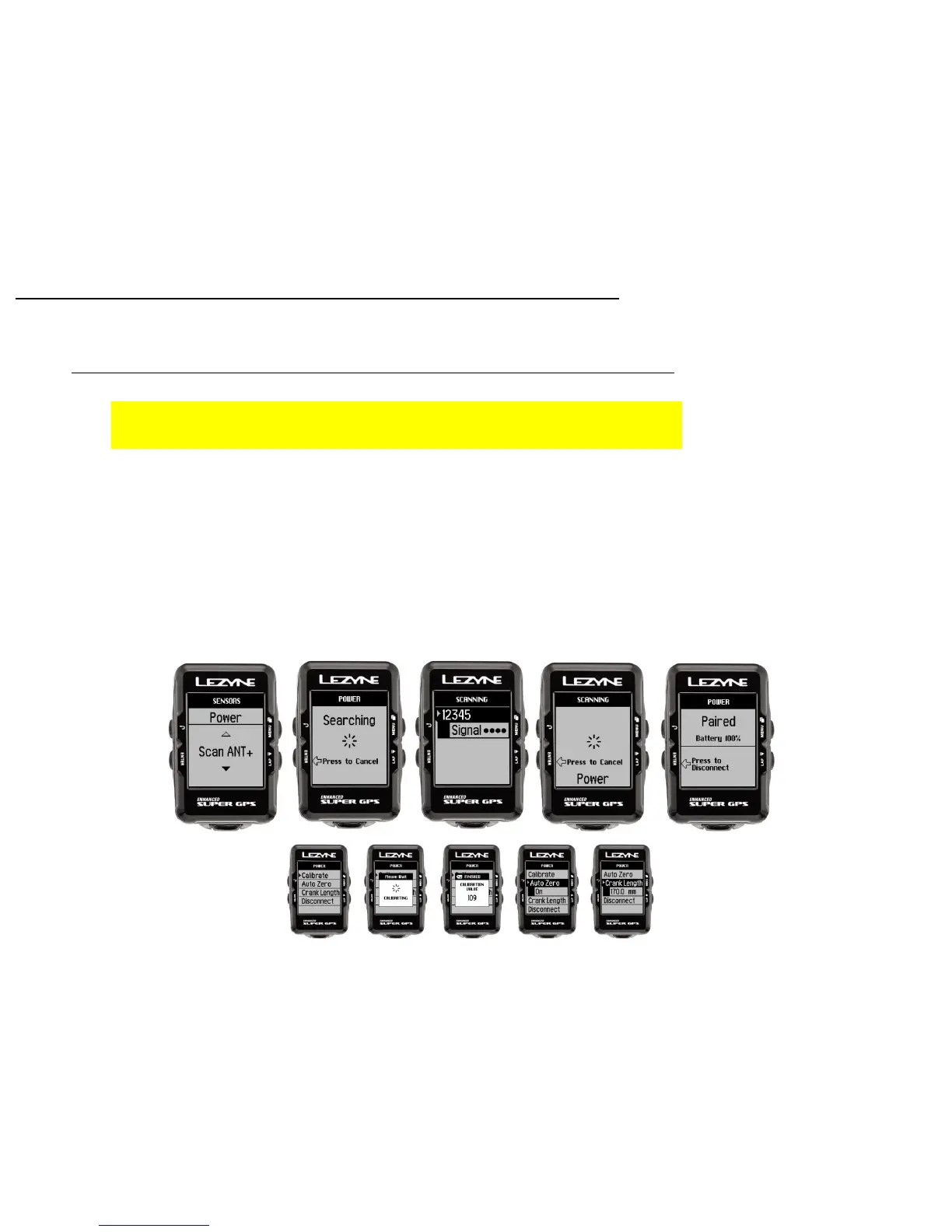
1. In Power, press ENTER to Pair. The device will search for Power sensors in range.
*This could take a couple minutes*
2. Select the sensor you are trying to pair.
*(See name or ID numbers that match your device)
When complete, the GPS device will read Paired.
3. Once paired you can:
- Calibrate*
- Auto Zero *(ANT+ versions only)
- Set Crank Arm length
*See manufactures instructions on how to Calibrate and Auto Zero
Power Monitor Set up
Sensor Pairing
28


 To Next Page