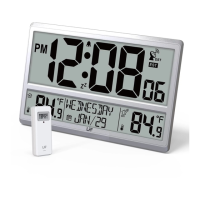
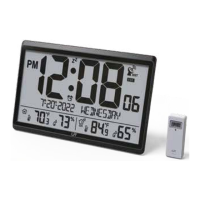
This document describes the LFF Digital Atomic Wall Clock with Jumbo Display (Ref.: LWC216) and its accompanying Outdoor Temperature Sensor.
Function Description
The LFF Digital Atomic Wall Clock is designed to provide accurate time, date, and temperature readings with a large, easy-to-read LCD display. It features an atomic time function for self-setting accuracy, an alarm with snooze, and displays both indoor and outdoor temperatures. The outdoor temperature is measured by a wireless remote sensor.
Important Technical Specifications
Wall Clock (Main Unit):
- Power: 4 x AA 1.5V alkaline batteries
- Temperature Range (Indoor): 14.1°F to 122.0°F (-9.9°C to 50.0°C)
- Dimensions: 14.25 x 9.29 x 1.12 inches
- Display: Jumbo LCD
- Time Zones: Supports 6 time zones (EST, CST, MST, PST, AKT, HST)
- Atomic Clock Reception: WWVB signal, automatic daily search at 1:00 am, 2:00 am, 3:00 am, 4:00 am, 5:00 am. Manual reception also possible.
- Wireless Sensor Support: Supports up to 3 optional wireless sensors.
Outdoor Temperature Sensor:
- Power: 2 x AAA 1.5V alkaline batteries (Lithium batteries recommended for temperatures below -4°F)
- Temperature Range (Outdoor): -58.0°F to 158.0°F (-50.0°C to 70.0°C)
- Dimensions: 1.57 x 4.09 x 1.02 inches
- Transmission Distance: 330ft (100m) in open air (not including walls and floors)
- Transmission Frequency: 433MHz
- Channels: Selectable channels 1, 2, or 3.
FCC Information:
The device complies with Part 15 of FCC rules, ensuring it does not cause harmful interference and accepts any received interference. Users are warned against unauthorized modifications.
Usage Features
First Time Setup and Pairing:
- Insert 4 new AA batteries into the wall clock. The screen will turn on and begin searching for the sensor. The signal strength indicator will animate during this process.
- Slide the channel switch on the outdoor sensor to CH1 and insert 2 new AAA batteries. The sensor will transmit a signal, and its LED will flash.
- Keep the outdoor sensor 5-10 feet from the wall clock.
- Once the RF connection is established, temperature readings will appear on the wall clock.
- After a 3-minute sensor pairing time, the wall clock will automatically begin receiving the atomic clock signal, indicated by a flashing tower icon.
- When the atomic clock signal is detected, the signal strength indicator will animate.
- Place the wall clock away from electronic interference (TV, computer, microwave, radio, etc.).
- Upon successful atomic clock signal reception, the time and date will update, and the Atomic Time tower icon will become solid.
- Allow the outdoor sensor and wall clock to remain together for 15 minutes to establish a strong connection without pressing any buttons.
- After 15 minutes, place the sensor in a shaded outdoor location.
Atomic Clock Reception:
- The wall clock automatically searches for the WWVB signal daily at 1:00 am, 2:00 am, 3:00 am, 4:00 am, and 5:00 am to update the time.
- The Atomic Time tower icon flashes during search and becomes solid upon successful connection.
- Manual RCC reception is possible by pressing and holding the ▼/RCC button for over 3 seconds in normal display mode. The tower icon will flash, indicating it's searching for the signal. Pressing and releasing the ▼/RCC key for over 3 seconds during reception exits this mode.
Setting Menu (accessed by holding SET for 3s):
The setting order is: RCC ON/OFF -> Time Zone -> DST ON/OFF -> Year -> Month -> Day -> 12H/24H -> Hour -> Minute.
- RCC ON/OFF: Use ▲ or ▼ to set. If OFF, Time Zone and DST settings are skipped.
- Time Zone: When "Zone EST" flashes, use ▲ or ▼ to select from EST, CST, MST, PST, AKT, HST.
- DST ON/OFF: When "DST ON" flashes, use ▲ or ▼ to select.
- Year, Month, Date, 12H/24H, Hour, Minute: Use ▲ or ▼ to adjust values. Hold to adjust quickly. Press SET to confirm and move to the next item. Press SET after setting minutes to save all settings and exit.
Alarm Setting (accessed by holding ALARM for 3s):
- Alarm Hour: Use ▲ or ▼ to adjust. Press ALARM to select alarm minute.
- Alarm Minute: Use ▲ or ▼ to adjust. Press ALARM to exit.
- The alarm indicator will show on the display when the alarm is ON.
- To view the set alarm time, press ALARM once (shows for 2 seconds).
- The alarm sounds for 2 minutes at the programmed time.
Deactivate/Activate Alarm:
- Press the ALARM button and use ▲ button to select Alarm ON or OFF.
- The alarm indicator will show when ON and not show when OFF.
Snooze Function:
- When the alarm rings, press SET to pause for 5 minutes. The snooze indicator "ZZ" icon will flash.
- Press any button except SET to stop the alarm for 24 hours.
Search for Outdoor Sensor:
- In normal display, press and hold CHANNEL for over 3 seconds to search for the outdoor temperature sensor.
- The wall clock supports up to 3 sensors (channels 1/2/3).
- The signal strength icon animates until a sensor signal is received or for 5 minutes if no signal is available.
Switch Temperature Unit:
- In normal display, press and release ▼ to switch between Celsius and Fahrenheit.
Switch Reading Display for Outdoor Temperature Sensors:
- In normal display, press and release CHANNEL to cycle through CH1, CH2, CH3, or cycle display mode.
- In cycle display mode, the outdoor temperature reading switches every 3 seconds.
Using the Wall Mount:
- Both the wall clock and outdoor transmitter have table-top and wall-mounting options.
- For the clock, use the recessed hole(s) on the back for hanging or pull out the back-stand for table-top use.
- For the transmitter, use the hang hole or place it in an area protected from direct rain.
Important Placement Guidelines:
- Mount the remote sensor under an eave or deck rail.
- Mount the sensor on the North side to prevent incorrect readings from direct sun.
- Mount the outdoor sensor vertically to drain moisture.
- Mount at least 6 feet high for a strong RF signal.
- Place units at least 3 ft (.9 m) away from electronic devices to prevent wireless interference.
- For maximum atomic signal reception, place the sensor away from large metallic items, thick walls, metal surfaces, or other objects that may limit radio communication.
Maintenance Features
Low Battery Indication:
- A battery indicator next to the outdoor temperature reading indicates low battery in the outdoor sensor; replace batteries.
- A battery indicator next to the atomic tower icon indicates low battery in the wall clock; replace batteries.
General Safety Instructions:
- Do not expose the unit to rain or moist environments to avoid fire or electric shock.
- The machine should not receive water drops or splashes, and no liquid-filled objects (like vases) should be placed on it.
- The adapter must remain easily accessible for emergency disconnection.
- Ensure both the Main Unit and Outdoor Sensor are powered on within 3 minutes of each other. If the Main Unit is powered for over 3 minutes without the sensor on, it will not pair or receive a signal.
Servicing:
- To reduce the risk of electric shock, do not remove the cover (or back) of the main unit.
- There are no user-serviceable parts inside. Refer servicing to qualified service personnel.

 Need help?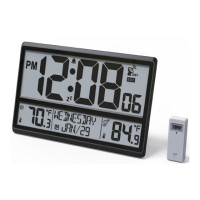

 To Next Page
 General