26
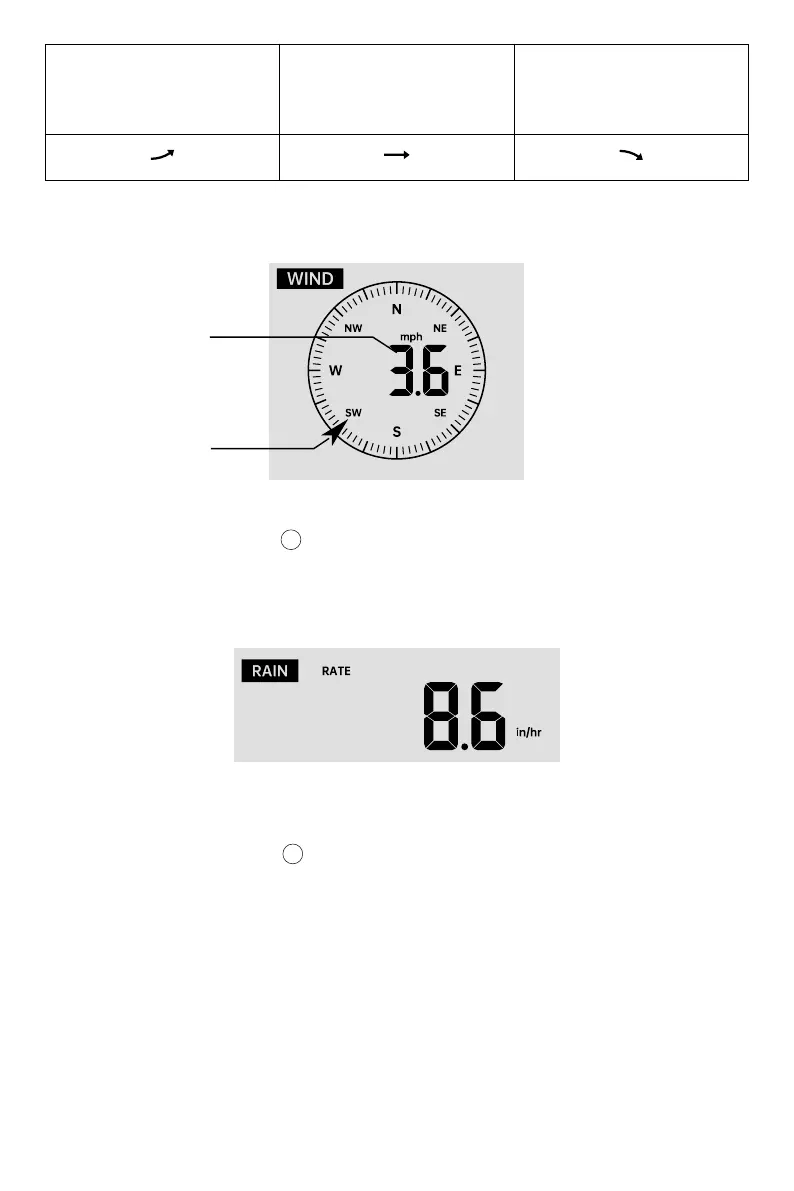
In normal display mode, press 【WIND/+】button to switch between current average wind
speed, gust wind speed and wind direction.
The Rainfall shows information regarding the rainfall and rain rate.
Wind Display
Selecting Wind Display Mode
Pressure has
risen > 2hpa/0.06inHg in
the past hour
Pressure has not change
more than 2hpa/0.06inHg
in the past hour
Pressure has
fallen > 2hpa/0.06inHg in
the past hour
WIND
Rainfall Display
RAIN
Real time wind
direction indicator
Average/gust
wind speed
13
In normal display mode, press 【RAIN】button to switch between Rain Rate, Rain Event,
Rain Hourly ,Rain Daily, Rain Weekly, Rain Monthly and Rain Total.
Increments of Rain Definition
Rain Rate
Rain event
Daily Rain
Weekly Rain
Monthly Rain
Total Rain
: current rainfall rate in the past hour.
: continuous rain, and resets to zero if rainfall accumulation is less than 10mm
(0.039 in) in a 24-hour period.
: Total rainfall since midnight (00:00)
: Total rainfall for the current calendar week, and resets on Sunday morning at
midnight (Sunday thru Saturday)
: Total rainfall for the current calendar month, and reset on the first day of the
Month.
: Total rainfall since the last reset.
12
Select the Rainfall Display Mode



 To Next Page