27
When reading the Weather Index display, you can press 【TEMP/ 】 button to cycle
through different weather indexes in the following order: Feels Like > Heat Index > Wind Chill
> Dewpoint.
In normal display mode, press and hold 【RAIN】button over 2 seconds to reset the rain
record.
NOTE:
Resetting the weekly rain also resets the daily rain.
Resetting the monthly rain also resets the daily and weekly rain.
Resetting the total rain also resets the monthly, weekly and daily rain.
11
12
Reset the Total Rainfall Record
Weather Index
WEATHER
Feels Like
The Feels Like temperature index determines what temperature it actually feels like outside,
taking into account factors like wind speed, pressure, temperature and humidity.
Wind Chill
Wind Chill is determined by a combination of the wireless weather sensor’s temperature and
wind speed data.
NOTE: Only when the temperature is below 50℉(10℃) and the wind speed is over
4.8km/h (3mph), will display the wind chill value, otherwise it will display “--.-“.
Heat Index
The Heat Index is determined by the wireless weather sensor’s temperature and humidity
readings.
Dew Point
The dew point is the temperature at which a given parcel of humidity air must be cooled, at
constant barometric pressure, for water vapor to condense into water. The condensed water
is called dew. The dew point is a saturation temperature.
The Dew Point temperature is determined by the temperature and humidity data from the
wireless weather sensor.
Weather Forecast
The built-in barometer can notice atmospheric pressure changes, and based on the data
collected, can predict the weather conditions.
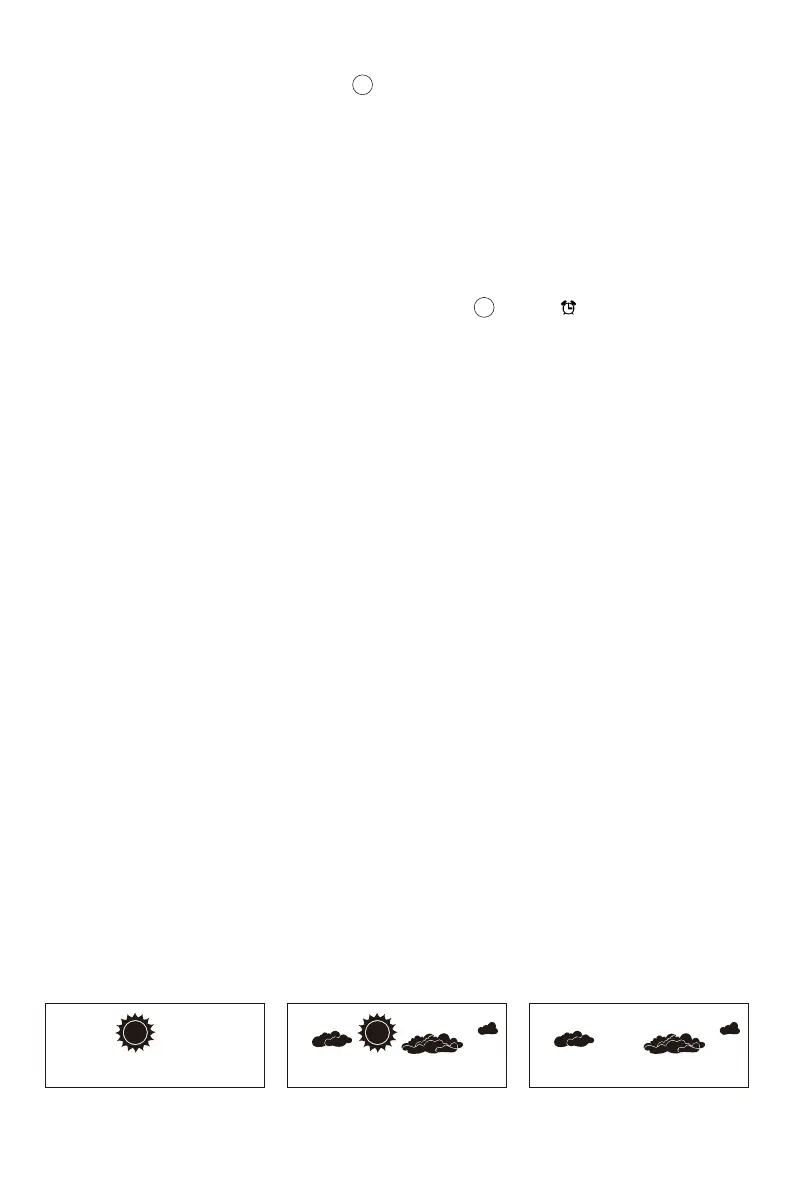
There are 6 weather icons --- Sunny, Partly Cloudy, Cloudy, Rainy, Stormy and Snowy.
Sunny Partly Cloudy Cloudy


 To Next Page
 Loading...


