28
Ice Alert
When outdoor temperature is lower than 1℃/33.8℉, the snowflake icon will appear on
the LCD display.
NOTE:
The accuracy of a general perssure-based forecast is about 65-70%. Forecasts are not
guranteed.
It may not necessarily reflect the current situation.
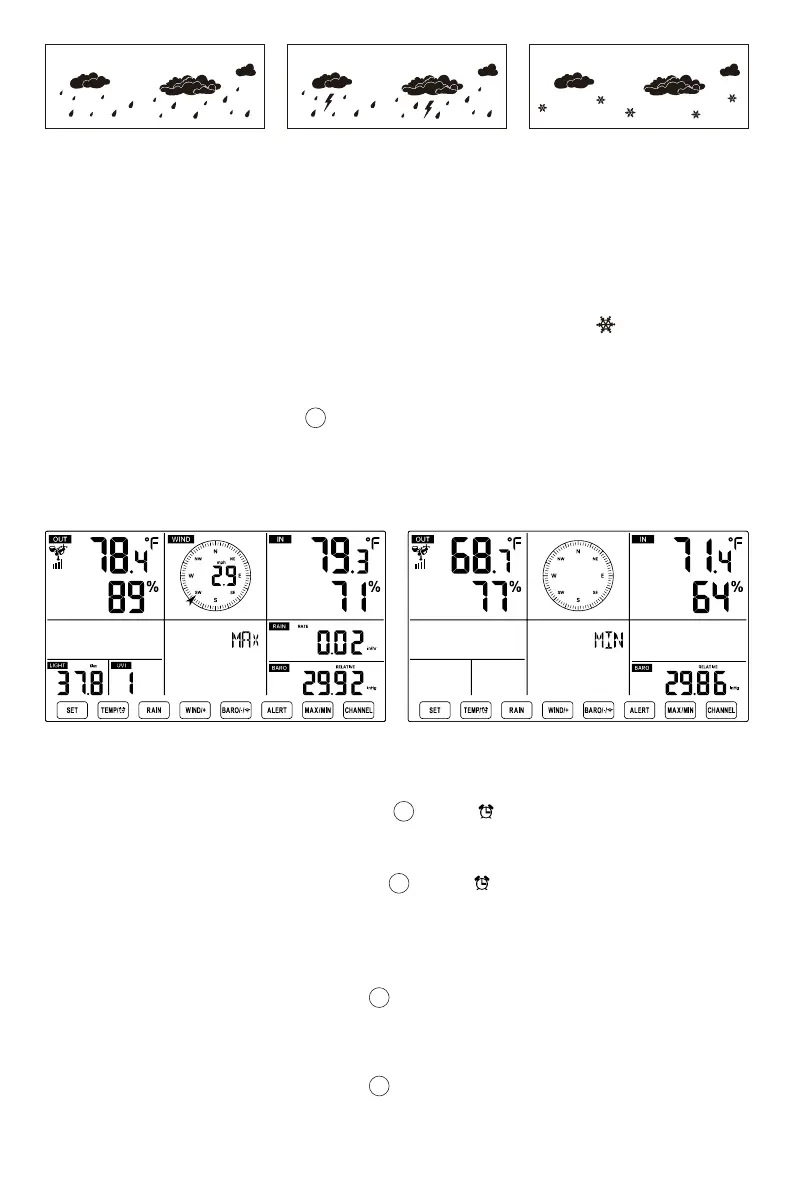
Rainy Stormy Snowy
MAX/MIN
In normal display mode, press 【MAX/MIN】button switching between maximum and
minimum value.
NOTE: If there is no valid operation within 10 seconds, it will automatically return to the
normal display mode.
●
16
Display Feel like, Wind Chill, Heat Index, Dew Point Max/Min Values
To View the Accumulated MAX/MIN
When the max values are displayed, press 【TEMP/ 】button to interchange viewing
the Outdoor temperature → Feel like → Wind Chill → Heat Index → Dew Point → Outdoor
temperature.
When the min values are displayed, press 【TEMP/ 】button to interchange viewing
the outdoor temperature → Feel like → Wind Chill → Heat Index → Dew Point → Outdoor
temperature.
●
1.)
2.)
Display Wind Speed, Wind Gust Max Values
When the max values are displayed, press 【WIND/+】 button to interchange viewing
between the AVERAGE and GUST wind speeds.
●
Display Rain Rate, Daily Rain, Weekly Rain and Monthly Rain Max Values
When the max values are displayed, press 【RAIN】button to interchange viewing Rain
Rate → Daily Rain → Weekly Rain → Monthly Rain.
●
13
12
11
11



 To Next Page