EasyManua.ls Logo

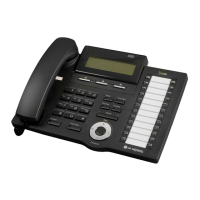
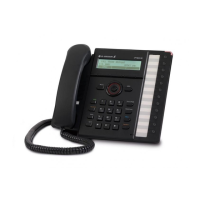
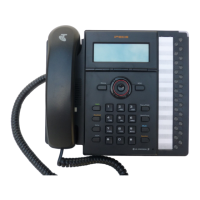
LG-Nortel LDP-7016D - User Manual

LG-Nortel LDP-7016D
43 pages
Go to English
Print Icon
To Next Page IconTo Next Page
Loading...
Important Safety Information
To prevent the unexpected danger or damage please read this information before installing and
repairing the phone. There are ā€œWarningā€, it means as follows;
Warning: To reduce the possibility of electric shock, do not expose your phone to high humidity areas,
such as a bathroom, swimming area, etc.
1. Only trained and qualified service personnel shall install, replace or service the phone.
2. Do not spill liquid like water on the phone. If so, call for the service center as this may result in
a fire or an electric shock.
3. If you see smoke or smell something during, unplug the phone line. Call for service centre
immediately.
4. Do not tug the power cord or the phone line. This may result in a fire, an electric shock or
equipment damage.
5. Do not use the phone during a thunderstorm. Lightning strike may result in a fire, severe electrical or
acoustic shock.
6. Ensure that children do not pull on phone cords. This may injure children or result in equipment
damage.
7. The ear-piece houses a magnetic device which may attract pins or small metal objects. Keep handset
clear of such objects and check before use.
8. Avoid placing the phone in an area that is dusty, damp or subject to vibration.
9. Choose a site that is dry and well ventilated.
10. Do not put the heavy things on the phone.
11. Do not drop or throw the phone.
12. Static electricity discharge will damage electronic components.
13. Keep out of direct sunlight and away from heat.
14. No user serviceable parts inside. No not insert a screw driver or any metal objects into the phone.
This may cause electric shock or damage the equipment and will render the warranty void.
15. Clean the phone with a soft, dry cloth only. Do not use volatile liquids such as petrol, alcohol or
acetone as this may cause a fire or result in discoloration or damage to plastics. Do not clean with
wax or silicon products as these may enter the equipment and cause operation to become unreliable.
Disposal of your old appliance
1. When this crossed-out wheeled bin symbol is attached to a product it means the product
is covered by the European Directive 2002/96/EC.
2. All electrical and electronic products should be disposed of separately from the municipal
waste stream via designated collection facilities appointed by the government or the local
authorities.
3. The correct disposal of your old appliance will help prevent potential negative
consequences for the environment and human health.
4. For more detailed information about disposal of your old appliance, please contact your
city office, waste disposal service or the shop where you purchased the product.
Warning
STG
Question and Answer IconNeed help?

Do you have a question about the LG-Nortel LDP-7016D and is the answer not in the manual?

Summary

Important Safety Information

General Safety Warnings and Precautions

Critical safety warnings for phone installation, usage, and maintenance.

Disposal of Old Appliance

Guidelines for proper disposal of electronic waste according to EU directives.

Digital Telephone Description and Quick Guide

Fixed Feature Button Definitions

Explains the function of each fixed button on the telephone.

Keyset User Operation

Call Answering and Handling

Procedures for answering calls and handling busy/other station calls.

Call Management and Features

Advanced features for managing calls, including DND, forwarding, transfers, hold, and conferencing.

User Program Codes

Feature Code Programming

Lists feature codes for programming various phone functions and settings.

Regulatory and Safety Information

FCC, IC, and EU Compliance

Statements regarding compliance with FCC, Canadian IC, and European Union directives.

Product Safety Instructions

Important safety guidelines for installation, use, and care of the telephone.

Important Safety Information (LDP-7000 BTU)

Warnings and Cautions

Critical safety advisories for the LDP-7000 BTU, detailing dangers and precautions.

BTU Module Introduction

Product Overview and Compatibility

Overview of the LDP-7000BTU and its connection to Bluetooth headsets.

BTU Module Installation

Unpacking and Physical Connection

Steps for unpacking the BTU module and physically connecting it to the phone.

Before Using the BTU Module

Initial Setup and Pairing

Instructions for charging headset, enabling Bluetooth, and pairing headset with BTU.

Using the Bluetooth Menu

Bluetooth Menu Navigation and States

Navigating the Bluetooth menu for enabling, disabling, and managing features.

Bluetooth Pairing Procedure

Pairing and Searching for Devices

Steps for pairing the Bluetooth headset with the LDP-7000BTU.

Selecting Bluetooth Devices

Device Identification and Selection

How to select the desired Bluetooth device from a list and view device information.

Entering Bluetooth PIN Code

PIN Code Entry for Connection

Process for entering the Bluetooth device PIN code to establish a connection.

Unpairing Bluetooth Devices

Procedure for Unpairing

Steps to remove a paired Bluetooth headset from the LDP-7000BTU.

Paired Information and Status Icons

Paired Device Status and Connection

Displays the status of paired Bluetooth devices and their connection state.

Bluetooth Icon Meanings (LDP-7024 LD)

Explains the meaning of various Bluetooth status icons displayed on the LDP-7024LD.

Using Your LDP-7000 BTU

Call Operations with Headset

Procedures for answering, making, and transferring calls using the Bluetooth headset.

Performance Range and Restrictions

Information on optimal performance range and operational restrictions of the LDP-7000BTU.

LG-Nortel LDP-7016D Specifications

General IconGeneral
TypeIP Phone
Programmable Buttons16
SpeakerphoneYes
Headset PortYes
DisplayLCD
Ethernet Ports2
Power over Ethernet (PoE)Yes
Power SupplyAC Adapter
Supported ProtocolsSIP
CodecsG.711, G.729

Related product manuals