EasyManua.ls Logo

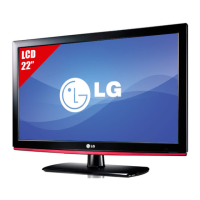
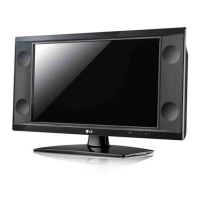
LG 22LK33 Series - User Manual

LG 22LK33 Series
128 pages
Print Icon
To Next Page IconTo Next Page
Loading...
www.lg.com
OWNER’S MANUAL
LCD TV / LED LCD TV
Please read this manual carefully before operating your
set and retain it for future reference.
P/NO : MFL67099914 (1110-REV05)
Printed in Korea

Questions and Answers

  • W
    Whitney RobertsSep 18, 2025
    Why do afterimages (ghosts) appear on my LG LCD TV when it turns off?
    • E
      emilyadamsSep 22, 2025
      Afterimages (ghosts) appearing on your LG LCD TV when it turns off may be due to pixels damaged from a fixed image displayed for a long time (image burn). Use a screen saver to prevent pixel damage.
  • G
    Gail ThomasAug 25, 2025
    What to do if the LG 22LK33 LCD TV remote control is not working?
    • S
      Sarah LozanoAug 25, 2025
      If you cannot control your LG LCD TV with the remote, first check the remote control sensor on the TV and try again. Also, make sure there are no obstacles between the remote and the TV. Ensure the batteries are working and properly installed. Finally, verify that the appropriate input mode (TV or VCR) is selected for remote control use.
  • J
    Jared McdonaldAug 26, 2025
    How to fix black and white image on LG 22LK33?
    • C
      Carrie Harris DDSAug 26, 2025
      If the image on your LG LCD TV is displaying in black and white or the color quality is poor, first adjust the color settings in the PICTURE menu. Also, ensure that there is sufficient distance between the TV and other electronic devices. Trying other channels can help determine if the issue is with the broadcast itself.
  • A
    Anthony AriasAug 27, 2025
    How to brighten a dark screen on LG LCD TV?
    • A
      afrederickAug 27, 2025
      If the power is on but the screen on your LG LCD TV appears extremely dark, adjust the brightness and contrast settings in the PICTURE menu.
  • P
    preston60Sep 23, 2025
    How to fix horizontal noises or blurry characters on LG 22LK33 LCD TV?
    • D
      Darrell MoraSep 23, 2025
      To resolve horizontal noises or blurry characters on your LG LCD TV, adjust the Phase setting in the PICTURE menu.
  • J
    Jose ColeSep 23, 2025
    How to get rid of thin lines in the background of my LG 22LK33 LCD TV screen?
    • N
      Nicholas StanleySep 23, 2025
      If thin lines appear in the background of your LG LCD TV screen, check the video cable connections.
  • J
    Jeremy PatelSep 10, 2025
    Why is my LG 22LK33 showing no image and producing no sound?
    • M
      Mark ReyesSep 10, 2025
      If your LG LCD TV is displaying no image and producing no sound, first check if the TV is turned on. Next, verify that the power cord is securely connected to a working wall outlet. You can test the wall outlet by plugging in another device to see if it works.
  • M
    Micheal CastilloSep 12, 2025
    What does it mean when my LG 22LK33 LCD TV says 'No Signal'?
    • M
      Mary ChambersSep 12, 2025
      If your LG LCD TV displays a “No Signal” message, ensure the signal cable is properly connected between the TV and any external devices. Also, verify that you have selected the correct input source by pressing the INPUT button on your remote.
  • D
    Darren MitchellSep 4, 2025
    How to adjust display offset on LG LCD TV?
    • R
      ramoswilliamSep 4, 2025
      If the display offset is wrong on your LG LCD TV, try adjusting the position setting in the PICTURE menu. Check that the video card resolution and frequency are supported by the TV. If the frequency is out of range, set the recommended resolution using the display settings on the external device.
  • S
    Sherry WarnerSep 1, 2025
    How to improve poor reception on LG 22LK33 channels?
    • S
      Sara BarnesSep 2, 2025
      If the reception on some channels is poor on your LG LCD TV, try switching to other channels, as the problem may be with the broadcast. It's possible that the station signal is weak. Try adjusting the antenna's direction for better reception. Also, check for any local interference from electrical appliances or power tools.

LG 22LK33 Series Specifications

General IconGeneral
Resolution1366 x 768
Display TypeLCD
Aspect Ratio16:9
HDMI Ports1
Response Time5ms
USB Ports1
Refresh Rate60Hz
Sound Output5W x 2
InputsHDMI, USB

Related product manuals