EasyManua.ls Logo

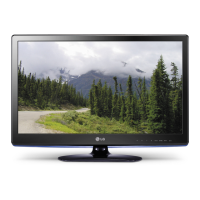
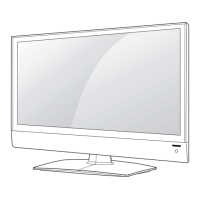
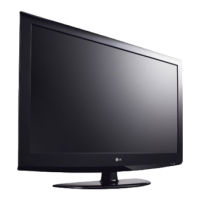
LG 22LK330 - User Manual

LG 22LK330
101 pages
Print Icon
To Next Page IconTo Next Page
Loading...
G
Order Number : GETEC-C1-10-206 FCC Part 15 subpart B
Test Report Number : GETEC-E3-10-106 Page
1 / 1
EUT Type: LED LCD TV/Monitor
FCC ID.: BEJ55LV3500UA
APPENDIX G
: USER’S MANUAL

Table of Contents

Other manuals for LG 22LK330

Questions and Answers

  • A
    Aaron BuckAug 10, 2025
    How to fix LG 22LK330 remote control not working?
    • E
      eweaverAug 10, 2025
      If your LG LCD TV remote isn't working, first, ensure there are no obstructions between the remote and the TV's sensor. Then, check the batteries to confirm they are working and correctly installed. Finally, verify that the appropriate input mode (TV or VCR) is selected on the remote.
  • J
    Joshua ThomasAug 16, 2025
    Why does my LG 22LK330 turn off by itself?
    • K
      Katherine PollardAug 17, 2025
      If your LG LCD TV suddenly turns off, examine the power control settings to ensure the power supply isn't interrupted. Also, check if the Auto sleep feature is enabled in the Time settings. Note that the TV will automatically turn off after 15 minutes of inactivity if there is no signal.
  • T
    Timothy CookAug 23, 2025
    What to do if there is no sound on LG 22LK330?
    • K
      Kayla GibsonAug 23, 2025
      If there's no sound but images on your LG LCD TV, first, press the VOL + or - button to adjust the volume. Next, check if the sound is muted by pressing the MUTE button. Try switching to other channels, as the issue might be with the broadcast. Finally, ensure the audio cables are properly connected.
  • S
    Sophia TaylorAug 28, 2025
    Why is my LG 22LK330 LCD TV showing no image and no sound?
    • T
      tgreenAug 28, 2025
      If your LG LCD TV shows no image and produces no sound, first, ensure the TV is turned on. Then, check if the power cord is properly connected to a wall outlet. You can also test the wall outlet by connecting other products to see if it's working.
  • L
    Lori VincentSep 3, 2025
    Why does the image appear slowly when I turn on my LG 22LK330 LCD TV?
    • P
      Paula WelchSep 3, 2025
      The image may appear slowly when you turn on your LG LCD TV because the image is muted during the product startup process, which is normal. If the image doesn't appear after a few minutes, unplug the TV for 30 seconds and then try again.

LG 22LK330 Specifications

General IconGeneral
BrandLG
Model22LK330
CategoryLCD TV
LanguageEnglish

Related product manuals