EasyManua.ls Logo

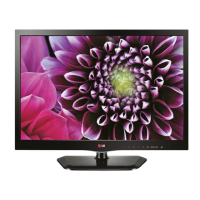
LG 22LW750H-ZA - User Manual

LG 22LW750H-ZA
58 pages
Print Icon
To Next Page IconTo Next Page
Loading...
OWNER’S MANUAL
LED TV*
Please read this manual carefully before operating your set and retain it
for future reference.
*LG LED TVs are LCD TVs with LED backlighting.
www.lg.com
LW75**
LW76**
LY75**
LY76**
LY96**

Questions and Answers

  • S
    Sarah Carrillo DVMAug 15, 2025
    What to do if my LG 22LW750H-ZA remote control is not working?
    • S
      Samantha RuizAug 15, 2025
      If you cannot control your LG LED TV with the remote, first check the remote control sensor on the TV and try again. Then, make sure there are no obstacles between the remote and the TV. Finally, check if the batteries in the remote are working and properly installed ( to , to ).
  • Z
    Zachary JohnsAug 18, 2025
    What to do if my LG 22LW750H-ZA turns off suddenly?
    • M
      martinmeaganAug 18, 2025
      If your LG LED TV turns off suddenly, examine the power control settings to ensure the power supply isn't interrupted. Also, verify if the Automatic Standby, Sleep Timer, or Time Power Off function is activated within the TIME or Timers settings.
  • K
    Kylie RyanAug 21, 2025
    What to do if my LG LED TV has no image and sound?
    • S
      Scott AndersonAug 21, 2025
      If your LG LED TV shows no image and produces no sound, first check if the TV is turned on. Next, ensure the power cord is properly connected to a wall outlet. You can also check the wall outlet by connecting other products to see if it works.
  • L
    Latasha EsparzaAug 26, 2025
    Why is there no image or sound on my LG 22LW750H-ZA LED TV?
    • D
      djacobsAug 26, 2025
      If your LG LED TV shows no image and produces no sound, ensure that the TV is turned on. Also, verify that the power cord is securely connected to a working wall outlet. You can test the outlet by connecting another device to see if it works.
  • N
    Nancy HerreraAug 28, 2025
    How to fix an LG 22LW750H-ZA LED TV that turns off suddenly?
    • G
      Gregory CisnerosAug 28, 2025
      If your LG LED TV is turning off suddenly, examine the power control settings. It's possible the power supply is being interrupted. Also, check if the Automatic Standby, Sleep Timer, or Time Power Off is activated in the TIME settings.
  • E
    Elizabeth WilsonAug 31, 2025
    What to do if LG 22LW750H-ZA LED TV remote control is not working?
    • T
      Thomas StantonAug 31, 2025
      If you cannot control your LG LED TV with the remote, first, check the remote control sensor on the TV and try again. Second, make sure there are no obstacles blocking the path between the remote and the TV. Finally, check if the batteries in the remote are working and properly installed.
  • C
    Christopher CherrySep 4, 2025
    Why is my LG 22LW750H-ZA LED TV showing ‘No signal’ or ‘Invalid Format’ when connecting to PC (HDMI)?
    • J
      Jason JohnsonSep 4, 2025
      If your LG LED TV displays ‘No signal’ or ‘Invalid Format’ when connected to a PC via HDMI, try the following: first, turn the TV off and then on again using the remote control. If that doesn't work, reconnect the HDMI cable. As a final step, restart your PC while the TV is powered on.
  • W
    Whitney BruceSep 7, 2025
    Why does my LG 22LW750H-ZA say ‘No signal’ or ‘Invalid Format’ when connecting to PC via HDMI?
    • J
      Jeffrey FrederickSep 8, 2025
      If your LG LED TV displays ‘No signal’ or ‘Invalid Format’ when connected to a PC via HDMI, try turning the TV off and on using the remote control. If that doesn't work, reconnect the HDMI cable. As a further step, restart the PC while the TV is on.
  • U
    uyuSep 12, 2025
    What to do if my LG LED TV says ‘No signal’ or ‘Invalid Format’ when connecting to a PC via HDMI?
    • H
      hannahgibsonSep 12, 2025
      If your LG LED TV displays ‘No signal’ or ‘Invalid Format’ when connected to a PC via HDMI, try turning the TV off and on again using the remote control. If that doesn't work, reconnect the HDMI cable. As a final step, restart the PC while the TV is on.

LG 22LW750H-ZA Specifications

General IconGeneral
BrandLG
Model22LW750H-ZA
CategoryLED TV
LanguageEnglish

Related product manuals