ENGLISH
26
MAKING CONNECTIONS
Component connection
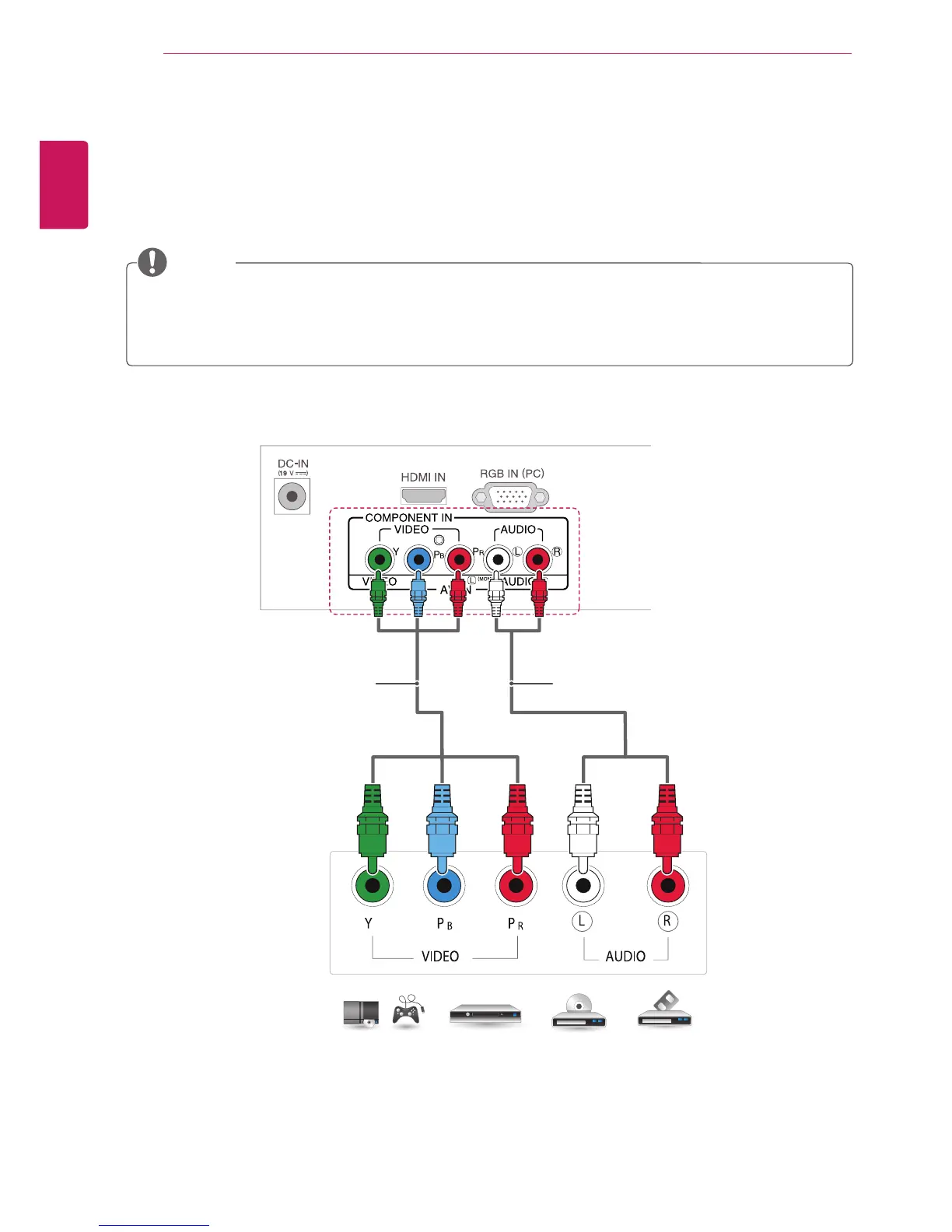
Transmits the analog video and audio signals from an external device to the TV. Connect the external
device and the TV with the component cable as shown on the following illustration. To display images by
using progressive scan, make sure to use the component cable.
If cables are installed incorrectly, it could case the image to display in black and white or with distorted
color.
Check to ensure the cables are matched with the corresponding color connection.
NOTE
DVD / Blu-Ray / HD Cable Box /
HD STB / Gaming device
(Not Provided) (Not Provided)



 To Next Page