22
ENG
ENGLISH
CUSTOMIZING SETTINGS
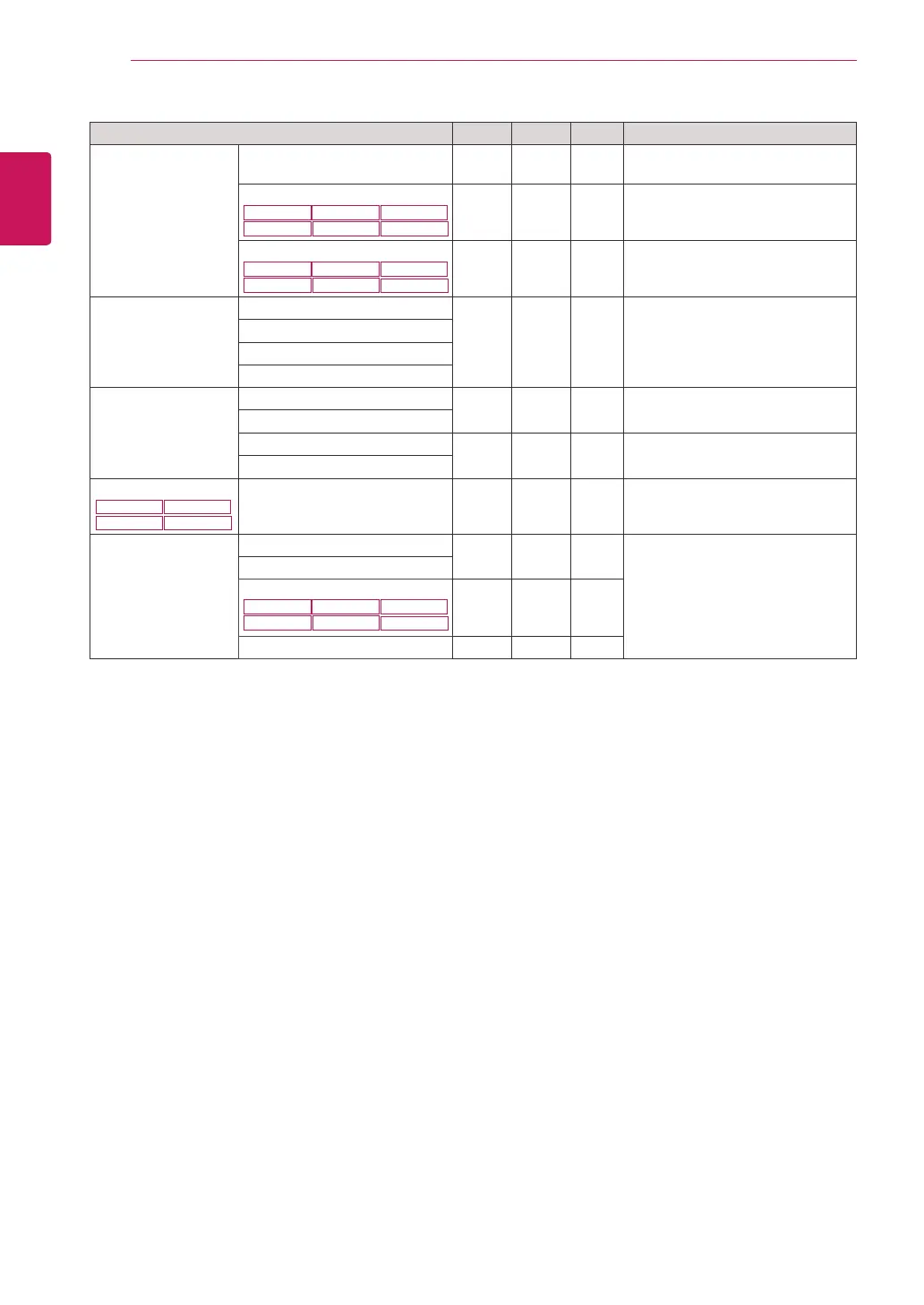
Menu > Next Menu Analog Digital HDMI Description
Picture
Sharpness ● ● ●
To adjust the clearness of the
screen
Black Level
22MP48HQ
24MP48HQ
23MP48HQ
27MP48HQ
20MP38H
20MP38HQ
●
To set offset level
Overscan
22MP48HQ
24MP48HQ
23MP48HQ
27MP48HQ
20MP38H
20MP38HQ
●
To improve the clarity and stability
of the screen
Color Gamma
● ● ●
To customize the color of the
screen
Color Temp
Six Color
Color Reset
Display Horizontal
●
To adjust the position of the screen
Vertical
Clock
●
To improve the clarity and stability
of the screen
Phase
Audio
22MP48HQ
23MP48HQ
20MP38H
20MP38HQ
Volume ●
To adjust the volume
Others Language
● ● ●
To customize the screen status for
a user's operating environment
Power Indicator
Automatic Standby
22MP48HQ
24MP48HQ
23MP48HQ
27MP48HQ
20MP38H
20MP38HQ
● ● ●
Resolution ●
y
Analog:
D-SUB(Analog signal) input.
y
Digital:
DVI-D(Digital signal) input.
y
HDMI:
HDMI(Digital signal) input.



 To Next Page