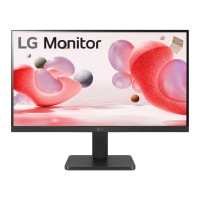
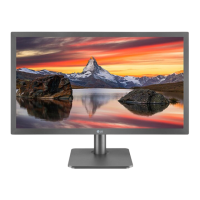
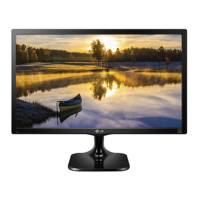
This is a user manual for an LG LCD LED monitor, specifically covering models 22MR410, 22MR41A, 22MR41S, 22BR410, 24MR400-BA, 24MR400-BB, 24MR41A-BB, 24MR41S-BB, 24BR400-BB, 27MR400, 27MR41A, 27MR41S, and 27BR400. The manual provides comprehensive instructions for installation, usage, maintenance, and troubleshooting, ensuring safe and optimal operation of the device.
Function Description
The LG LCD LED monitor serves as a visual display unit for personal computers and AV devices. It utilizes an LCD panel with LED backlighting to produce images. The monitor is designed to be user-friendly, with a joystick button for easy navigation through its on-screen display (OSD) menu. It supports various input modes, including D-SUB and HDMI, allowing connectivity with a wide range of devices. The monitor also incorporates energy-saving features to reduce power consumption when not in active use.
Important Technical Specifications
Color Depth: The monitor supports an 8-bit color depth, ensuring a rich and accurate color display.
Resolution (Pixels):
- Maximum Resolution:
- 1920 x 1080 at 100 Hz (HDMI)
- 1920 x 1080 at 75 Hz (D-SUB)
- Recommended Optimal Resolution: 1920 x 1080 at 60 Hz
Environmental Conditions:
- Operating Temperature: 0 °C to 40 °C
- Operating Humidity: Less than 80 %
- Storage Temperature: -20 °C to 60 °C
- Storage Humidity: Less than 85 %
AC/DC Adapter:
- Model: ADS-25FSF-19 19025EPCU-1, ADS-25FSF-19 19025EPG-1, ADS-25FSF-19 19025EPK-1, ADS-25FSF-19 19025EPI-1, ADS-25FSF-19 19025EPB-1, ADS-25SFA-19-3 19025E
- Manufacturer: SHENZHEN HONOR ELECTRONIC CO., LTD
- Input: 100-240 V~ 50/60 Hz, 0.7 A
- Output: 19 V 1.3 A
Power Supply:
Dimensions (Width x Depth x Height) (mm):
- 22MR41 / 22BR41:**
- With stand: 491.9 x 200 x 378.1
- Without stand: 491.9 x 50.5 x 284.3
- 24MR400-BA / 24MR4-BB / 24BR4**-BB:**
- With stand: 540 x 200 x 414
- Without stand: 540 x 50.5 x 320.6
- 27MR4 / 27BR4**:**
- With stand: 611.7 x 200 x 456.1
- Without stand: 611.7 x 50.5 x 362.3
Weight (kg) (Without Packaging):
- 22MR41 / 22BR41:**
- With stand: 2.5
- Without stand: 2.1
- 24MR400-BA / 24MR4-BB / 24BR4**-BB:**
- With stand: 2.9
- Without stand: 2.5
- 27MR4 / 27BR4**:**
- With stand: 3.9
- Without stand: 3.3
Compatibility Modes (D-SUB/HDMI): The manual lists various supported resolutions, horizontal and vertical frequencies, and polarities, including a preferred timing of 1920 x 1080 at 60 Hz. Specific models like 24MR400-BB may have slightly different compatibility tables.
HDMI Timing (Video): The monitor supports various progressive video resolutions and frequencies, such as 480p at 60 Hz, 576p at 50 Hz, 720p at 50/60 Hz, and 1080p at 50/60 Hz.
Usage Features
Installation:
- Tabletop Installation: The monitor should be placed vertically on a table, maintaining a minimum distance of 100 mm from the wall for adequate ventilation.
- Kensington Lock: For security, the monitor can be secured to a table using a Kensington lock cable.
- Wall Mount Installation: The monitor supports VESA-compliant wall mounts (100 x 100 mm) with M4 x L10 screws. It is crucial to ensure proper ventilation and secure attachment to prevent injury.
Product Description:
- Joystick Button: A single joystick button located at the back of the monitor allows for easy control of its functions.
- Power On/Off: Press once to turn on, press and hold for 5 seconds to turn off.
- Volume Control: Move left or right to adjust volume.
- Input Information: Displays current input source.
- Angle Adjustment: The screen angle can be adjusted between -5° and 20° for comfortable viewing. Users are advised to avoid touching or pressing the screen when adjusting the angle.
User Configuration:
- Main Menu Activation: Press the joystick button to access the main menu.
- Menu Options:
- [Input]: Selects the input mode (D-SUB, HDMI).
- [Power Off]: Turns off the monitor.
- [Settings]: Configures display settings.
- [Quick Settings]: Adjusts brightness, contrast, and volume. Includes an "Automatic Configuration" option for D-SUB.
- [Image]: Configures image settings, including "Image Mode" (Default, Reader, Photo, Cinema, Color Weakness, Game), "Adjust Image" (Brightness, Contrast, Sharpness, SUPER RESOLUTION+, Black Level, DFC), and "Adjust Color" (Gamma, Color Temperature, Red/Green/Blue adjustments).
- [General]: Sets language, "SMART ENERGY SAVING" (High, Low, Off), "Automatic Standby," "OSD Lock," "Information" (Total Power On Time, Resolution), and "Reset."
Software Compatibility:
- The latest monitor driver and OnScreen Control software can be downloaded from the LG website (www.lg.com).
Energy Saving Design:
- The monitor is designed to reduce power consumption when not in use, especially when connected to a PC with VESA Display Power Management Signalling (DPMS) protocol.
- It features three operating modes: On Mode (normal operation), Sleep Mode (reduced power state, activated by mouse movement or keyboard input), and Off Mode (lowest power consumption state, activated by power switch).
Maintenance Features
Cleaning:
- Screen Cleaning: Disconnect the monitor from the power source before cleaning. Use a slightly damp (not wet) soft cloth. Avoid spraying aerosols directly onto the screen to prevent electric shock.
- Product Cleaning: Disconnect the power cable and gently wipe with a soft cloth to prevent scratches. Do not use wet cloths, water sprays, or other liquids directly on the product. Avoid chemicals like benzene, paint thinners, or alcohol.
- Front Frame Cleaning: Spray water 2-4 times onto a soft cloth and wipe the front frame in one direction only. Excessive moisture can cause stains.
Repacking:
- Retain the original carton and packing materials for future transport of the unit.
Troubleshooting:
- The manual provides solutions for common issues such as no display, "Monitor not recognized" messages, image persistence, unstable/flickering images, abnormal screen colors, and disabled functions.
- It advises users to check power connections, input settings, resolution, and driver installation.
- For persistent issues, users are directed to contact qualified service personnel.
Safety Precautions:
- General Safety: Use only the supplied power cord, ensure proper grounding, and avoid overloading AC outlets. Never open the monitor as it contains high voltage components.
- Personal Injury Prevention: Do not place the monitor on a sloping shelf unless secured, use only manufacturer-recommended stands, and avoid dropping or impacting the product.
- Fire/Hazard Prevention: Always turn off the monitor when leaving a room for an extended period, prevent children from inserting objects into openings, and disconnect from the wall outlet during thunderstorms.
- AC Adapter and Power: Ensure the power cord is fully inserted into the AC adapter. Use only LG-approved power cords and adapters. Avoid touching the power plug or AC adapter with wet hands and keep them clean from dust.
This comprehensive guide ensures users can effectively install, operate, and maintain their LG LCD LED monitor, maximizing its lifespan and performance while adhering to safety standards.

 Need help?

 To Next Page
 General