EasyManua.ls Logo

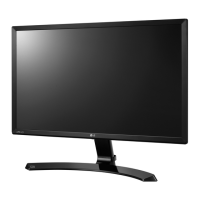
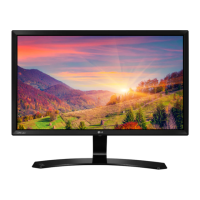
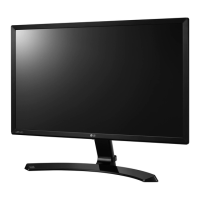
LG 22MP57D - User Manual

LG 22MP57D
43 pages
Print Icon
To Next Page IconTo Next Page
Loading...
www.lg.com
IPS LED MONITOR MODEL
ENGLISH
OWNER’S MANUAL
IPS LED MONITOR
Please read this manual carefully before operating
your set and retain it for future reference.
22MP57A
22MP57D
22MP57HQ
22MP57VQ
22MC57HQ
23MP57A
23MP57D
23MP57H
24MP57HQ
24MP57VQ
24MC57HQ
24MP57D
23MP57HQ
23MP57VQ
27MP57VQ
27MP57HQ
27MP57HT

Questions and Answers

  • J
    jenniferjonesSep 9, 2025
    How to fix no image on LG 22MP57D Monitor?
    • C
      cfisherSep 9, 2025
      If no image appears on your LG Monitor, ensure the power cord is properly connected to the power outlet and that the monitor is turned on by pressing the Power button. If the display is in power saving mode, try moving the mouse or pressing any key on the keyboard. Also, verify that your PC is turned on. If you see a message indicating the signal from the PC is out of range, consult the 'Specifications' section of the manual to configure your display correctly. When the monitor is on 'No-Signal' in 5 minutes, the monitor goes to DPM mode.
  • K
    Kaitlin PrattAug 23, 2025
    What to do if my LG 22MP57D Monitor screen is flickering?
    • C
      Charles LeblancAug 23, 2025
      If your LG Monitor screen is flickering, check if the screen is set to interlace mode. If it is, change it to the recommended resolution.
  • M
    Megan ChavezAug 25, 2025
    How to remove vertical bars or stripes on LG 22MP57D screen?
    • G
      George SantosAug 25, 2025
      To remove vertical bars or stripes visible on your LG Monitor screen, use the Auto Configuration function and select "Yes" to automatically adjust your display image to the ideal setting.
  • L
    ljohnsonAug 26, 2025
    How to fix horizontal noise on my LG Monitor?
    • D
      davidorozcoAug 27, 2025
      To resolve horizontal noise or unclear characters on your LG Monitor, first, use the Auto Configuration function and select "Yes" to automatically adjust the display image. If the issue persists, go to Control Panel ? Display ? Settings and adjust the display to the recommended resolution or adjust the display image. Also, ensure that the color setting is higher than 24 bits (true color).
  • C
    Charles HoganAug 28, 2025
    Why is the screen color on my LG 22MP57D mono or abnormal?
    • J
      Justin DavisAug 28, 2025
      If the screen color on your LG Monitor is mono or abnormal, check if the signal cable is properly connected, using a screwdriver to fasten it if necessary. Also, ensure that the video card is properly inserted in its slot. Finally, set the color setting higher than 24 bits (true color) via Control Panel ? Settings.
  • S
    Sherry MartinAug 29, 2025
    What to do if my LG Monitor shows "Unrecognized monitor, Plug&Play (VESA DDC) monitor found"?
    • D
      daniel30Aug 29, 2025
      If your LG Monitor displays an "Unrecognized monitor, Plug&Play (VESA DDC) monitor found" message, install the display driver from the CD (or diskette) that came with your display. Also, ensure that the video card supports the Plug&Play function.
  • S
    Shannon ThomasSep 18, 2025
    What to do if I see vertical bars on my LG 22MP57D Monitor?
    • L
      Linda RamirezSep 18, 2025
      If you notice vertical bars or stripes on your LG Monitor screen, use the Auto Configuration function. Select the "Yes" item to automatically adjust your display image to the ideal setting.
  • S
    Susan GuzmanSep 22, 2025
    How to unlock OSD controls on LG 22MP57D?
    • M
      Mrs. Elizabeth DuncanSep 22, 2025
      To unlock the OSD controls on your LG Monitor, go to the OSD lock menu and change the setting to 'off'.
  • E
    eric34Sep 7, 2025
    Why are vertical bars or stripes visible on my LG 22MP57D Monitor screen?
    • E
      edeckerSep 8, 2025
      If you see vertical bars or stripes on your LG Monitor screen background, use the Auto Configuration function and select the "Yes" item to automatically adjust your display image to the ideal setting.
  • E
    Elizabeth MartinezSep 4, 2025
    What to do if my LG Monitor shows 'Unrecognized monitor, Plug&Play (VESA DDC) monitor found'?
    • I
      Isaiah DominguezSep 5, 2025
      If your LG Monitor displays an "Unrecognized monitor, Plug&Play (VESA DDC) monitor found" message, install the display driver from the CD or diskette that came with your display. Also, make sure your video card supports the Plug&Play function.

Summary

ASSEMBLING AND PREPARING

Monitor Components and Joystick Operation

Identifies monitor ports and explains joystick button functions.

Attaching the Monitor Stand Base

Step-by-step guide to attach the monitor stand base.

Mounting the Monitor on a Table

Guides placement and ventilation for table setup.

USING THE MONITOR SET

Connecting the Monitor to a PC

How to connect the monitor to a computer for display output.

INSTALLING LG MONITOR SOFTWARE

Installing Screen Split Software

Guide to install the Screen Split software for multi-window display.

Installing LG Color Cloning Software

Instructions for installing LG Color Cloning software for color matching.

CUSTOMIZING SETTINGS

TROUBLESHOOTING

No Image or Signal Issues

Solutions for no image, flickering, or "OUT OF RANGE" / "NO SIGNAL" messages.

Display Image Quality Problems

Resolving issues with display position, color, noise, and flickering.

LG 22MP57D Specifications

General IconGeneral
Screen Size21.5 inches
Resolution1920 x 1080
Panel TypeIPS
Aspect Ratio16:9
Brightness250 cd/m²
Response Time5ms (GTG)
Refresh Rate60 Hz
Contrast Ratio (Typical)1000:1
Viewing Angle (Horizontal)178°
Viewing Angle (Vertical)178°
ConnectivityD-Sub, DVI-D, HDMI
VESA Mount CompatibleYes
Contrast Ratio (Dynamic)5, 000, 000:1
Color Depth16.7 million colors

Related product manuals