Need help?
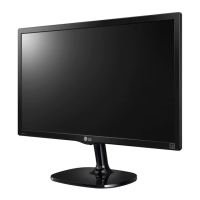
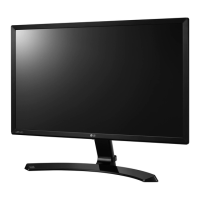
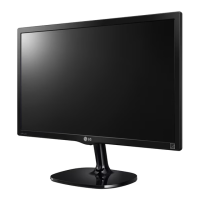
Do you have a question about the LG 22MP55HQ and is the answer not in the manual?
Check your product box for the following items. Contact dealer if missing.
Identifies the monitor's buttons and connection panel components.
Provides instructions to prevent damage when moving or lifting the monitor.
Step-by-step guide for attaching the stand base to the monitor.
Step-by-step guide for detaching the stand base from the monitor.
Instructions for placing the monitor on a table and ensuring ventilation.
Instructions on how to use the cable holder for cable management.
Information on installing and using the optional Kensington security system.
Instructions and specifications for wall mounting the monitor.
Connect the monitor to a PC using D-SUB or HDMI cables.
Connect AV devices to the monitor via HDMI.
Explanation of the automatic display setting function.
Explanation of the AUTO function for image adjustment.
Explanation of the function of each button on the monitor set.
Overview of accessing and adjusting the monitor's OSD menu settings.
Details on adjusting sharpness, black level, and overscan.
Details on adjusting gamma, color temperature, hue, and saturation.
Details on adjusting horizontal, vertical, clock, and phase settings.
Details on adjusting the volume for headphone/earphone output.
Explains language, power indicator, and automatic standby settings.
Explains the Reader Mode for newspaper and cartoon viewing.
Explains how to enable and use the energy-saving feature.
Explains different picture modes for PC and AV inputs.
Explains the SUPER RESOLUTION+ feature for picture clarity.
Instructions for using the dual display feature with another monitor.
Instructions for using the DUAL WEB feature for web browsing.
Checks for common issues when the display shows no image.
Explains messages related to input signal compatibility.
Explains how to lock/unlock OSD settings and handle the message.
Troubleshooting steps for incorrect display position, bars, or noise.
Troubleshooting steps for unrecognized monitor or driver issues.
Addresses screen flickering related to resolution selection.
Technical specifications for the 22MP55HQ model.
Technical specifications for the 23MP55HQ model.
Technical specifications for the 24MP55HQ model.
Technical specifications for the 27MP55HQ model.
Lists preset display resolutions and their timing information.
Lists factory supported HDMI timing modes and their frequencies.
Explains the LED color meanings for different monitor modes.
Provides guidance on ergonomic setup for using the monitor.
 General
| 3D | No |
|---|---|
| DDC/CI | Yes |
| Color gamut | 72 % |
| Pixel pitch | 0.24975 x 0.24795 mm |
| Aspect ratio | 16:9 |
| Backlight type | W-LED |
| Display surface | - |
| Display diagonal | 21.5 \ |
| Display technology | LED |
| Vertical scan range | 56 - 75 Hz |
| Horizontal scan range | 30 - 83 kHz |
| Supported video modes | 1080p |
| Contrast ratio (dynamic) | 5000000:1 |
| Contrast ratio (typical) | 1000:1 |
| Display number of colors | 16.78 million colors |
| Digital vertical frequency | 56 - 61 Hz |
| Display brightness (typical) | 250 cd/m² |
| Supported graphics resolutions | 1920 x 1080 (HD 1080) |
| USB Type-A downstream ports quantity | 0 |
| Certification | UL (cUL)\\r TUV-Type\\r FCC-B\\r EC |
| Product color | Black |
| Windows operating systems supported | Windows 8 |
| Tilt angle range | -3 - 20 ° |
| Cable lock slot type | Kensington |
| Number of OSD languages | 17 |
| Panel mounting interface | 75 x 75 mm |
| Annual energy consumption | 29 kWh |
| Power consumption (standby) | 0.3 W |
| Power consumption (typical) | 20 W |
| Sustainability certificates | ENERGY STAR |
| Package depth | 381 mm |
| Package width | 577 mm |
| Package height | 116 mm |
| Cables included | AC, VGA |
 Weight and Dimensions
| Depth (with stand) | 188 mm |
|---|---|
| Height (with stand) | 416 mm |
| Weight (with stand) | 2800 g |
| Depth (without stand) | 60 mm |
| Width (without stand) | 508 mm |
| Height (without stand) | 312 mm |
| Weight (without stand) | 2500 g |

 To Next Page