EasyManua.ls Logo

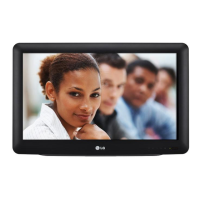
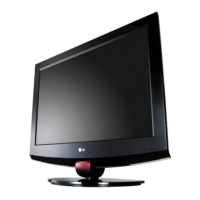
LG 26LQ630HUA - User Manual

LG 26LQ630HUA
105 pages
Print Icon
To Next Page IconTo Next Page
Loading...
www.lg.com
Please read this manual carefully before operating your set and retain it
for future reference.
22LQ630H
26LQ630H
32LQ630H
P/NO : SAC34026010 (1201-REV00)
OWNER’S MANUAL
LED LCD TV

Questions and Answers

  • D
    Duane EdwardsAug 18, 2025
    Why is there no picture on my LG 26LQ630HUA LCD TV?
    • S
      Sarah DaughertyAug 18, 2025
      If your LG LCD TV shows no picture, several factors could be the cause. First, ensure the TV is turned on. Check that the antenna or cable is securely connected to the TV. Verify all connections on the TV are correct. If applicable, make sure the MPI cable is connected to the MPI device. The channel you are trying to watch might be encrypted, so try another channel. Finally, the tuning band may be incorrect, requiring adjustment in the Installer Menu settings.
  • C
    Cathy BrownAug 21, 2025
    What to do if my LG LCD TV won't power up?
    • J
      Jason NovakAug 21, 2025
      If your LG LCD TV fails to power up, you can try the following: check the power connector, replace the power board, check the Q409 application circuit, check the LVDS cable, and check the LCD module control board.
  • M
    Michael MoodyAug 23, 2025
    Why is there no picture on my LG LED TV?
    • J
      Joshua SimpsonAug 23, 2025
      If your LG LED TV shows no picture, several factors could be the cause. First, ensure the TV is turned ON. Check that the antenna or cable is securely connected to the TV. Verify all connections on the TV are correct. If applicable, connect the MPI cable to the MPI device. The channel might be encrypted, so try another channel. Finally, the tuning band could be incorrect; try adjusting the Installer Menu settings.
  • M
    Mary GarnerAug 26, 2025
    What to do if the LG LCD TV remote doesn’t work?
    • P
      Patrick FriedmanAug 26, 2025
      If your LG LCD TV remote is not working, ensure the remote is in 'TV' mode using the MODE key. Point the remote directly at the TV's IR receiver. Make sure you are close enough to the IR sensor and that there are no obstructions in the path. Replace the batteries, ensuring correct polarity (+ and -) in the battery compartment. Dim the room light if it's too bright. If using an installer remote, confirm it is compatible with your TV, or if using a bed switch, ensure it is set to the correct bed.
  • B
    Bernard PorterAug 28, 2025
    What to do if my LG 26LQ630HUA has no OSD?
    • B
      Brian VasquezAug 28, 2025
      If your LG LCD TV displays no OSD, try the following steps: Check the power connector and replace the power board. Check IC1602 RESET and check switch SW501, SW502 UPDATE pin. Check X1600 application circuit. Check IIC line or replace IC1602 Communication status. Check IR board. Re-download PTC Micom.
  • C
    Clinton DawsonAug 30, 2025
    What to do if my LG LED TV remote doesn't work?
    • T
      Tonya RiceAug 30, 2025
      If your LG LED TV remote isn't working, first ensure the remote is in TV Mode by pressing the MODE key. Point the remote directly at the TV's IR receiver. Move closer to the TV or darken the room, as distance and light can interfere. Check and replace the batteries, ensuring correct polarity (+ and -). Remove any obstructions between the remote and the TV. If applicable, connect the MPI cable to the MPI device. The room might have too much light, so dim it. If it's the wrong installer remote, contact your LG dealer. Finally, adjust the Bed Switch or update the Installer Menu if the Bed Switch is set to the wrong bed.
  • E
    Evan HooperSep 1, 2025
    What to do if my LG LED TV has normal picture but poor or no sound?
    • K
      Kimberly RobinsonSep 1, 2025
      If your LG LED TV has a normal picture but poor or no sound, the issue could stem from several sources. First, try a different channel to rule out a broadcast problem. Ensure the audio isn't muted by pressing the MUTE button or using the Volume Up key. Check that Installer Menu items 020 FEATURE LEVEL and 027 HOSPITAL MODE are set correctly. If applicable, select TV Speaker in the Audio Menu.
  • G
    gcookSep 4, 2025
    What to do if my LG 26LQ630HUA LCD TV has normal picture but poor or no sound?
    • T
      Tanya MathisSep 4, 2025
      If your LG LCD TV has a normal picture but poor or no sound, the issue could be due to a broadcast problem, so try a different channel. Check if the audio is muted and increase the volume. Also, verify that the Pillow/TV speaker is configured properly by checking Installer Menu items 020 FEATURE LEVEL and 027 HOSPITAL MODE. If applicable, select TV Speaker in the Audio Menu.
  • B
    Brian FitzgeraldSep 6, 2025
    What to do if I can't direct enter channel number on my LG LCD TV?
    • K
      krista57Sep 6, 2025
      If you cannot directly enter a channel number on your LG LCD TV, it could be due to the TV being in Pass-through Mode with Installer Menu item 028 CH. OVERIDE set to 0. To resolve this, set Installer Menu item 028 CH. OVERIDE to 1. Alternatively, if the TV is in FTG Mode, the channel entered may not be part of the FTG Channel Map; if necessary, make changes to the FTG Channel Map using the FTG File Manager or the FTG Configuration Application.
  • H
    hicksangelaSep 8, 2025
    Why is there no analog RF video on my LG LCD TV?
    • I
      iwallaceSep 8, 2025
      If you're experiencing issues with analog RF video on your LG LCD TV, check the tuner's 5V, 3.3V, and 1.8V power supplies. Also, inspect IC406 and the Mstar LVDS output.

LG 26LQ630HUA Specifications

General IconGeneral
BrandLG
Model26LQ630HUA
CategoryLCD TV
LanguageEnglish

Related product manuals