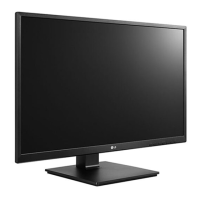
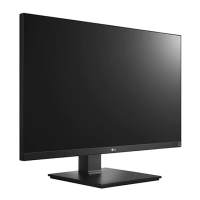
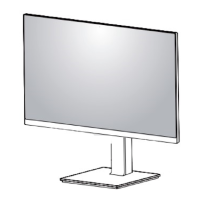
This document is an owner's manual for an LG IPS LED Monitor. The manual provides instructions for assembling, preparing, using, customizing settings, and troubleshooting the monitor.
Function Description:
The LG IPS LED Monitor is a display device that utilizes an In-Plane Switching (IPS) panel with LED backlighting. It is designed for various uses, including PC connectivity and AV device integration. The monitor supports multiple input signals and offers features for adjusting display settings to optimize viewing experience.
Important Technical Specifications:
Models Covered: 24BK550Y and 27BK550Y
LCD Screen:
- Type: TFT (Thin Film Transistor) LCD (Liquid Crystal Display) Screen
- Pixel Pitch:
- 24BK550Y: 0.2745mm x 0.2745mm
- 27BK550Y: 0.3114mm x 0.3114mm
- Maximum Resolution: 1920 x 1080 @ 60Hz
- Recommended Resolution: 1920 x 1080 @ 60Hz
Video Signal:
- Horizontal Frequency: 30 kHz to 83 kHz
- Vertical Frequency: 56 Hz to 75 Hz
- Synchronization: Separate Sync.
Input Connector: D-SUB IN, DVI-D IN, HDMI IN, DP (DisplayPort) IN, AUDIO IN (PC), H/P, USB UP, USB IN1, USB IN2
Power Consumption:
- On Mode:
- 24BK550Y: 13.95 W Typ. (ENERGY STAR® standard)
- 27BK550Y: 16 W Typ. (ENERGY STAR® standard)
- Sleep Mode: ≤ 0.5 W
- Off Mode: ≤ 0.3 W
- 24BK550Y: AC 100-240V ~ 50/60Hz 1.2 A
- 27BK550Y: AC 100-240V ~ 50/60Hz 1.5 A
Environmental Conditions:
- Operating Temperature: 0 °C to 40 °C
- Operating Humidity: Less than 80%
- Storage Temperature: -20 °C to 60 °C
- Storage Humidity: Less than 85%
Dimension (Width x Height x Depth):
- 24BK550Y:
- With Stand: 553.8 mm x 512.9 mm x 240 mm
- Without Stand: 553.8 mm x 333.1 mm x 58.4 mm
- 27BK550Y:
- With Stand: 622.2 mm x 531.6 mm x 240 mm
- Without Stand: 622.2 mm x 371.5 mm x 58.4 mm
Weight (Without Packaging):
- 24BK550Y: 5.7 kg
- 27BK550Y: 7.2 kg
Usage Features:
Assembly and Preparation:
- Product Components: Includes CD/Card, DVI-D Cable, D-SUB Cable, HDMI Cable, Power Cord, Audio Cable, DisplayPort Cable, USB Cable, Stand Body, Stand Base, and Cable Holder.
- Stand Assembly: Involves attaching the stand base to the monitor. Users are cautioned to protect the screen and avoid injury during assembly.
- Mounting on a Table: Instructions for placing the monitor on a table, ensuring 100 mm minimum space from the wall for ventilation.
- Cable Management: Utilizes a cable holder to arrange cables neatly.
- Adjustments:
- Stand Height: Adjustable up to 130.0 mm. Caution is advised to avoid placing fingers between the screen and base.
- Angle Adjustment: The screen angle can be tilted forwards (-5°) and backwards (35°) for comfortable viewing.
- Swivel Stand: Allows the monitor to swivel 355 degrees.
- Pivot Feature: Enables rotating the monitor 90° clockwise and -90° counter-clockwise. Auto Pivot is not supported, but screen pivot shortcut keys for Windows are mentioned. Users are warned to avoid scratching the stand base during rotation.
- Kensington Security System: Connector located at the back for securing the monitor.
- Detaching the Stand Body: Instructions for removing the stand for wall mounting.
- Wall Mount Installation: Supports standard wall mount plates (sold separately). Users are advised to protect the screen and avoid excessive force during installation.
Connecting to Devices:
- Connecting to a PC: Supports D-SUB, DVI-D, HDMI, and DisplayPort connections. Plug & Play functionality is supported. Mac adapter information for D-SUB is provided.
- Connecting to AV Devices: Supports HDMI connection for digital video and audio signals.
- Connecting Peripherals (USB Hub): Features one USB Upstream port and two USB Downstream ports for connecting USB devices like keyboards and mice.
- Connecting Headphones: Connects peripherals via the headphone port. Straight headphones are recommended to avoid issues with other external devices.
- Activating the Main Menu: Accessed by pressing the Menu button. Navigation is done using <, >, ^ buttons.
- Quick Settings:
- Brightness/Contrast: Adjusts color contrast and brightness.
- Ratio: Options for "Wide" (full screen) or "Original" (maintains aspect ratio).
- SMART ENERGY SAVING: High, Low, or Off settings to conserve energy by adjusting luminance.
- Picture Adjust:
- Picture Mode: Custom, Reader 1 (newspaper), Reader 2 (cartoon), Photo, Cinema, Color Weakness, Game.
- SUPER RESOLUTION+: High, Middle, Low, Off settings for optimizing picture quality.
- Sharpness: Adjusts screen sharpness.
- Black Level: Sets offset level (for HDMI only) to adjust dark colors.
- Response Time: High, Middle, Low, Off settings for displayed pictures based on screen speed.
- DFC (Digital Fine Contrast): On/Off to automatically adjust brightness.
- Black Stabilizer: Controls black contrast for better visibility in dark scenes.
- Color Adjust:
- Gamma: Adjusts image darkness/lightness.
- Color Temp: Warm, Medium, Cool, Custom.
- Six Color: Adjusts hue and saturation for Red, Green, Blue, Cyan, Magenta, Yellow.
- Display:
- Horizontal/Vertical: Moves image left/right and up/down.
- Clock: Minimizes vertical bars/stripes.
- Phase: Adjusts display focus, removes horizontal noise.
- Sound:
- Volume: Adjusts headphone/speaker volume.
- Main Audio: Selects audio source input.
- General:
- Language: Sets OSD menu language.
- Power LED: On/Off for the power indicator.
- Automatic Standby: Monitor automatically switches to standby after a period.
- Resolution: Sets desired resolution (D-SUB only).
- OSD Lock: Prevents incorrect key input.
- Auto Configuration: Operates auto configuration for optimal display in D-SUB.
- Reset: Returns settings to default.
Maintenance Features:
Troubleshooting:
- No Image: Checks power cord connection and power indicator. Addresses "Out of Range" or "NO SIGNAL" messages.
- OSD Control Issues: Provides instructions for unlocking OSD controls.
- Incorrect Display Image: Checks signal cable connection, video card insertion, color settings (24 bits true color), and interlace mode.
- "Unrecognized monitor, Plug&Play (VESA DDC) monitor found" message: Advises installing display drivers from lg.com and checking Plug&Play function.
- Flickering Screen: Recommends changing resolution from HDMI 1080i 60/50 Hz to 1080P.
General Cautions:
- Always disconnect the power cord and all cables before moving or lifting the monitor.
- Avoid touching the monitor screen to prevent damage.
- Do not apply foreign substances or excessive force during assembly.
- Use the provided power cord and connect to a grounded outlet.
- Be careful when adjusting the screen angle to avoid injury.
- Take care when rotating the monitor with cables connected.
- The monitor is set to turn off automatically in 4 hours if no adjustment is made (for Europe market, ErP Directive). This can be disabled in the OSD menu.

 Need help?

 To Next Page
 General