EasyManua.ls Logo

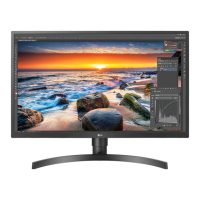
LG 27BL55U - User Manual

LG 27BL55U
32 pages
Print Icon
To Next Page IconTo Next Page
Loading...
* LG LED Monitor applies LCD screen with LED backlights.
Please read this manual carefully before operating your set and
retain it for future reference.
27UL550
27UL500
27UL55B
27UL50B
27BL55U
OWNER’S MANUAL
LED LCD MONITOR
(LED Monitor*)
www.lg.com
Copyright © 2018 LG Electronics Inc. All Rights Reserved.

Other manuals for LG 27BL55U

Questions and Answers

  • J
    Jeremiah BenderSep 18, 2025
    How to fix "Unrecognized monitor" message on LG 27BL55U?
    • T
      timothy78Sep 18, 2025
      If you see an "Unrecognized monitor, Plug and Play (VESA DDC) monitor found" message on your LG Monitor, make sure to install the display driver from the LG website. Also, verify that your graphics card supports the Plug and Play function.
  • B
    Bradley HenryAug 25, 2025
    How to fix LG 27BL55U when images are displayed without sound?
    • M
      Mary PattonAug 25, 2025
      If images are displayed without sound on your LG Monitor, ensure that the headphone port connections are properly made. Try increasing the volume using the joystick. Additionally, set the audio output of your PC to the monitor you are using; note that the settings may differ depending on your operating system.
  • A
    Adam NielsenAug 25, 2025
    Why is my LG 27BL55U screen display unstable and shaky?
    • R
      regina25Aug 26, 2025
      An unstable or shaky display, or images leaving shadow trails on your LG Monitor, may occur if the selected resolution is HDMI 1080i 60/50 Hz (interlaced). Try changing the resolution to 1080p or the recommended resolution. If your graphics card isn't set to the optimal resolution, it may cause blurred text, a dimmed screen, a truncated display area, or misalignment. Setting methods vary, and some resolutions might not be available depending on your graphics card's performance.
  • H
    hayersAug 27, 2025
    How to fix LG Monitor when nothing is displayed on the screen?
    • J
      James MillerAug 27, 2025
      If nothing is displayed on your LG Monitor screen, first, ensure the power cord is correctly plugged into the power outlet. Next, verify the power cable connection and press the power button. Then, check that the connected input is enabled in the monitor settings (Settings > Input). If the issue persists, inspect the signal cable between your PC and the monitor, ensuring it's properly connected. Lastly, confirm that the signals transferred from your PC (graphics card) are within the horizontal or vertical frequency range supported by the monitor. Refer to the Product Specification section of the manual to set the appropriate frequency.
  • T
    Tiffany GainesSep 22, 2025
    Why are some LG Monitor menu functions not available?
    • M
      Michelle PatelSep 22, 2025
      If some functions are unavailable when you press the Menu button on your LG Monitor, disable OSD Lock in the General settings.
  • C
    Christopher WilsonSep 23, 2025
    Why does image sticking occur even when the LG Monitor is turned off?
    • P
      pattondavidSep 23, 2025
      Displaying a still image for a prolonged time may cause damage to the screen of your LG Monitor, resulting in the retention of the image. To extend the lifetime of the monitor, use a screensaver.
  • M
    marioschmidtSep 9, 2025
    How to prevent image sticking on my LG 27BL55U?
    • C
      Carlos ThompsonSep 9, 2025
      Displaying a still image for a prolonged time may cause damage to the screen of your LG Monitor, resulting in the retention of the image. To extend the lifetime of the monitor, use a screensaver.
  • A
    Amy DavisSep 12, 2025
    What to do if my LG 27BL55U says "Unrecognized monitor, Plug and Play (VESA DDC) monitor found"?
    • W
      waltonkimberlySep 12, 2025
      If you see an "Unrecognized monitor, Plug and Play (VESA DDC) monitor found" message on your LG Monitor, be sure to install the display driver from the LG website: http://www.lg.com. Also, make sure to check if the graphics card supports the Plug and Play function.
  • R
    randydavisSep 3, 2025
    What to do if LG 27BL55U Monitor screen display is unstable and shaky?
    • L
      Lorraine FosterSep 3, 2025
      If the screen display on your LG Monitor is unstable and shaky, or if images leave shadow trails, and the resolution is set to HDMI 1080i 60/50 Hz (interlaced), the screen may be flickering. Try changing the resolution to 1080p or the recommended resolution. In addition, not setting the graphics card to the recommended (optimal) resolution may result in blurred text, a dimmed screen, a truncated display area, or misalignment of the display. The setting methods may be different depending on the computer or operating system, and some resolutions may not be available depending on the performance of the graphics card. If this is the case, contact the manufacturer of the computer or graphics card for assistance.
  • V
    voconnellSep 1, 2025
    What to do if images are displayed without sound on my LG Monitor?
    • M
      Mary StevensSep 1, 2025
      If images are displayed without sound on your LG Monitor, ensure the following: * The headphone port connections are properly made. * Increase the volume using the joystick. * Set the audio output of the PC to the monitor you are using. Note that the settings may differ depending on your operating system.

LG 27BL55U Specifications

General IconGeneral
Screen Size27 inches
Panel TypeIPS
Aspect Ratio16:9
Response Time5 ms
Refresh Rate60 Hz
Contrast Ratio1000:1
VESA Mount100 x 100 mm
ConnectivityHDMI, DisplayPort, USB-C
Viewing Angle178°
Color Gamut99% sRGB
Resolution3840 x 2160

Related product manuals