EasyManua.ls Logo

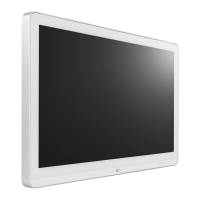
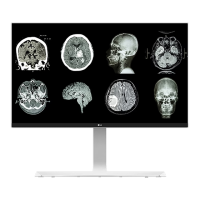
LG 27HJ712C-W - User Manual

LG 27HJ712C-W
57 pages
Print Icon
To Next Page IconTo Next Page
Loading...
www.lg.com
Copyright 2019 LG Electronics Inc. All Rights Reserved.
Please read this manual carefully before operating
your set and retain it for future reference.
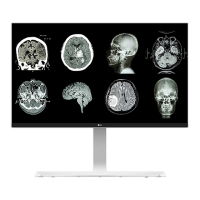
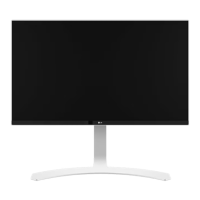
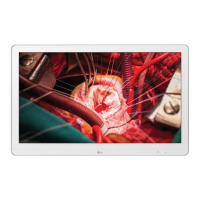
OWNER’S MANUAL
MEDICAL
MONITOR
27HJ712C

Questions and Answers

  • D
    Dawn SalinasSep 13, 2025
    What does "Unrecognized monitor, Plug and Play (VESA DDC) monitor found" mean on LG 27HJ712C-W Monitor?
    • R
      rachelbowmanSep 13, 2025
      If you see an "Unrecognized monitor, Plug and Play (VESA DDC) monitor found" message on your LG Monitor, install the display driver from the display driver CD (or diskette) that came with your display. Also, ensure that your graphics card supports the Plug and Play function.
  • A
    Alexandria SandovalAug 25, 2025
    What to do if the screen display is unstable and shaky on my LG Monitor?
    • K
      Kevin ParsonsAug 25, 2025
      If your LG Monitor's screen display is unstable, shaky, or images leave shadow trails, and the resolution is set to HDMI 1080i 60/50 Hz (interlaced), the screen may be flickering. Try changing the resolution to 1080p or the recommended resolution.
  • J
    Julie BrownAug 25, 2025
    How to fix no sound from headphone port or speaker of LG 27HJ712C-W?
    • M
      mary74Aug 26, 2025
      If there is no sound from the headphone port or speaker of your LG Monitor, first try increasing the volume using the button on the monitor. If that doesn't work, set the audio output of your PC to the monitor you are using. In Microsoft Windows, go to Control Panel > Hardware and Sound > Sound and set the monitor as the default device.
  • C
    Crystal WoodardSep 23, 2025
    How to turn off OSD Lock on LG 27HJ712C-W?
    • M
      michaelbrownSep 23, 2025
      If the OSD Lock message is displayed on your LG Monitor, go to Menu > General and set OSD Lock to Off.
  • B
    Brandy BradleySep 14, 2025
    How to turn off the OSD Lock message on my LG 27HJ712C-W?
    • J
      Joseph BrownSep 14, 2025
      If the OSD Lock message is displayed on your LG Monitor, go to Menu > General and set OSD Lock to Off.
  • A
    Ashley ReynoldsSep 23, 2025
    How to resolve 'Unrecognized monitor, Plug and Play (VESA DDC) monitor found' message on LG Monitor?
    • E
      evelyn46Sep 23, 2025
      To resolve the 'Unrecognized monitor, Plug and Play (VESA DDC) monitor found' message on your LG monitor, be sure to install the display driver from the display driver CD (or diskette) that came with your display. Also, make sure to check if the graphics card supports Plug and Play function.
  • M
    Matthew ParkerSep 6, 2025
    How to fix unstable and shaky screen display or shadow trails on my LG 27HJ712C-W Monitor?
    • R
      Robin MorganSep 6, 2025
      If your LG Monitor's screen display is unstable, shaky, or images leave shadow trails, and the selected resolution is HDMI 1080i 60/50 Hz (interlaced), the screen may be flickering. Try changing the resolution to 1080p or the recommended resolution.
  • D
    dawnandrewsSep 7, 2025
    What to do if the screen retains an image on my LG Monitor?
    • C
      Chad MercerSep 7, 2025
      If your LG Monitor screen retains an image, it may be due to displaying a still image for a prolonged time, which can cause damage. To extend the monitor's lifetime, use a screensaver.
  • L
    Laurie HoffmanSep 23, 2025
    What to do if I see an 'Unrecognized monitor' message on my LG 27HJ712C-W Monitor?
    • M
      Michael HillSep 23, 2025
      If you see an "Unrecognized monitor, Plug and Play (VESA DDC) monitor found" message with your LG Monitor, install the display driver from the CD or diskette that came with your display. You can also download the driver from http://www.lg.com. Also, ensure that your graphics card supports the Plug and Play function.
  • T
    Tyler LiAug 31, 2025
    How to fix an LG Monitor when nothing is displayed on the screen?
    • M
      Michelle FergusonAug 31, 2025
      If nothing is displayed on your LG monitor, try these steps: Ensure the power cord is correctly plugged into the outlet, check the power cable connection and press the power button. Also, verify that the connected input is enabled via Menu > Quick Settings > Input. If the monitor is in sleep mode, move the mouse or press a key. Confirm that your computer is turned on. If the signals from the PC are out of the monitor's frequency range, see the Product Specification section of this manual to set the appropriate frequency. Finally, check the cable and reconnect it.

LG 27HJ712C-W Specifications

General IconGeneral
Screen Size27 inches
Panel TypeIPS
Brightness350 cd/m²
Contrast Ratio1000:1
Response Time5ms (GTG)
Refresh Rate60 Hz
Aspect Ratio16:9
Color GamutsRGB 99%
VESA Mount100 x 100 mm
ConnectivityHDMI, DisplayPort, USB
Viewing Angle178° (H) / 178° (V)

Related product manuals