Need help?
Do you have a question about the LG 27MP59G and is the answer not in the manual?
Lists all items included in the product box for setup.
Explains how to control monitor functions using the joystick button.
Instructions on how to attach the stand base to the monitor.
Instructions on how to use the cable holder for cable management.
Specific instructions for connecting the monitor to a PC via HDMI.
Specific instructions for connecting the monitor to a PC via D-SUB.
Instructions for connecting the monitor using a DisplayPort cable.
How to connect headphones to the monitor's audio port.
Steps to activate and navigate the monitor's main menu using the joystick.
Details on adjusting quick settings like brightness, contrast, volume, ratio, and smart energy saving.
Comprehensive guide to picture modes and adjustments for optimal viewing.
Settings for enhancing gaming experience, including FreeSync and motion blur reduction.
Options for adjusting color temperature, gamma, and individual RGB color values.
Settings for language, power LED, standby mode, resolution, and OSD lock.
Solutions for issues where the display shows no image or a "NO SIGNAL" message.
Troubleshooting steps for abnormal screen colors or blinking displays.
Guidance on resolving screen flickering, often related to resolution settings.
Detailed technical specifications for the 24MP59G model.
Detailed technical specifications for the 27MP59G model.
Technical timing data for various preset resolutions across different input types.
Information about the monitor's LED indicator status and colors.
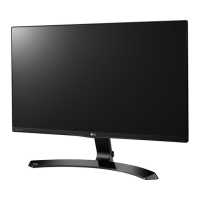
This document is an owner's manual for an LG IPS LED Computer Monitor, specifically models 24MP59G and 27MP59G. It provides instructions for assembling, preparing, using, customizing settings, and troubleshooting the monitor. The manual emphasizes that this product is a computer monitor and not intended for television use, and that LG LED Monitors utilize LCD screens with LED backlights.
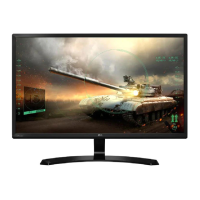
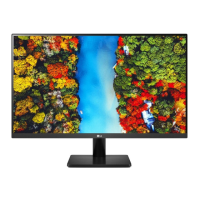
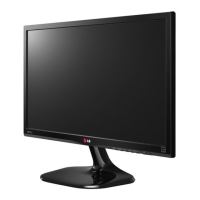
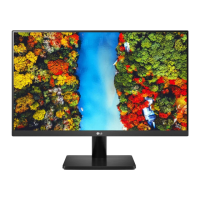
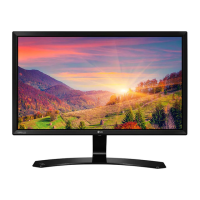
The LG IPS LED Computer Monitor serves as a display unit for personal computers, offering a visual interface for various computing tasks. It supports both digital and analog video signals through D-SUB, HDMI, and DisplayPort connections, allowing compatibility with a wide range of PCs. The monitor is designed to provide a clear and vibrant display, enhanced by IPS technology for wider viewing angles and consistent color. It also includes audio output capabilities via a headphone port, enabling users to connect external audio devices. The monitor's Plug & Play functionality ensures easy setup, as a connected PC automatically recognizes the device without extensive configuration.
The monitor incorporates a joystick button for intuitive control over its functions. This single button allows users to power the monitor on/off, navigate the on-screen display (OSD) menu, adjust volume, and select input sources. The OSD menu provides extensive customization options for display settings, including brightness, contrast, color temperature (Warm, Medium, Cool, Custom), gamma, and individual Red/Green/Blue color adjustments. Users can also fine-tune six specific colors (Red, Green, Blue, Cyan, Magenta, Yellow) for hue and saturation.
For an optimized viewing experience, the monitor offers various Picture Modes such as Custom, Reader 1, Reader 2, Photo, Cinema, Color Weakness, FPS Game 1, FPS Game 2, and RTS Game. These modes are tailored for different content types, from reading documents to playing fast-paced games. The "Color Weakness" mode is a notable feature designed to assist users with color vision deficiency by making it easier to distinguish between red and green.
The monitor includes "SUPER RESOLUTION+" for enhancing picture quality, offering High, Middle, Low, and Off settings to suit different image types (crystal clear, balanced, smooth/natural). "Sharpness" can be adjusted, and "Black Level" settings are available for HDMI input to control the darkest color the monitor can display. The "DFC" (Digital Fine Contrast) feature automatically adjusts brightness for dynamic contrast.
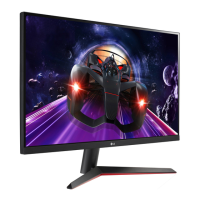
Gaming-specific features are integrated to enhance the gaming experience. "Response Time" can be set to High, Middle, Low, or Off to reduce ghosting in fast-moving scenes. "FreeSync" technology, supported via DisplayPort and HDMI, synchronizes the monitor's refresh rate with the graphic card's frame rate to eliminate screen tearing and stuttering, providing seamless and natural images. "1ms Motion Blur Reduction" minimizes motion blur in fast-moving videos, especially when set to 1920 x 1080 @ 75 Hz. However, FreeSync and 1ms Motion Blur Reduction cannot be enabled simultaneously. A "Black Stabilizer" feature allows users to control black contrast, improving visibility in dark game scenes. The "Cross Hair" feature provides an on-screen crosshair for First Person Shooter (FPS) games, with four different styles available.
Other display adjustments include "Horizontal" and "Vertical" positioning, "Clock" to minimize vertical bars or stripes, and "Phase" to adjust display focus and sharpen images. The "Ratio" setting allows users to choose between "Wide" (full screen) or "Original" (maintaining the input signal's aspect ratio) display.
The monitor also features "SMART ENERGY SAVING" with High, Low, and Off options to conserve energy by adjusting luminance. An "Automatic Standby" function can be configured to turn off the display after a period of inactivity, which can be disabled via the OSD menu.
The manual provides guidelines for safe handling and maintenance. When moving or lifting the monitor, users are advised to hold the top and bottom frame firmly, avoid touching the screen, and keep it upright to prevent damage or injury. It is recommended to use the original box and packing material for transportation. Before moving, all power cords and cables should be disconnected.
For assembly, users are cautioned against applying foreign substances (oils, lubricants) to screw parts and excessive force when tightening screws, as this can damage the product and void the warranty. To protect the screen from scratches during assembly, covering the surface with a soft cloth is recommended.
Troubleshooting tips are included for common issues such as no image, "Out of Range" or "NO SIGNAL" messages, OSD control problems, incorrect display image (mono color, blinking), and "Unrecognized monitor" messages. These tips guide users to check cable connections, power status, resolution settings, and driver installation. The manual also suggests using certified HDMI cables to prevent compatibility issues and connection errors. For security, the monitor is equipped with a Kensington security system connector, allowing it to be secured to a table.
The manual emphasizes the importance of using genuine components and the supplied accessories to ensure safety and product performance, noting that the product warranty may not cover damage from counterfeit parts. Users are encouraged to download the latest drivers and software from the LG website for optimal performance.
 General
| 3D | No |
|---|---|
| DDC/CI | Yes |
| Pixel pitch | 0.3114 x 0.3114 mm |
| Screen shape | Flat |
| Display diagonal | 27 \ |
| Display technology | LED |
| Native aspect ratio | 16:9 |
| Maximum refresh rate | 75 Hz |
| Peak luminance ratio | 88 % |
| sRGB coverage (typical) | 99 % |
| Contrast ratio (typical) | 1000:1 |
| Display number of colors | 16.78 million colors |
| Digital vertical frequency | 56 - 75 Hz |
| Digital horizontal frequency | 30 - 83 kHz |
| Display brightness (typical) | 250 cd/m² |
| Supported graphics resolutions | 1920 x 1080 (HD 1080) |
| Dynamic contrast ratio marketing name | Mega Contrast |
| Built-in speaker(s) | - |
| Product color | Black |
| LED indicators | Power |
| Tilt angle range | -2 - 15 ° |
| Cable lock slot type | Kensington |
| Number of OSD languages | 18 |
| On Screen Display (OSD) languages | CHI (SIMPL), CHI (TR), DEU, ENG, ESP, FIN, FRE, GRE, HIN, ITA, JPN, KOR, POL, POR, RUS, SWE, UKR |
| Current rating | 1.7 A |
| AC input voltage | 100 - 240 V |
| AC input frequency | 50 - 60 Hz |
| Energy efficiency scale | A to G |
| Power consumption (standby) | - W |
| Sustainability certificates | EPEAT Gold, ENERGY STAR |
| Package type | Box |
| Package depth | 134.6 mm |
| Package width | 703.5 mm |
| Package height | 447 mm |
| Package weight | 5980 g |
| Cables included | AC, HDMI |
 Weight and Dimensions
| Depth (with stand) | 203.2 mm |
|---|---|
| Weight (with stand) | 4300 g |
| Depth (without stand) | 91.4 mm |
| Width (without stand) | 635 mm |
| Height (without stand) | 469.9 mm |
| Weight (without stand) | 3900 g |

 To Next Page