EasyManua.ls Logo

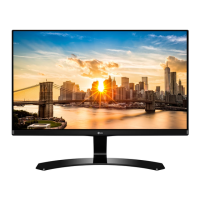
LG 27MP68VQ-P - User Manual

LG 27MP68VQ-P
32 pages
Print Icon
To Next Page IconTo Next Page
Loading...
www.lg.com
LED LCD Monitor (LED Monitor) Model List
Please read the safety information carefully before using the product.
*Disclaimer: LG LED Monitor applies LCD screen with LED backlights.
This product is a computer monitor and not for television purpose.
OWNER’S MANUAL
LED LCD COMPUTER
MONITOR
(LED COMPUTER
MONITOR*)
22MP68VQ
23MP68VQ
24MP68VQ
27MP68VQ

Questions and Answers

  • L
    Lisa RiosAug 14, 2025
    Why is my LG 27MP68VQ-P Monitor screen flickering?
    • B
      Bradley YoungAug 15, 2025
      If the screen of your LG monitor is flickering and the resolution is HDMI 1080i 60/50 Hz, change the resolution to the recommended resolution of 1080P.
  • J
    Jose LewisAug 17, 2025
    How to fix an LG 27MP68VQ-P Monitor when no image appears?
    • D
      Debra McdonaldAug 17, 2025
      If your LG monitor displays no image, ensure the power cord is correctly connected to the outlet and that the monitor is turned on. If it's in power saving mode, move the mouse or press a key. Also, verify that your PC is on and the signal cable is properly connected.
  • A
    Adam WarrenAug 21, 2025
    What to do if my LG 27MP68VQ-P says 'Unrecognized monitor, Plug&Play (VESA DDC) monitor found'?
    • C
      campbelljoshuaAug 21, 2025
      If you see an "Unrecognized monitor, Plug&Play (VESA DDC) monitor found" message on your LG monitor, make sure to install the display driver from the LG website and check that your video card supports the Plug&Play function.
  • D
    Dr. Cathy Collins PhDAug 25, 2025
    Why is the screen color on my LG 27MP68VQ-P Monitor mono or abnormal?
    • N
      nicholasgarnerAug 25, 2025
      If the screen color on your LG monitor is mono or abnormal, check if the signal cable is properly connected, tightening it with a screwdriver if needed. Also, ensure the video card is correctly inserted in its slot and set the color setting higher than 24 bits (true color) in your Control Panel settings.
  • R
    Richard SmithAug 28, 2025
    How to fix horizontal noise on LG Monitor?
    • R
      Robin BowmanAug 28, 2025
      If you are experiencing horizontal noise or unclear characters on your LG monitor, first, use the Auto Configuration function and select 'Yes' to automatically adjust the display. If the issue persists, check your display settings in the Control Panel and adjust to the recommended resolution. Also, ensure your color setting is higher than 24 bits (true color).
  • K
    Kenneth AndersonAug 31, 2025
    How to correct the display position on my LG 27MP68VQ-P?
    • C
      Carmen FergusonAug 31, 2025
      If your LG monitor's display position is incorrect, use the Auto Configuration function and select 'Yes' to automatically adjust the display image to the ideal setting.
  • P
    paulleeSep 3, 2025
    What to do if I see vertical bars on my LG 27MP68VQ-P?
    • M
      Marie DavisSep 3, 2025
      If you see vertical bars or stripes on the screen background of your LG monitor, use the Auto Configuration function and select 'Yes' to automatically adjust your display image to the ideal setting.
  • A
    Ashley LawrenceSep 6, 2025
    How to unlock OSD controls on LG Monitor?
    • J
      Jason NavarroSep 6, 2025
      To unlock the OSD controls on your LG monitor, go to the OSD lock menu and change the settings to 'off'.
  • V
    Virginia DiazSep 10, 2025
    Why does my LG 27MP68VQ-P screen blink?
    • N
      nroblesSep 10, 2025
      If the screen of your LG monitor blinks, check if the screen is set to interlace mode. If it is, change it to the recommended resolution.

LG 27MP68VQ-P Specifications

General IconGeneral
BrandLG
Model27MP68VQ-P
CategoryMonitor
LanguageEnglish

Related product manuals