EasyManua.ls Logo

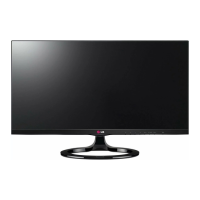
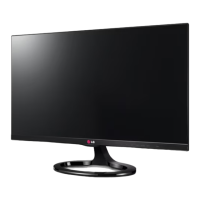
LG 27MT93S - User Manual

LG 27MT93S
49 pages
Print Icon
To Next Page IconTo Next Page
Loading...
www.lg.com
OWNER’S MANUAL
LED TV
(CINEMA 3D Smart TV)
27MT93V
27MT93S
LG LED TV applies LCD screen with LED backlights.
Please read this manual carefully before operating the your TV
and retain it for future reference.
ENGLISH

Questions and Answers

  • T
    Thomas EatonAug 18, 2025
    How to fix LG 27MT93S remote control not working?
    • J
      Julia BrewerAug 18, 2025
      If you're having trouble controlling your LG LED TV with the remote, first check the remote control sensor on the TV and try again. Also, ensure there are no obstacles blocking the path between the remote and the TV. Finally, verify that the batteries in the remote are working and properly installed.
  • A
    Anne DavisAug 21, 2025
    What to do if my LG 27MT93S has no image and sound?
    • R
      rpetersonAug 21, 2025
      If your LG LED TV isn't displaying an image and there's no sound, start by checking if the TV is turned on. Next, make sure the power cord is securely connected to a working wall outlet. To verify the outlet is functioning correctly, try plugging in another device.
  • K
    Kevin BowmanAug 23, 2025
    Why does my LG LED TV turn off suddenly?
    • J
      Jason BennettAug 23, 2025
      If your LG LED TV is turning off unexpectedly, examine the power control settings. A power interruption could be the cause. Also, check if the Automatic Standby, Sleep Timer, or Off Time feature is enabled in the TIME settings. If the TV is on but receives no signal, it will automatically turn off after 15 minutes of inactivity.
  • J
    Joseph JohnsonAug 26, 2025
    Why is my LG 27MT93S screen split when I change the channel?
    • T
      Todd ReeseAug 26, 2025
      If your LG LED TV screen splits into left/right or top/bottom views when changing channels, it means the channel supports 3D imaging. Press the 3D button on your remote to select the appropriate 3D imaging type displayed on the screen.
  • M
    Martha SmithAug 28, 2025
    Why do I see swirling patterns on my turned off LG LED TV?
    • A
      Andre CarrollAug 28, 2025
      The swirling, oil-like pattern you see on your LG LED TV when it's turned off is due to external light interference within the air layer between the LCD/LED surface and the 3D filter. This pattern should become almost invisible when you turn the TV back on.
  • M
    Michelle PrinceAug 30, 2025
    What to do if LG 27MT93S remote control is not working?
    • R
      Raymond JohnsonAug 30, 2025
      If you cannot control your LG LED TV with the remote, first check the remote control sensor on the TV and try again. Make sure there are no obstacles between the remote and the TV. Also, verify that the batteries in the remote are working and properly installed.
  • A
    Anna ScottSep 1, 2025
    What to do if 3D images on my LG LED TV look blurry?
    • L
      Leah KingSep 1, 2025
      If you experience eye strain or a blurry screen while watching 3D content on your LG LED TV, try switching between the Left/Right and Right/Left options to see which setting provides a more comfortable viewing experience.
  • G
    Glenn HansenSep 3, 2025
    How to disable overlapped 3D image on LG LED TV?
    • K
      Kelly DavisSep 3, 2025
      If you see an overlapped image when switching from 2D to 3D on your LG LED TV, try disabling the 3D imaging mode using the 3D button on your remote control.
  • M
    Margaret WilliamsonSep 5, 2025
    Why do 3D images on my LG 27MT93S look overlapped?
    • J
      Juan PorterSep 6, 2025
      If you watch 3D images from outside the ideal viewing angle or distance on your LG LED TV, the images might appear overlapped or not display correctly in 3D.
  • J
    jbrooksSep 8, 2025
    Why does my LG LED TV screen look blurry when viewing 3D images?
    • T
      Terri LangSep 8, 2025
      If your eyes are sore or the screen looks blurry while viewing 3D images on your LG LED TV, select the Left/Right or Right/Left option, whichever you find better for viewing 3D images.

LG 27MT93S Specifications

General IconGeneral
BrandLG
Model27MT93S
CategoryLED TV
LanguageEnglish

Related product manuals