EasyManua.ls Logo

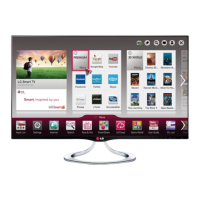
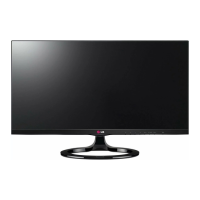
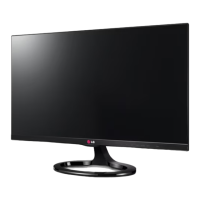
LG 27MT93V - User Manual

LG 27MT93V
49 pages
Print Icon
To Next Page IconTo Next Page
Loading...
www.lg.com
OWNER’S MANUAL
LED TV
(CINEMA 3D Smart TV)
27MT93V
27MT93S
LG LED TV applies LCD screen with LED backlights.
Please read this manual carefully before operating the your TV
and retain it for future reference.
ENGLISH

Questions and Answers

  • J
    Jerry SimpsonAug 18, 2025
    How to fix LG 27MT93V remote control not working?
    • J
      Jack RyanAug 18, 2025
      If you're having trouble controlling your LG LED TV with the remote, first check the remote control sensor on the TV and try again. Also, ensure there are no obstacles blocking the path between the remote and the TV. Finally, verify that the batteries in the remote are working and properly installed.
  • T
    Theresa RobertsAug 20, 2025
    What to do if my LG LED TV has no image and sound?
    • J
      John MedinaAug 21, 2025
      If your LG LED TV isn't displaying an image and there's no sound, start by checking if the TV is turned on. Next, make sure the power cord is securely connected to a working wall outlet. To verify the outlet is functioning correctly, try plugging in another device.
  • J
    justinsmithAug 23, 2025
    Why does my LG 27MT93V LED TV turn off suddenly?
    • B
      Brenda HarveyAug 23, 2025
      If your LG LED TV is turning off unexpectedly, examine the power control settings. A power interruption could be the cause. Also, check if the Automatic Standby, Sleep Timer, or Off Time feature is enabled in the TIME settings. If the TV is on but receives no signal, it will automatically turn off after 15 minutes of inactivity.
  • M
    Michele OrtizAug 26, 2025
    Why is my LG 27MT93V screen split when I change the channel?
    • J
      Javier CurtisAug 26, 2025
      If your LG LED TV screen splits into left/right or top/bottom views when changing channels, it means the channel supports 3D imaging. Press the 3D button on your remote to select the appropriate 3D imaging type displayed on the screen.
  • W
    William VincentAug 27, 2025
    Why do I see swirling patterns on my turned off LG LED TV?
    • R
      Rachel CastroAug 28, 2025
      The swirling, oil-like pattern you see on your LG LED TV when it's turned off is due to external light interference within the air layer between the LCD/LED surface and the 3D filter. This pattern should become almost invisible when you turn the TV back on.
  • H
    Hannah ClarkAug 30, 2025
    What to do if LG 27MT93V LED TV remote control is not working?
    • B
      Brittany ParksAug 30, 2025
      If you cannot control your LG LED TV with the remote, first check the remote control sensor on the TV and try again. Make sure there are no obstacles between the remote and the TV. Also, verify that the batteries in the remote are working and properly installed.
  • J
    Jennifer GreenSep 1, 2025
    What to do if 3D images on my LG LED TV look blurry?
    • K
      Karen DavisSep 1, 2025
      If you experience eye strain or a blurry screen while watching 3D content on your LG LED TV, try switching between the Left/Right and Right/Left options to see which setting provides a more comfortable viewing experience.
  • S
    Sheila LittleSep 3, 2025
    How to disable overlapped 3D image on LG LED TV?
    • D
      Daniel PotterSep 3, 2025
      If you see an overlapped image when switching from 2D to 3D on your LG LED TV, try disabling the 3D imaging mode using the 3D button on your remote control.
  • M
    mcphersonamySep 6, 2025
    Why do 3D images on my LG LED TV look overlapped?
    • H
      hbentonSep 6, 2025
      If you watch 3D images from outside the ideal viewing angle or distance on your LG LED TV, the images might appear overlapped or not display correctly in 3D.
  • D
    Denise PowellSep 8, 2025
    Why does my LG 27MT93V screen look blurry when viewing 3D images?
    • C
      Crystal GoldenSep 8, 2025
      If your eyes are sore or the screen looks blurry while viewing 3D images on your LG LED TV, select the Left/Right or Right/Left option, whichever you find better for viewing 3D images.

Summary

TV OPERATION

First Time Power On

Guide for initial TV setup, including language selection and basic preference customization.

Remote Control Overview

Explanation of buttons and functions for both standard and Magic Remote Controls.

CONNECTIVITY AND EXTERNAL DEVICES

MAINTENANCE AND CARE

3 D VIEWING AND QUALITY

3 D Viewing Guidelines and Safety

Recommendations on viewing time, age appropriateness, health warnings, and proper 3D glasses use.

TROUBLESHOOTING

General TV Issues

Solutions for common TV issues including remote control, display, sound, and auto-off problems.

3 D Mode Problems

Troubleshooting steps for problems encountered while using the TV's 3D viewing mode.

SPECIFICATIONS

3 D Supported Modes

Information on video formats and modes supported for automatic and manual 3D viewing.

LG 27MT93V Specifications

General IconGeneral
Screen Size27 inches
Display TypeLED
Resolution1920 x 1080 (Full HD)
Smart TVYes
HDMI Ports2
USB Ports1
Aspect Ratio16:9
Built-in SpeakersYes
Refresh Rate60Hz
Response Time5ms
Brightness250 cd/m²
Contrast Ratio1000:1
Sound Output10W (5W x 2)
Viewing Angle178°
Input PortsComponent, Composite

Related product manuals