EasyManua.ls Logo

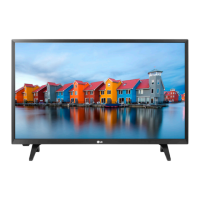
LG 28MN30D - User Manual

LG 28MN30D
39 pages
Print Icon
To Next Page IconTo Next Page
Loading...
www.lg.com
OWNER’S MANUAL
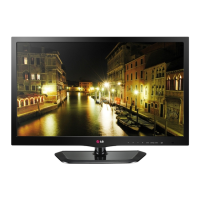
LED TV*
Please read this manual carefully before operating the your TV and
retain it for future reference.
* LG LED TV applies LCD screen with LED backlights.
ENGLISH
28MN30D
Downloaded from www.vandenborre.be

Questions and Answers

  • L
    Lisa McdowellAug 11, 2025
    Why does my LG 28MN30D turn off by itself?
    • C
      Cory ClaytonAug 11, 2025
      If your LG LED TV turns off suddenly, examine the power control settings to ensure the power supply isn't being interrupted. Check if the Auto sleep feature is activated in the Time settings. Note that the TV will automatically turn off after 15 minutes of inactivity if there is no signal.
  • M
    Michael HoganAug 17, 2025
    Why does my LG 28MN30D turn off suddenly?
    • T
      Tammy SchultzAug 17, 2025
      If your LG LED TV turns off suddenly, examine the power control settings to ensure the power supply isn't being interrupted. Also, check the Time settings to see if the Auto sleep feature is enabled. If the TV is on but receives no signal, it will automatically turn off after 15 minutes of inactivity.
  • J
    Jose BeckAug 26, 2025
    What to do if my LG 28MN30D LED TV has no image and sound?
    • E
      erin78Aug 26, 2025
      If your LG LED TV shows no image and produces no sound, first ensure the TV is turned on. Then, verify that the power cord is securely connected to a wall outlet. Finally, test the wall outlet by plugging in other devices to check for any issues with the power supply.
  • A
    Amy MurphySep 2, 2025
    How to fix LG LED TV remote control not working?
    • C
      Christina PetersenSep 2, 2025
      If you cannot control your LG LED TV with the remote, begin by checking the remote control sensor on the TV and try again. Ensure there are no obstructions between the remote and the TV. Finally, verify that the batteries in the remote are working and correctly installed.

Summary

Assembling and Preparing the TV

Watching TV and Initial Setup

Initial TV Setup and Configuration

Guides initial setup, including connecting power, turning on, and basic settings like language and country.

Making Connections to the TV

Connecting External Devices via HDMI

Connects devices like HD receivers, DVD players, gaming consoles using HDMI for optimal signal.

Connecting a PC to the TV

Guides connecting a PC to the TV for optimal display and sound, recommending HDMI.

PC HDMI and HDMI to DVI Connection Details

Details connecting a PC via HDMI or HDMI-DVI, including input label settings for optimal display.

Remote Control Operation

Remote Control Button Functions

Explains the function of each button on the remote control for TV operation.

Advanced Remote Control Features

Describes menu navigation, quick menus, SIMPLINK, PC mode, and backlight adjustment functions.

Customizing TV Settings

Navigating TV Main Menus

Step-by-step guide to access and navigate the TV's main settings menus using the remote.

Using the User Guide

TV Maintenance and Care

Cleaning TV Surfaces and Power Cord

Instructions for safely cleaning the TV screen, frame, cabinet, stand, and power cord.

Preventing Image Burn-in

Explains image burn-in and provides tips to avoid permanent screen disfigurement from static images.

Troubleshooting Common Issues

Remote Control Not Working

Solutions for issues where the TV cannot be controlled with the remote, checking sensors and batteries.

No Image or Sound Issues

Troubleshooting steps for no image or sound, checking power and connections.

TV Turns Off Unexpectedly

Reasons and solutions for the TV turning off unexpectedly, checking power settings and auto-sleep.

LG 28MN30D Specifications

General IconGeneral
Screen Size28 inches
Display TypeLED
Aspect Ratio16:9
Brightness250 cd/m²
Contrast Ratio1000:1
Response Time5 ms
HDMI Ports1
USB Ports1
Refresh Rate60 Hz
VGA PortYes
Headphone OutYes
Built-in SpeakersYes
Power Consumption30 W
Resolution1366 x 768

Related product manuals