ENGLISH
28
MAKING CONNECTIONS
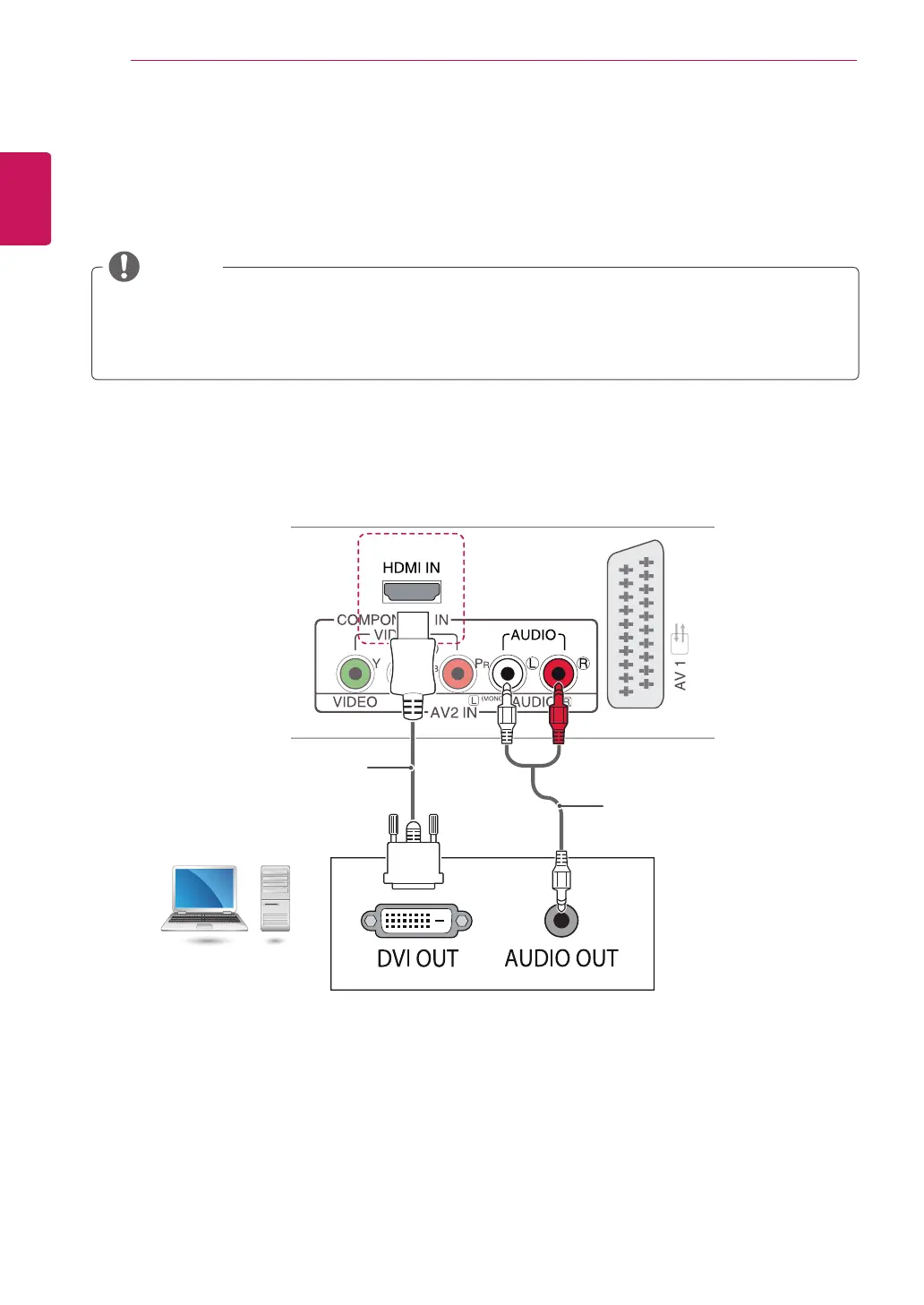
HDMI to DVI connection
Transmits the digital video signal from your PC to the TV. Connect the PC and the TV with the HDMI to DVI
cable as shown the following illustrations. To transmit an audio signal, connect an optional audio cable.
y
If you want to use HDMI-PC mode, you must set the input label to DVI mode.
y
If you do not use an optional external speaker, connect the PC to the TV with the optional audio cable.
y
When using the HDMI/DVI cable, only Single link is supported.
NOTE
(Not Provided)
(Not Provided)
PC
Downloaded from www.vandenborre.be


 To Next Page