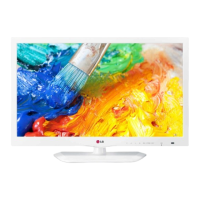
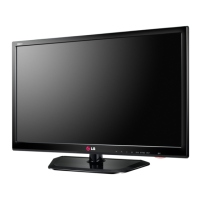
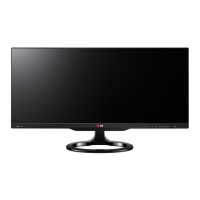
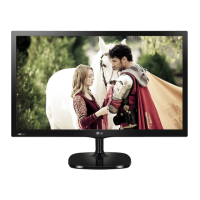
This is an owner's manual for an LG LED TV, specifically models in the LN45** series (22LN45**, 24LN45**, 26LN45**, 28LN45**, 29LN45**). The manual provides instructions for setting up, connecting, operating, and maintaining the television.
Function Description
The LG LED TV is a display device that uses an LCD screen with LED backlights. It is designed to receive and display digital and analog video and audio signals from various external sources, including terrestrial, cable, and satellite broadcasts, as well as external devices like DVD/Blu-Ray players, HD receivers, PCs, and USB storage devices. The TV supports network connectivity for enhanced features (depending on the model).
Important Technical Specifications
- Models: LN45** series (22LN45**, 24LN45**, 26LN45**, 28LN45**, 29LN45**)
- CI Module Size (W x H x D): 100.0 mm x 55.0 mm x 5.0 mm
- Operating Temperature: 0 °C to 40 °C
- Operating Humidity: Less than 80 %
- Storage Temperature: -20 °C to 60 °C
- Storage Humidity: Less than 85 %
- Television System:
- Satellite Digital TV: DVB-T, DVB-C, DVB-S/S2 (DVB-T2 support for some models)
- Digital TV: DVB-T, DVB-C
- Analogue TV: PAL/SECAM B/G/D/K, PAL-I/I’, SECAM L/L’ (except Nordic countries)
- Programme Coverage: VHF, UHF, C-Band, Ku-Band (VHF: E2 to E12, UHF: E21 to E69, CATV: S1 to S20, HYPER: S21 to S47)
- Maximum Number of Storable Programmes: 6,000 (for digital TV), 1,500 (for analogue TV)
- External Antenna Impedance: 75 Ω
- HDMI (DTV) Supported Resolutions (Horizontal Frequency / Vertical Frequency):
- 720x480: 31.469 kHz / 59.940 Hz, 31.500 kHz / 60.000 Hz
- 720x576: 31.250 kHz / 50.000 Hz
- 1280x720: 37.500 kHz / 50.000 Hz, 44.960 kHz / 59.940 Hz, 45.000 kHz / 60.000 Hz
- 1920x1080: 33.720 kHz / 59.940 Hz, 33.750 kHz / 60.000 Hz, 28.125 kHz / 50.000 Hz, 27.000 kHz / 24.000 Hz, 33.750 kHz / 30.000 Hz, 56.250 kHz / 50.000 Hz, 67.430 kHz / 59.940 Hz, 67.500 kHz / 60.000 Hz
- RGB (PC) / HDMI (PC) Supported Resolutions (Horizontal Frequency / Vertical Frequency):
- 720x400: 31.468 kHz / 70.080 Hz
- 640x480: 31.469 kHz / 59.940 Hz, 37.500 kHz / 75.000 Hz
- 800x600: 37.879 kHz / 60.317 Hz, 46.875 kHz / 75.000 Hz
- 1024x768: 48.363 kHz / 60.004 Hz, 60.023 kHz / 75.029 Hz
- 1280x800: 49.702 kHz / 59.810 Hz
- 1366x768: 47.717 kHz / 59.790 Hz
- Optimal Display Resolution: 1366 x 768@60Hz
- Optimal Timing in each mode: Vertical frequency 60Hz.
- HDMI Audio Format Support: Dolby Digital, PCM (Up to 192 KHz, 32KHz/44.1KHz/48KHz/88KHz/96KHz/176KHz/192KHz). DTS is not supported.
- Headphone Impedance: 16 Ω
- Max Audio Output of Headphone: 9 mW to 15 mW
- Headphone Jack Size: 0.35 cm
Usage Features
- Setup: Instructions for attaching/detaching the stand, tidying cables, and mounting the TV on a table or wall. Wall mounting requires VESA standard screws and brackets (100 x 100, M4 screws, 4 screws, LSW130B bracket for LN45** models).
- Connections: Detailed guides for connecting various external devices:
- Antenna: Connects to a wall antenna socket with an RF cable (75 Ω). A signal splitter can be used for multiple TVs, and a signal amplifier may be needed for poor image quality.
- Satellite Dish: Connects to a satellite dish with a satellite RF cable (75 Ω).
- Adapter: Connects the antenna cable to the TV, the DC adapter plug to the TV's power input, and the power cord to the DC adapter before plugging into a wall outlet.
- HDMI: Transmits digital video and audio. Recommends using the latest High Speed HDMI™ Cable with CEC function for optimal image quality (up to 1080p and higher).
- DVI to HDMI: Transmits digital video from a PC to the TV. An audio cable is required for audio transmission.
- MHL (Mobile High-definition Link): Transmits digital audiovisual signals from MHL-enabled mobile phones to the TV using an MHL passive cable. Some applications can be operated via the remote control.
- RGB (PC): Transmits video signals from a PC to the TV. An audio cable is needed for audio. Adjustments to PC output resolution, refresh rate, brightness, and contrast may be necessary to clear noise.
- Component: Transmits analog video and audio signals. Incorrect cable installation may result in black and white or distorted colors.
- Composite: Transmits analog video and audio signals.
- Euro Scart: Transmits video and audio signals. Any Euro scart cable used must be signal shielded.
- USB: Connects USB storage devices (flash memory, external hard drives, card readers) to access multimedia files. USB cables/devices should have bezels less than 10 mm thick and 18 mm wide.
- CI Module: For viewing encrypted (pay) digital TV services. Ensure correct insertion to avoid damage.
- Headphone: Transmits headphone signals. AUDIO menu items are disabled when headphones are connected.
- Remote Control: Explains button functions for TV/radio selection, subtitle, AD/PIP, user guide, number input, program list, volume, favorite channels, program guide, mute, channel scrolling, teletext, info, main/quick menus, navigation, confirmation, back, exit, SIMPLINK, TV/PC mode, media control, colored buttons (red, green, yellow, blue), and backlight adjustment.
- Network Setting: For LN45*U models (UK only), provides instructions for wired network connection to access TV network functions.
- User Guide: Accesses detailed TV information, allowing users to select categories, items, and browse descriptions.
Maintenance Features
- Cleaning: Regular cleaning is recommended for optimal performance and extended product lifespan.
- Screen, Frame, Cabinet, and Stand: Wipe dust/light dirt with a dry, soft cloth. For heavier dirt, use a soft cloth dampened with clean water or diluted mild detergent, then dry immediately. Avoid touching the screen with fingernails or sharp objects, using chemicals, or spraying liquids directly onto the surface.
- Power Cord: Regularly remove accumulated dust or dirt from the power cord.
- Troubleshooting: Provides solutions for common issues such as remote control malfunction, no image/sound, sudden TV shutdown, and "No signal" or "Invalid Format" messages when connecting to a PC.
Safety Instructions
The manual includes comprehensive safety instructions, warning against improper installation, handling, and maintenance to prevent fire, electric shock, malfunction, injury, or product damage. Key warnings include:
- Avoid placing the TV in environments exposed to direct sunlight, high humidity, heat sources, steam/oil, rain/wind, or near water containers.
- Ensure the mains plug is readily accessible as the disconnecting device.
- Do not touch the power plug with wet hands.
- Connect the mains cable to a grounded AC socket.
- Insert the power cable plug completely into the wall socket.
- Keep the power cord away from hot objects and do not place heavy objects on it.
- Bend the antenna cable to prevent rain ingress.
- Do not hang the TV by power or signal cables when wall mounting.
- Avoid plugging too many electrical devices into a single multiple outlet.
- Do not drop the product or let it fall when connecting external devices.
- Keep anti-moisture packing material and vinyl packaging out of reach of children.
- Do not let children climb or cling onto the TV.
- Dispose of used batteries carefully.
- Do not insert metal objects into the power cable plug or wall socket.
- Do not place or store flammable substances near the product.
- Do not spray water or flammable substances on the product.
- Avoid impacts or dropping objects on the screen.
- Do not touch the product or antenna during a thunder or lightning storm.
- Do not touch the wall outlet during a gas leak; ventilate the room.
- Do not disassemble, repair, or modify the product.
- Unplug the TV if not used for a long period.
- Avoid exposing the apparatus to dripping or splashing liquids.
- When moving or unpacking, work in pairs due to the product's weight.
- Contact service for annual internal cleaning.
- Refer all servicing to qualified personnel if the apparatus is damaged.
- A slight "flicker" when turning on a cold product is normal.
- Tiny black or colored dots (1 ppm) on the panel are normal and not a malfunction.
- Brightness and color may vary by viewing position due to panel characteristics.
- Avoid displaying still images for prolonged periods to prevent image sticking.
- "Cracking" noises due to thermal contraction and low-level humming from high-speed switching circuits are normal and do not affect performance.

 Need help?

 To Next Page
 General