EasyManua.ls Logo

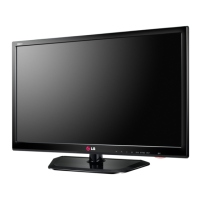
LG 29MA73D - User Manual

LG 29MA73D
59 pages
Print Icon
To Next Page IconTo Next Page
Loading...
www.lg.com
OWNER’S MANUAL
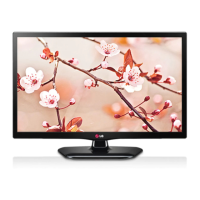
LED TV*
* LG LED TV applies LCD screen with LED backlights.
Please read this manual carefully before operating your TV and retain
it for future reference.
ENGLISH
29MA73D
29MA73V

Other manuals for LG 29MA73D

Questions and Answers

  • L
    lwarrenAug 20, 2025
    How to fix LG 29MA73D LED TV remote control not working?
    • R
      Ray MunozAug 20, 2025
      If the LG LED TV remote control isn't working, first ensure there are no obstructions between the remote and the TV. Next, check that the batteries are correctly inserted, paying attention to the polarity. If the batteries are weak, replace them with new ones. Also, the TV may malfunction if there is a lamp with an electronic stabilizer (3-wavelength lamp) installed in the same place.
  • M
    Mrs. Sara SantosAug 22, 2025
    How to turn off key lock on LG 29MA73D?
    • L
      Lisa ArroyoAug 22, 2025
      The 'Key Lock' message appears on the screen of your LG LED TV because the key lock is enabled. To disable it, go to Menu > Settings (Lock) and set 'Key Lock' to Off.
  • V
    vyangAug 25, 2025
    How to fix LG 29MA73D LED TV when no image is displayed?
    • L
      Larry PerezAug 25, 2025
      If your LG LED TV displays no image, first ensure the power cord is properly connected to the power outlet. Also, check if the standby indicator is turned off. If you're using Energy Saving mode, press any button on the remote to disable it. If connected to a PC, try moving the mouse or pressing a key.
  • G
    Gloria OrtizAug 26, 2025
    What to do if my LG LED TV screen is black?
    • N
      nfoleyAug 26, 2025
      If nothing is displayed on your LG LED TV screen, try the following: Ensure the power cord is properly connected to the power outlet. Check the power cable connection and press the power button. Verify that the connected input is enabled via Menu - Input. If the monitor is in power-saving mode, move the mouse or press any key on the keyboard. Also, confirm that your computer is turned on. If signals from the PC (video card) are out of range, refer to the "Product Specification" section of this manual to set the appropriate frequency. Lastly, check the cable and reconnect it.
  • H
    hschaeferAug 28, 2025
    What does 'Out of Range' mean on my LG 29MA73D?
    • E
      Emily NicholsonAug 28, 2025
      The 'Out of Range' message appears when signals from the PC (video card) are outside of the product's horizontal or vertical frequency range. Please see the Product Specification section of this manual and configure your display again.
  • A
    Anna MoodyAug 29, 2025
    Why is my LG LED TV remote control not working?
    • G
      Glenn WarrenAug 30, 2025
      If your LG LED TV remote control isn't working, ensure there are no obstacles between the remote and the TV. Verify that the batteries are correctly inserted with the correct polarity. If the batteries are weak, replace them with new ones. Also, the TV may malfunction if it is placed near a lamp with an electronic stabilizer.
  • M
    Matthew HensonAug 31, 2025
    Why is the screen Colour unstable on my LG LED TV?
    • W
      William ThomasAug 31, 2025
      If the screen color on your LG LED TV is unstable or images are displayed in only one color, check if the signal cable is properly connected. Reconnect the cable or reinsert the PC's video card.
  • M
    Michael ThompsonSep 2, 2025
    How to prevent image sticking on LG 29MA73D LED TV?
    • V
      valeriezamoraSep 2, 2025
      To prevent still images from sticking on your LG LED TV after power off, use a screen saver to protect the screen when using the product for a prolonged period of time. Displaying a still image for a long time may cause damage to the screen, resulting in the retention of the image.
  • H
    Hannah MillerSep 4, 2025
    Why no sound from PC on LG 29MA73D LED TV?
    • M
      Mary BellSep 4, 2025
      Check whether the audio cable is connected between the PC and the product.
  • K
    Karen FullerSep 6, 2025
    Why does my LG 29MA73D screen have image retention?
    • P
      Paul MartinSep 6, 2025
      Displaying a still image on your LG LED TV for an extended period can cause image retention and damage the screen. To prevent this, use a screen saver when the monitor is used for a prolonged period of time.

LG 29MA73D Specifications

General IconGeneral
BrandLG
Model29MA73D
CategoryLED TV
LanguageEnglish

Related product manuals