ENGLISH
27
MAKING CONNECTIONS
Component connection
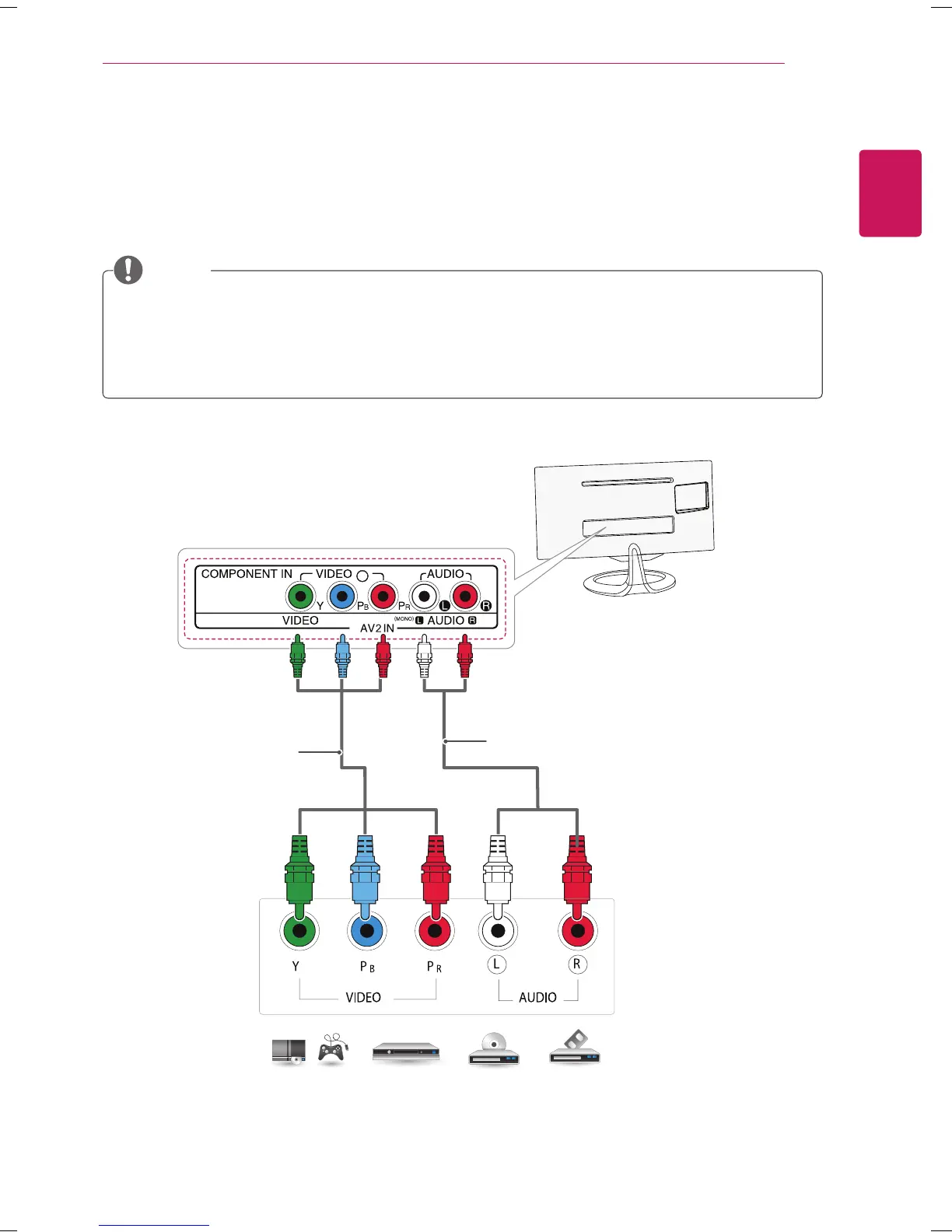
Transmits the analog video and audio signals from an external device to the TV. Connect the external
device and the TV with the component cable as shown on the following illustration. To display images by
using progressive scan, make sure to use a component cable.
DVD / Blu-Ray / HD Cable Box /
HD STB / Gaming device
(Not Provided)
(Not Provided)
If cables are installed incorrectly, it could case the image to display in black and white or with distorted
color.
Check to ensure each cable is matched with the corresponding color connection.
Press the INPUT button on the remote control to select Component.
NOTE



 To Next Page