ENGLISH
37
MAKING CONNECTIONS
%1065
(Not Provided)
PC
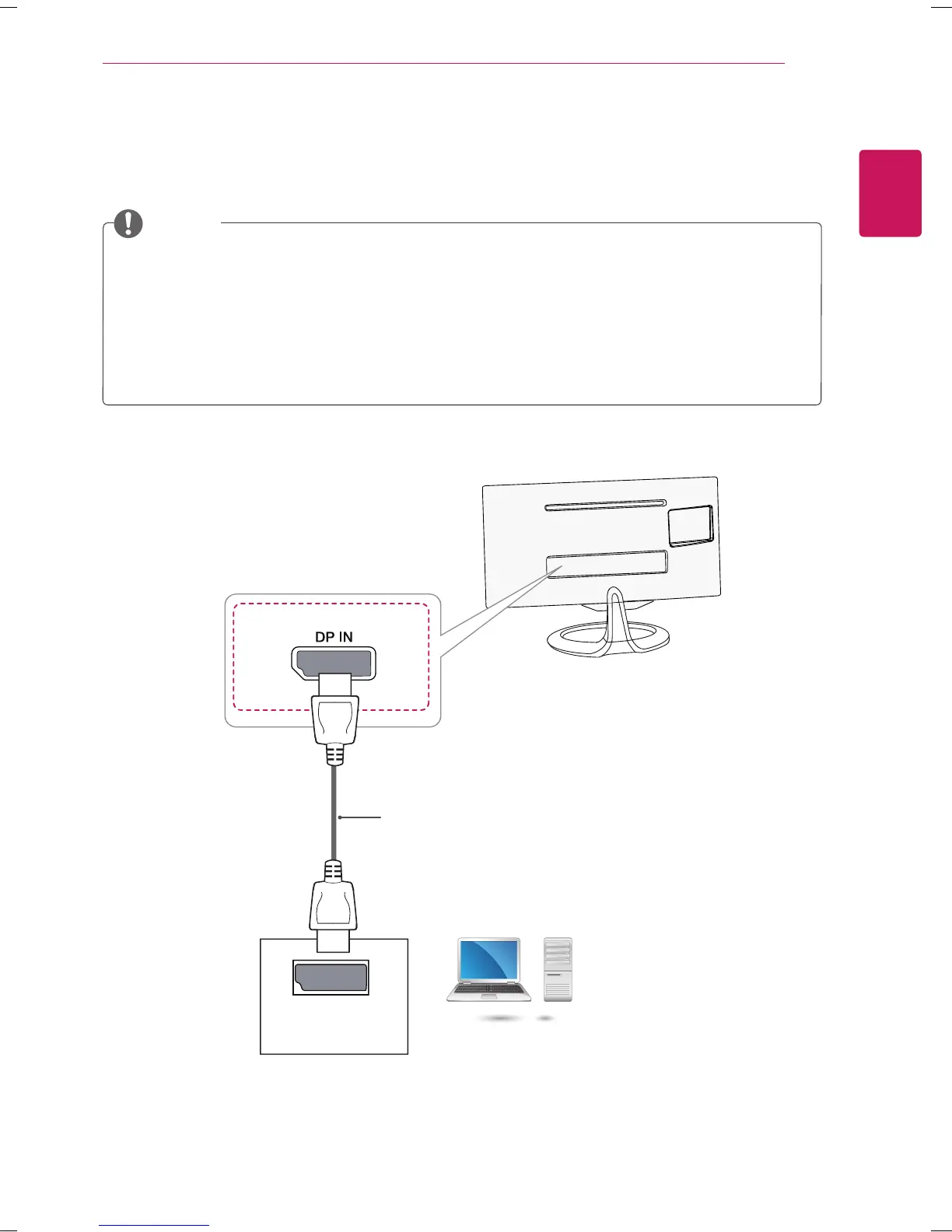
Display Port connection
Transmits the digital video and audio signals from your PC to the TV. Connect your PC to the TV using the
display port cable as illustrated below.
NOTE
Sound may not hear depending on the DP version of your PC.
Dolby Digital and DTS are not supported. If no sound is coming out, set the audio output of the
connected device to PCM.
Press the INPUT button on the remote control to select DisplayPort.
Using a DP-to-HDMI or DP-to-DVI cable may cause compatibility issues.
HDMI signals are not converted to DP signals.
If you use a DP-to-HDMI cable, you can watch your media on a PC or other device with DP
output by using the HDMI or DVI input port.
(Depending on the country)



 To Next Page