ENGLISH
40
INSTALLING SCREEN SPLIT
INSTALLING SCREEN SPLIT
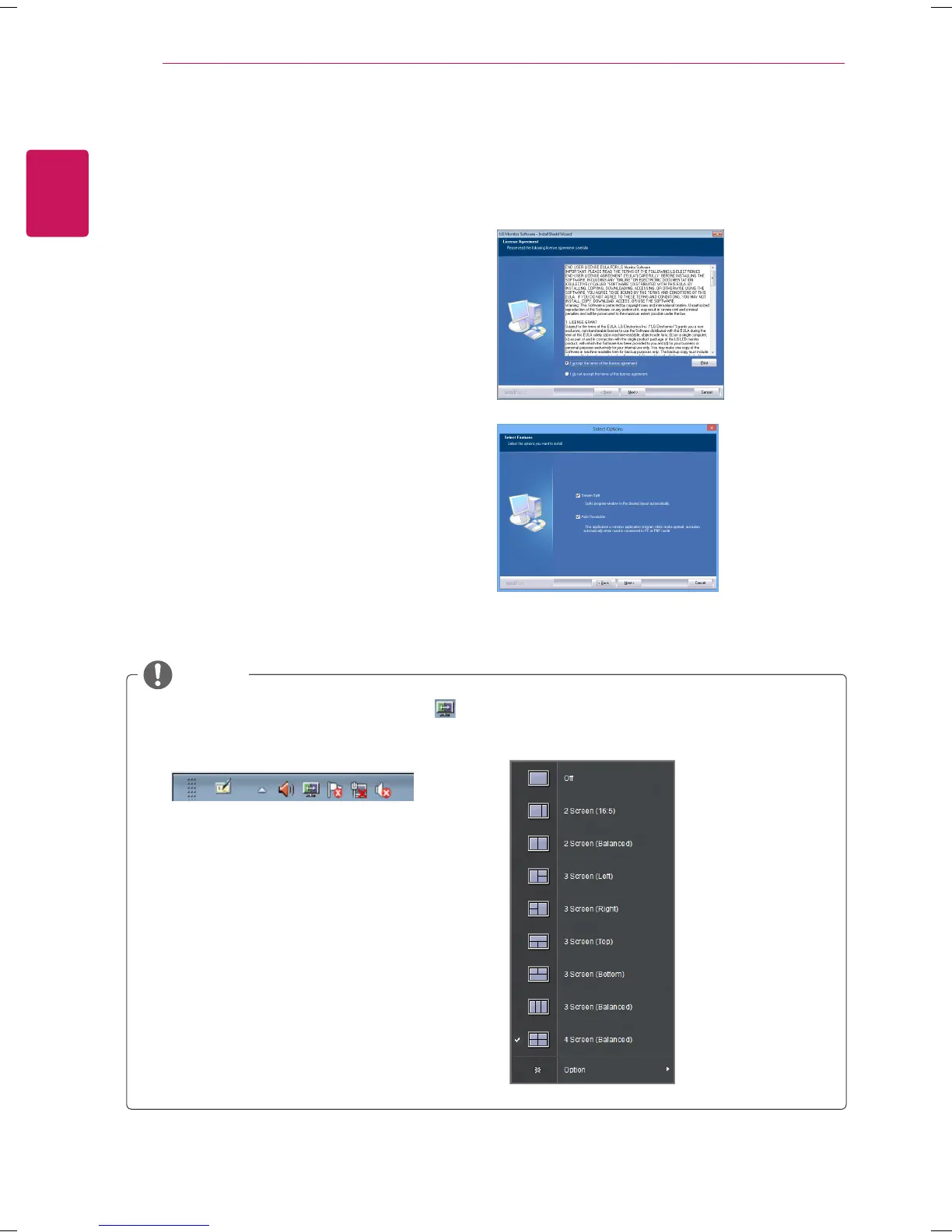
1
Check "I accept the terms of the agreement"
on the License Agreement screen and then
click the [Next] button.
Insert the the owner's manual CD included in the product package into your PC's CD driver and install the
screen split.
2
Select the program that you want to install.
NOTE
If you run Screen Split, the Screen Split icon [
] appears in the system tray at the right bottom
of the PC screen.
Right-click the Screen Split icon and select a
layout you want.



 To Next Page