ENGLISH
33
MAKING CONNECTIONS
[**MA73V Model]
UK: LAN port is available. (The LAN port is added to support HD MHEG.)
Other areas: LAN port is not available.
NOTE
Connecting to a wired network
Only UK, **MA73V models
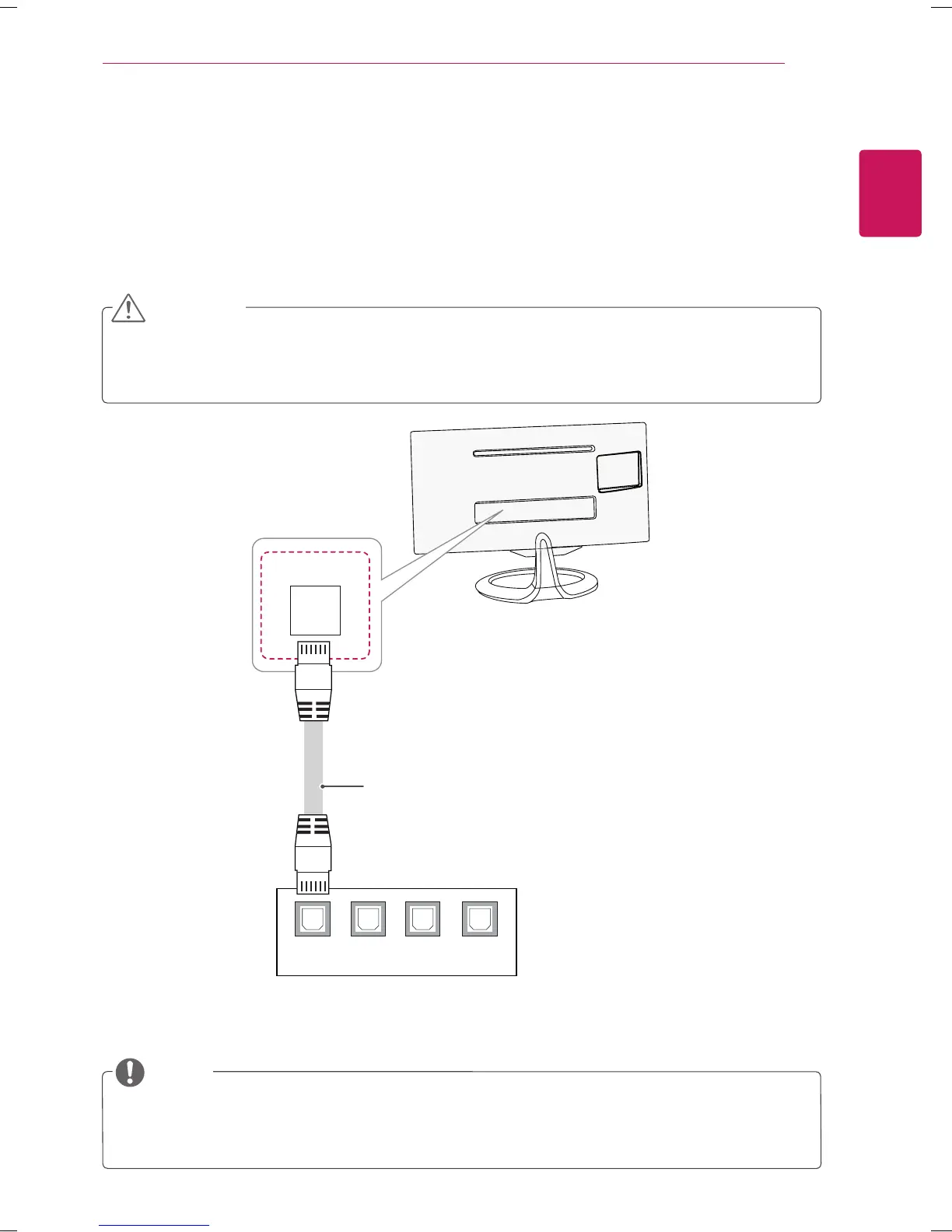
Connect the TV to a local area network (LAN) via the LAN port as shown on the following illustration
and set up the network settings. After making a physical connection, a small number of home networks
may require the TV network settings to be adjusted. For most home networks, the TV will connect to
automatically without any adjustments.
For detail information, contact your internet provider or router manual.
LAN
1 2 3 4
LAN
CAUTION
Do not connect a modular phone cable to the LAN port.
Since there are various connection methods, please follow the specifications of your
telecommunication carrier or internet service provider.
(Not Provided)



 To Next Page