ENGLISH
15
ASSEMBLING AND PREPARING
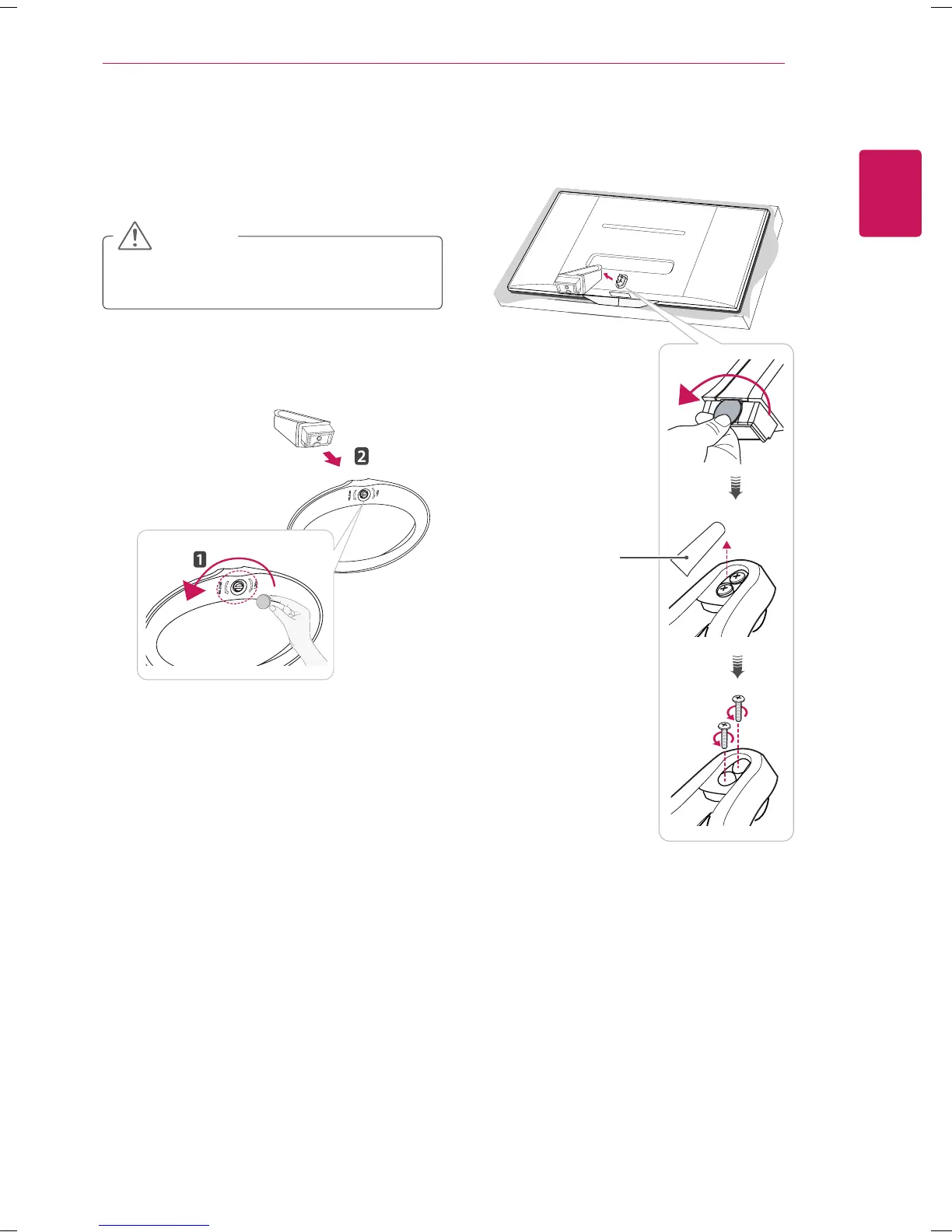
Detaching the Stand
1
Place the screen face down.
To protect the screen from scratches, cover
the surface with a soft cloth.
CAUTION
3
Open the screw cover on the back of the stand
body and use a screw driver to remove the two
screws.
2
Turn the screw to the left, and then pull out the
Stand Base from the Stand Body.
Stand Screw
Cover



 To Next Page