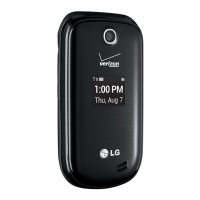
LG 325 45
Contacts
1. Find/Add Entry
Allows you to view your Contacts list.
1. Press Left Soft Key Menu, scroll to Contacts, and
press .
2. Scroll to Find/Add Entry and press .
3. Enter the name, then press .
4. Continue saving the entry as necessary.
2. Groups
Allows you to view your grouped Contacts, add a new
group, change the name of a group, or delete a whole group.
1. Press Left Soft Key Menu, scroll to Contacts, and
press .
2. Scroll to Groups and press .
3.
Scroll through the group titles using . To display entries
belonging to a group, highlight the group and press .
4.
To display an entry within the group, highlight it and press .
3. Speed Dials
Allows you to view your Speed Dials list, designate new
Speed Dials, or remove Speed Dial designations entered in
your Contacts.
1. Press Left Soft Key Menu, scroll to Contacts, and
press .
2. Scroll to Speed Dials and press .
3. Use to highlight the Speed Dial position (or enter
the Speed Dial digit), then press .
4. Select the option and press .
Set Speed Dial / Next Empty / Erase Speed Dial / Erase all
4. Voice Dials
1. Press Left Soft Key Menu, scroll to Contacts, and
press .
2. Scroll to Voice Dials and press .
3. Scroll through voice dial entries using , also have
option to Record New or Erase All.
4. To display an entry, highlight it and press .
Select Play / Re-record / Erase and press .
5. My Phone Number
Allows you to view your phone number.
1. Press Left Soft Key Menu, scroll to Contacts, and
press .
2. Scroll to My Phone Number and press .



 To Next Page