EasyManua.ls Logo

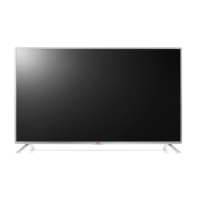
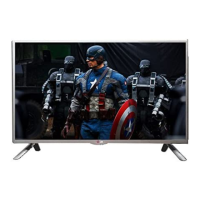
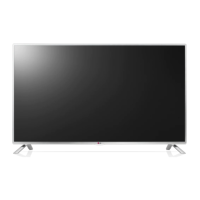
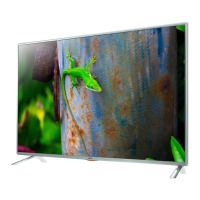
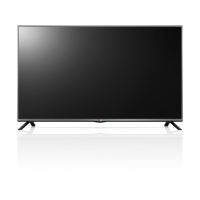
LG 32LB580B - User Manual

LG 32LB580B
35 pages
Print Icon
To Next Page IconTo Next Page
Loading...
P/NO : MFL68027912 (1401-REV00)
Please read this manual carefully before operating your set and retain it
for future reference.
OWNER’S MANUAL
LED TV*
*LG LED TV applies LCD screen with LED backlights.
www.lg.com
32LB5800
39LB5800
42LB5800
55LB5800
47LB6100
50LB6100
55LB6100
60LB6100
65LB6190
32LB580B
*MFL68027912*

Questions and Answers

  • R
    Richard ValdezJul 28, 2025
    Why does my LG LED TV turn off by itself?
    • P
      Patrick SwansonJul 28, 2025
      If your LG LED TV is turning off unexpectedly, there are a few potential causes. Examine the power control settings to ensure the power supply isn't being interrupted. Also, verify that the Sleep Timer or Off Time function isn't enabled within the TV's TIME settings. Finally, if the TV doesn't receive a signal for 15 minutes, it will automatically shut down.
  • G
    Gregory ContrerasAug 1, 2025
    Why does my LG 32LB580B LED TV turn off suddenly?
    • M
      Margaret PalmerAug 1, 2025
      If your LG LED TV suddenly turns off, there might be a few reasons. First, the power supply could be interrupted, so check the power control settings. Also, the Sleep Timer or Off Time function in the TIME settings might be activated. Finally, if the TV doesn't receive a signal for 15 minutes, it will automatically turn off.
  • C
    Caleb BanksAug 6, 2025
    What to do if my LG 32LB580B LED TV has no image and sound?
    • J
      Jennifer PollardAug 6, 2025
      If your LG LED TV isn't showing an image or producing sound, here are a few things to check: First, ensure that the TV is actually powered on. Next, verify that the power cord is securely connected to a functioning wall outlet. To confirm the outlet is working, try plugging in another device.
  • J
    John SheltonAug 9, 2025
    How to fix LG 32LB580B remote control not working?
    • P
      Peter PerezAug 10, 2025
      If you're unable to control your LG LED TV with the remote, try these steps: First, check the remote control sensor on the TV and try again. Second, make sure there are no obstructions between the remote and the TV. Finally, ensure the batteries in the remote are working and properly installed.
  • E
    Emily HowardAug 14, 2025
    What to do if my LG LCD TV has no image and sound?
    • M
      Marie KingAug 14, 2025
      If your LG LCD TV isn't displaying an image and there's no sound, first, make sure the TV is actually turned on. Then, verify that the power cord is securely connected to a working wall outlet. Try plugging another device into the same outlet to check if the outlet itself is the problem.
  • P
    Pamela BensonAug 18, 2025
    Why can't I control my LG LCD TV with the remote?
    • S
      Sydney JohnsonAug 19, 2025
      If you're unable to control your LG LCD TV with the remote, try these steps: First, check the remote control sensor on the TV and try again. Second, make sure there are no obstacles blocking the path between the remote and the TV. Finally, check the batteries in the remote to ensure they are working and properly installed ( to , to ).
  • A
    annvaughnAug 23, 2025
    How to fix an LG LCD TV that turns off suddenly?
    • M
      Michele JohnsonAug 23, 2025
      If your LG LCD TV is turning off suddenly, there are a few things you can check. First, review the power control settings on your TV, as the power supply may be interrupted. Next, verify that the Sleep Timer or Off Time is not activated in the TIME settings. Finally, remember that if the TV is on but not receiving a signal, it will turn off automatically after 15 minutes of inactivity.

LG 32LB580B Specifications

General IconGeneral
Screen shapeFlat
Response time- ms
Display diagonal32 \
Display brightness- cd/m²
Display resolution1366 x 768 pixels
Native aspect ratio16:9
Native refresh rate60 Hz
LED backlighting typeDirect-LED
Motion interpolation technologyMCI (Motion Clarity Index) 120
3D-
Sound modesCustom, Movie, Music, Standard
RMS rated power20 W
HDMI version1.4
PC in (D-Sub)No
RF ports quantity2
HDMI ports quantity3
DVI-D ports quantity0
USB 2.0 ports quantityUSB 2.0 ports have a data transmission speed of 480 Mbps, and are backwards compatible with USB 1.1 ports. You can connect all kinds of peripheral devices to them.
Component video (YPbPr/YCbCr) in1
Audio formats supportedAAC, EAC3, HE-AAC, MP3, PCM
Product colorGray
Power consumption (standby)- W
Cables includedAC
Weight and Dimensions IconWeight and Dimensions
Depth (with stand)207 mm
Height (with stand)481 mm
Depth (without stand)55.5 mm
Width (without stand)732 mm
Height (without stand)431 mm
Weight (without stand)6200 g

Related product manuals