EasyManua.ls Logo

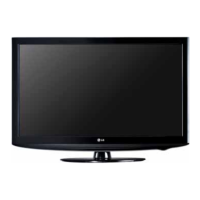
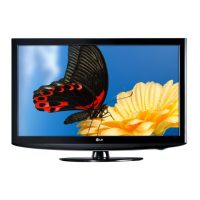
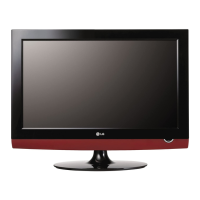
LG 32LH20R - Service Manual

LG 32LH20R
30 pages
Print Icon
To Next Page IconTo Next Page
Loading...
LCD TV
SERVICE MANUAL
CAUTION
BEFORE SERVICING THE CHASSIS,
READ THE SAFETY PRECAUTIONS IN THIS MANUAL.
CHASSIS : LP91A
MODEL : 32LH20R
32LH20R-MA
North/Latin America http://aic.lgservice.com
Europe/Africa http://eic.lgservice.com
Asia/Oceania http://biz.lgservice.com
Internal Use Only

Other manuals for LG 32LH20R

Questions and Answers

  • M
    Marcus CooperJul 26, 2025
    How to fix no raster on HDMI signal on LG 32LH20R LCD TV?
    • J
      James PatrickJul 26, 2025
      To resolve a 'no raster' issue on your LG LCD TV when using an HDMI signal, start by checking the input source cable and jack. Then, inspect and re-solder the Input/Output of JK101, IC800, JK301, JK302, JK303, IC300, IC301, and JK302, replacing any defective parts. Also, check HDMI EDID data and re-download HDCP. Repeat [A] & [B] process.
  • G
    Gregory WardAug 3, 2025
    How to troubleshoot no raster on PC signal with my LG 32LH20R?
    • L
      Linda BakerAug 3, 2025
      If you're experiencing a 'no raster' issue on your LG LCD TV when using a PC signal, begin by checking the input source cable and jack. Next, inspect and re-solder the Input/Output of J104 and IC100, replacing any defective parts. Check RGB EDID data. Also, check the Input/Output of IC800 and replace the defect part. Repeat [A] & [B] process.
  • S
    Scott SmithAug 11, 2025
    What to do if there's no signal on my LG 32LH20R (RF signal)?
    • R
      Ronnie ArmstrongAug 11, 2025
      If you're not getting any signal on your LG LCD TV when using an RF signal, check the Input/Output of JK101 and JK201, re-soldering if necessary, and replace any defective parts.
  • B
    Brittney BanksAug 17, 2025
    What to do if there is no sound on my LG 32LH20R LCD TV?
    • A
      Alan SmithAug 17, 2025
      If there is no sound on your LG LCD TV, you can try the following: Check the input source cable and jack. Inspect and, if necessary, re-solder the Input/Output of JK101 and JK201, replacing any defective parts. Check the Input/Output of IC800, and replace any defective parts. Verify the input source and change it if needed. Check the Input/Output of IC600, and replace any defective parts. Also, check the speaker and speaker wire, replacing speaker if needed.

Summary

Safety Precautions

Important Safety Notice

Essential safety parts should be replaced with same components to prevent hazards.

General Servicing Guidance

Recommendations for servicing, including isolation transformer and leakage current checks.

Servicing Procedures

General Servicing and Component Handling

General advice for servicing, unplugging power, and ESD handling.

Soldering and Repair Techniques

Guidelines for soldering, component replacement, and circuit board repair.

Product Specifications

Application Range and Electrical Specs

Defines scope and lists key electrical parameters like screen size and input voltage.

Optical and Input Standards

Details display performance and supported video input signal standards.

Adjustment Instructions

Adjustment Setup and Options

Defines scope, requirements, and EDID/option settings for adjustments.

Calibration Procedures

Covers ADC calibration and white balance adjustment steps.

Troubleshooting

Power and Raster Issues

Troubleshooting flow charts for power and no raster issues.

Signal and Sound Issues

Troubleshooting steps for no signal and no sound issues.

System Diagrams and Schematics

Block Diagram and Exploded View

Shows system block diagram and physical component assembly.

Main Scaler and Memory Schematics

Detailed schematics for main scaler and DDR2 memory.

Power, Audio, and Tuner Schematics

Schematics for power supply, audio amplifier, and tuner circuits.

Input and Communication Interface Schematics

Schematics for HDMI, Component, AV, USB, and communication interfaces.

LVDS and Control Key Schematics

Schematics for LVDS and Control Key interfaces.

LG 32LH20R Specifications

General IconGeneral
Audio systemSRS TruSurround XT
RMS rated power20 W
Built-in subwooferNo
Number of speakers2
Product colorBlack
Display diagonal32 \
Display brightness500 cd/m²
Display resolution1366 x 768 pixels
Display technologyLCD
Native aspect ratio16:9
Contrast ratio (dynamic)60000:1
Screen format adjustments4:3, 14:9, 16:9, Zoom
Mean time between failures (MTBF)60000 h
RS-232 ports1
SCART ports quantity0
USB 2.0 ports quantityUSB 2.0 ports have a data transmission speed of 480 Mbps, and are backwards compatible with USB 1.1 ports. You can connect all kinds of peripheral devices to them.
Smart modesEnergy saving
AC input voltage100 - 240 V
AC input frequency50 - 60 Hz
Power consumption (standby)1 W
Power consumption (typical)150 W
Analog signal format systemPAL BG, PAL DK, PAL I, SECAM B/G, SECAM D/K

Related product manuals