EasyManua.ls Logo

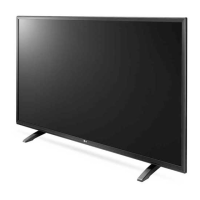
LG 32LH530V - User Manual

LG 32LH530V
164 pages
Print Icon
To Next Page IconTo Next Page
Loading...
Please read this manual carefully before operating your set and
retain it for future reference.
www.lg.com
Safety and Reference
OWNER’S MANUAL
LED TV*
* LG LED TV applies LCD screen with LED backlights.
*MFL69309712*
P/NO : MFL69309712 (1606-REV02)
Printed in Korea

Table of Contents

Questions and Answers

  • T
    Trevor FordAug 10, 2025
    What to do if I cannot control my LG 32LH530V with the remote control?
    • R
      Rodney OrtegaAug 10, 2025
      If you're unable to control your LG LED TV with the remote, first ensure there are no obstructions between the remote and the TV's sensor. Then, check the remote control sensor on the product and try again. Finally, verify that the batteries in the remote are working and correctly installed.
  • N
    nathan17Aug 18, 2025
    Why is there no image and sound on my LG 32LH530V?
    • J
      Jose ReidAug 18, 2025
      If your LG LED TV shows no image and produces no sound, start by checking if the TV is turned on. Next, make sure the power cord is securely connected to a working wall outlet. You can test the outlet by plugging in another device to see if it works.
  • T
    tbishopAug 26, 2025
    Why does my LG 32LH530V LED TV turn off suddenly?
    • S
      Steven ReyesAug 26, 2025
      If your LG LED TV turns off suddenly, there might be a few reasons. First, the power supply may be interrupted, so check the power control settings. Also, verify that the Auto Power Off, Sleep Timer, or Timer Power Off settings are not activated in the Timers settings. Finally, note that the TV will automatically turn off after 15 minutes of inactivity if there is no signal.
  • L
    Lauren JimenezSep 2, 2025
    What to do if LG 32LH530V LED TV says ‘No signal’ or ‘Invalid Format’ when connecting to PC (HDMI)?
    • N
      Nicholas SimmonsSep 2, 2025
      If you see a ‘No signal’ or ‘Invalid Format’ message when connecting your PC to your LG LED TV via HDMI, try these steps: First, turn the TV off and then on again using the remote control. If that doesn't work, try reconnecting the HDMI cable. As a last resort, restart your PC while the TV is powered on.

Summary

Safety and Reference

Safety Instructions

Preparing Your TV

Lifting and Moving the TV

Advice on safely lifting, moving, and handling the TV to prevent damage or injury.

Mounting on a Wall

Remote Control Overview

TV Settings Configuration

Picture Mode Selection

Select picture modes optimized for viewing environment or program type.

Detailed Picture Adjustments

Fine-tune picture modes, advanced controls, and additional options for detailed image calibration.

Audio and Sound Settings

Audio;Video Sync and SIMPLINK

Synchronize audio and video, and manage multimedia devices using SIMPLINK.

System Management and Media Support

SIMPLINK and System Management

Manage SIMPLINK features, set passwords, reset settings, and handle USB devices.

Supported Media Formats

Supported Video File Formats

List of supported video file types, codecs, and resolutions.

Supported Audio File Formats

List of supported audio file types and bit rates.

Supported Photo File Formats

List of supported photo file types and size limitations.

Troubleshooting Common Issues

Product Specifications

Connectivity Modes and Information

LG 32LH530V Specifications

General IconGeneral
Screen shapeFlat
Response time- ms
Display diagonal32 \
Display brightness- cd/m²
Native aspect ratio16:9
Supported video modes1080p
Display diagonal (metric)80 cm
Motion interpolation technologyPMI (Picture Mastering Index) 900
3DNo
Luminance65 %
Annual energy consumption41 kWh
Tuner typeDigital
Analog signal format systemNot supported
Digital signal format systemDVB-C, DVB-S2, DVB-T2
HDMI version1.4
Headphone outputs-
USB 2.0 ports quantityUSB 2.0 ports have a data transmission speed of 480 Mbps, and are backwards compatible with USB 1.1 ports. You can connect all kinds of peripheral devices to them.
Component video (YPbPr/YCbCr) in1
Common interface Plus (CI+) version1.3
USB 3.2 Gen 1 (3.1 Gen 1) Type-A ports quantity0
Video compression formatsHEVC
Audio system2.0
RMS rated power20 W
Product colorBlack
Heavy metals freePb (lead)
Panel mounting interface200 x 200 mm
Power consumption (standby)0.3 W
Power consumption (typical)28 W

Related product manuals