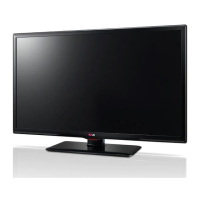
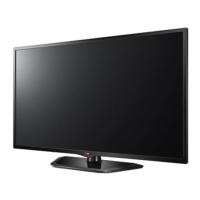
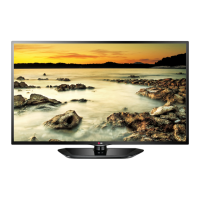
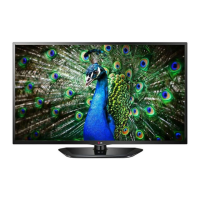
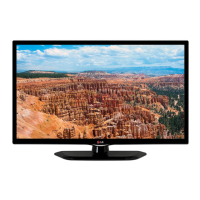
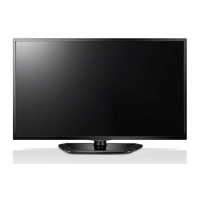
This document is an owner's manual for an LG LED TV, specifically models 32LN520B and 42LN5200. It provides comprehensive information on the TV's setup, operation, customization, and maintenance.
Function Description
The LG LED TV is a display device that utilizes an LCD screen with LED backlights. Its primary function is to display video content from various input sources, including broadcast TV, external devices (such as HD receivers, DVD players, VCRs, gaming consoles, PCs, and USB storage devices), and to play multimedia files (photos and music) from connected USB devices. The TV offers a range of customization options for picture and sound settings, channel management, and parental controls. It also includes features for energy saving and external device control via SIMPLINK.
Important Technical Specifications
Power Requirement:
- AC 100 - 240 V ~ 50 / 60 Hz
Television System:
- NTSC-M, ATSC, 64 & 256 QAM
Program Coverage:
- VHF 2-13, UHF 14-69, CATV 1-135, DTV 2-69, CADTV 1-135
External Antenna Impedance:
Environment Condition:
- Operating Temperature: 0 - 40 °C
- Operating Humidity: Less than 80 %
- Storage Temperature: -20 - 60 °C
- Storage Humidity: Less than 85 %
Dimensions (W x H x D):
- 32LN520B (32LN520B-UM):
- With stand: 738 x 497 x 207 mm (29.0 x 19.5 x 8.1 inches)
- Without stand: 738 x 449 x 79 mm (29.0 x 17.6 x 3.1 inches)
- 42LN5200 (42LN5200-UM):
- With stand: 894 x 587 x 236 mm (35.1 x 23.1 x 9.2 inches)
- Without stand: 894 x 537 x 79.0 mm (35.1 x 21.1 x 3.1 inches)
Weight:
- 32LN520B:
- With stand: 7.0 kg (15.4 lbs)
- Without stand: 6.4 kg (14.1 lbs)
- 42LN5200:
- With stand: 9.7 kg (21.3 lbs)
- Without stand: 8.6 kg (18.9 lbs)
Current Value / Power Consumption:
- 32LN520B: 1.3 A / 80 W
- 42LN5200: 1.5 A / 100 W
Supported HDMI (PC) Resolutions:
- From 640 x 350 (31.468 kHz, 70.09 Hz) up to 1920 x 1080 (67.50 kHz, 60.00 Hz) for 32LN520B.
- From 640 x 350 (31.468 kHz, 70.09 Hz) up to 1920 x 1080 (67.50 kHz, 60.00 Hz) for 42LN5200.
Supported HDMI (DTV) Resolutions:
- From 720 x 480p (31.47 kHz, 59.94 Hz) up to 1920 x 1080p (67.50 kHz, 60.00 Hz).
Supported Component (Video output ports on DVD player) Resolutions:
- From 720 x 480i (15.73 kHz, 59.94 Hz) up to 1920 x 1080p (67.50 kHz, 60.00 Hz).
USB Storage Device Compatibility:
- Supports USB flash memory, external hard drives, or USB memory card readers.
- For optimal connection, HDMI cables and USB devices should have bezels less than 10 mm (0.39 inches) thick and 18 mm (0.7 inches) width.
- Use an extension cable that supports USB 2.0 if the USB cable or USB memory stick does not fit into the TV's USB port.
- The TV may not recognize a USB storage device that requires a special driver.
- The recognition speed of a USB storage device may differ depending on the device.
- Only use a USB storage device which has normal music or image files.
- Use only USB storage devices that are formatted in a FAT 32 or NTFS file system.
- You may need to connect a USB storage device to an external power supply with a power adapter.
- If the TV does not recognize a connected USB storage device, replace the cable and try again. Do not use an excessively long cable.
- The TV does not support some USB storage devices properly.
- You can use a multi-partition (up to 4) USB storage device.
- The alignment method of a USB storage device is similar to the one of Windows XP.
- You cannot create or delete a folder saved in a USB storage device directly on the TV.
- File names longer than 100 characters or folder names longer than 100 English characters are not supported.
- If there are too many folders and files in one folder, it may not operate properly.
- The recommended capacity for a USB external hard disk is 1 TB or less, and for a USB storage device is 32 GB or less.
- If a USB external hard disk with the Energy Saving feature does not work, turn the USB external hard disk off and on again to make it work properly. For information, refer to the user manual of the USB external hard disk.
- If electrostatic can cause USB device's malfunction, in this case, USB Device has to be plugged again.
Supported Photo File Formats (from USB):
- JPG
- Available size: 64 pixel (W) x 64 pixel (H) - 15360 pixel (W) x 8640 pixel (H)
- Progressive: 1920 pixel (W) x 960 pixel (H) - 1024 pixel (W) x 768 pixel (H)
- The TV may not support the progressive option when viewing JPG files on your PC.
- The TV may not support some open high-resolution images in full screen.
Supported Music File Formats (from USB):
- MP3
- Bit rate range: 32 Kbps - 320 Kbps
- Sampling rate (Sampling Frequency): MPEG1 layer 3: 8 kHz, 16 kHz, 24 kHz, 32 kHz, 44.1 kHz, 48 kHz; MPEG2 layer 3: 16 kHz, 22.05 kHz, 24 kHz; MPEG2.5 layer 3: 8 kHz, 11.025 kHz, 12 kHz
- A copy-protected file will not play.
Usage Features
Initial Setup:
- Guides the user through selecting language, mode setting (Home Use or Store Demo), time setting, and auto tuning for channels.
- Home Use mode is recommended for optimal image quality in a home environment, while Store Demo is for retail.
- Customized settings in Store Demo mode revert to default after 5 minutes.
Watching TV:
- Power on/off, channel scrolling, volume adjustment, muting, AV mode selection, quick menu access, and last channel recall (FLASHBK).
- AV modes (Off, Cinema, Game) optimize image and sound settings for different content types.
- Ratio function allows resizing the image (e.g., 16:9, 4:3, Just Scan, Zoom, Cinema Zoom1).
Managing Channels:
- Auto Tuning: Scans and saves available channels automatically. Overwrites previously saved channels.
- Manual Tuning: Allows manual setup of digital and analog channels.
- Channel Edit: Adds or deletes channels from the list.
- Favorite Channels: Users can create and access a list of frequently watched channels.
Quick Menu:
- Provides quick access to frequently used menus like Aspect Ratio, Picture Mode, Sound Mode, Caption, Multi Audio, SAP, Sleep Timer, Channel Del/Add/Fav, and Eject USB.
Customizing TV Settings:
- PICTURE Settings:
- Energy Saving: Reduces power consumption by adjusting screen brightness (Auto, Off, Minimum, Medium, Maximum, Screen off).
- Picture Mode: Selects preset image modes (Vivid, Standard, Eco, Cinema, Game, Expert1 or 2) or customizes options.
- Picture Wizard: Adjusts image quality and calibrates the screen, saving settings as Expert1.
- Aspect Ratio: Changes image size.
- Basic Image Options: Adjusts Backlight, Contrast, Brightness, Sharpness, Color, Tint, Color Temperature.
- Advanced/Expert Image Options: Dynamic Contrast, Dynamic Color, Skin Color, Grass Color, Sky Color, Gamma, Color Gamut, Edge Enhancer, Color Filter.
- Picture Option: Noise Reduction, MPEG Noise Reduction, Black Level (Auto, Low, High), Real Cinema, Motion Eye Care.
- AUDIO Settings:
- Auto Volume: Maintains consistent volume across channels.
- Clear Voice II: Enhances human voice clarity.
- Balance: Adjusts left/right speaker balance.
- Sound Mode: Selects preset sound modes (Standard, Music, Cinema, Sport, Game) or customizes options.
- Virtual Surround: LG proprietary sound processing for immersive 5.1 surround sound from two front speakers.
- Treble/Bass: Controls dominant and softer sounds.
- Reset: Resets sound mode to default.
- TV Speaker: Turns off internal TV speakers when using an external Hi-Fi system.
- CHANNEL Settings: Auto Tuning, Manual Tuning, Channel Edit.
- TIME Settings: Clock, Off Time, On Time, Sleep Timer.
- OPTION Settings: Language, Input Label, SIMPLINK, Caption, Digital Option, Demo Mode, Set ID, Patient Information.
- LOCK Settings:
- Lock System: Activates/deactivates the lock system.
- Set Password: Changes the 4-digit password (default "0 0 0 0").
- Block Channel: Blocks channels with inappropriate content.
- Movie Rating: Blocks movies based on MPAA ratings (G, PG, PG-13, R, NC-17, X, Blocking Off).
- TV Rating-Children: Blocks TV programs based on US TV ratings (TV-Y, TV-Y7, TV-G, TV-PG, TV-14, TV-MA).
- TV Rating-General: Blocks TV programs based on general ratings (Age, Dialogue, Language, Sexual Situation, Violence).
- Downloadable Rating: Blocks programs with downloaded rating data.
- Input Block: Blocks specific input sources.
Connecting USB Storage Devices:
- Allows browsing and viewing photos, and listening to music files stored on USB devices.
- Provides controls for slideshows, background music for photos, and playback controls for music.
SIMPLINK Connection:
- Enables control of HDMI-CEC compatible LG devices connected via HDMI.
- Functions include displaying viewed TV channel, playing discs, controlling VCR, HDD recording playback, changing audio output to Home Theater speaker, and controlling AV devices.
Maintenance Features
Cleaning Your TV:
- General: Turn off power and disconnect power cord before cleaning. Disconnect power cord if unused for a long time to prevent damage from lightning or power surges.
- Screen, Frame, Cabinet, and Stand: Wipe dust/light dirt with a dry, clean, soft cloth. For major dirt, use a soft cloth dampened with clean water or diluted mild detergent, then wipe dry immediately.
- Power Cord: Regularly remove accumulated dust or dirt.
Cautions for Cleaning:
- Do not push, rub, or hit the surface with fingernails or sharp objects to avoid scratches or image distortions.
- Do not use chemicals (waxes, benzene, alcohol, thinners, insecticides, air fresheners, lubricants) as they may damage the screen's finish or cause discoloration.
- Do not spray liquid directly onto the surface; water entering the TV may cause fire, electric shock, or malfunction.
Troubleshooting:
- Provides solutions for common issues such as remote control problems, no image/sound, slow image display, external device connection issues, sudden TV shutdown, no sound, sound from one speaker only, unusual internal TV sound, poor image quality (black and white, blurred, lines, afterimages, dark screen), "No Signal" message, black spots on screen, incorrect display offset, thin lines in background, and poor channel reception.

 Need help?

 To Next Page
 General