EasyManua.ls Logo

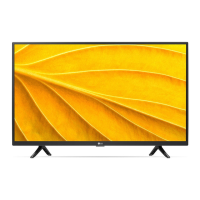
LG 32LP50 Series - User Manual

LG 32LP50 Series
24 pages
Print Icon
To Next Page IconTo Next Page
Loading...
*MFL71790162*
(2103-REV02)
ENGLISH_index
LED TV*
Safety and Reference
OWNER’S MANUAL
Please read this manual carefully before operating your set and retain it for
future reference.
www.lg.com
Copyright © 2021 LG Electronics Inc. All Rights Reserved.
* LG LED TV applies LCD screen with LED backlights.
Question and Answer IconNeed help?

Do you have a question about the LG 32LP50 Series and is the answer not in the manual?

Summary

Safety Instructions

General Safety Guidelines

Key warnings for fire prevention, electric shock, and safe operation.

Handling, Installation, and Maintenance

Precautions for moving, installing, cleaning, and battery safety.

Preparing the TV

Lifting, Moving, and Mounting

Guidelines for safely moving, lifting, and mounting the TV.

Antenna and Cable Connections

How to connect antennas and cables for optimal signal reception.

Starting and Operating the TV

Initial Power-On and Setup

Basic steps to power on the TV for the first time and initial setup.

Remote Control Usage

Explanation of remote control buttons and functions for TV operation.

Connections

HDMI and USB Connectivity

How to connect external devices via HDMI and USB ports.

External Device Integration

Guidance for connecting various external devices like players and gaming consoles.

Settings and Configuration

Picture and Sound Adjustments

Customizing picture modes, aspect ratio, sound modes, and volume.

System and Language Settings

Configuring noise reduction, language, OSD time, and AD settings.

System Management and Updates

Factory reset, system lock, manual tuning, software updates, and media playback.

Troubleshooting Common Issues

Control, Signal, and Power Issues

Resolving remote control, no signal, and sudden turn-off problems.

Display and Sound Anomalies

Addressing abnormal picture display and unexpected generated sounds.

Specifications

Technical Broadcasting and Environment Specs

Details on broadcasting standards, environment conditions, and specifications.

HDMI Support and Licenses

Information on supported HDMI modes and technology licenses.

Regulatory Compliance

Stability Hazard Warnings

Precautions related to TV stability and preventing tip-over accidents.

Electrical Symbols and Information

Explanation of electrical symbols and regulatory information.

Overview

This document serves as the Owner's Manual for an LG LED TV, providing essential information on safety, setup, operation, and troubleshooting. The manual is designed to guide users through various aspects of their television, ensuring proper and safe use.

Function Description

The LG LED TV is a display device that utilizes an LCD screen with LED backlights to produce images. It is designed for home entertainment, offering various functionalities for viewing television programs, connecting to external devices, and adjusting display and audio settings. The TV can be operated using a remote control or a button located on the unit itself. It supports both digital and analogue broadcasting, allowing users to tune into a wide range of channels. The TV also features USB connectivity for playing media files from external storage devices and supports HDMI for high-definition audio and video input.

Usage Features

Preparation and Setup:

The manual provides detailed instructions for preparing the TV for use, including lifting and moving the unit safely. It emphasizes the importance of handling the TV with care, especially the screen, to prevent damage. For installation, users can choose between mounting the TV on a table using its stand or attaching it to a wall with an optional wall mount bracket. Specific guidelines are given for each method, such as maintaining adequate ventilation space around the TV and securing it properly to prevent overturning. When mounting on a table, a minimum 10 cm space from the wall is recommended. For wall mounting, it is advised to remove the stand first and connect all cables before fixing the TV to the wall. The manual also details how to connect the TV to a wall antenna socket using an RF cable for receiving broadcast signals.

Basic Operation:

Turning the TV on and off can be done via the power button on the unit or the remote control. The manual explains that if the TV is turned on for the first time, an initialization process may take a few minutes.

Remote Control Usage:

The remote control is the primary interface for interacting with the TV. It features a variety of buttons for different functions:

  • Power: Turns the TV on or off.
  • Number buttons: For entering channel numbers.
  • LIST: Accesses the saved programs list.
  • Volume (+/-): Adjusts the volume level.
  • GUIDE: Displays the program guide (model-dependent).
  • TEXT: Used for teletext functions.
  • BACK: Returns to the previous level or menu.
  • Navigation buttons (up/down/left/right): For navigating menus and options.
  • Control buttons: Controls media content playback.
  • AD/*: Displays audio languages menu and accesses special functions.
  • SUBTITLE: Shows subtitle languages menu.
  • Settings: Accesses the Settings menu.
  • INPUT: Changes the input source.
  • INFO: Displays program information.
  • FAV: Displays the favorite list and scrolls through saved programs.
  • MUTE: Mutes all sounds.
  • Home: Accesses the Settings Menu.
  • T.OPT: Teletext buttons for changing text mode.
  • EXIT: Clears on-screen displays and returns to TV viewing.
  • OK: Selects menus or options and confirms input.

Adjusting Settings:

The TV offers a comprehensive range of settings to customize the viewing and listening experience:

  • Automatically Setting Up Programme (Auto Tuning): Automatically tunes and registers available programs.
  • Picture Mode: Allows selection of optimized picture modes (Dynamic, Standard, Mild, Personal) based on content or user preference.
  • Fine-tuning Picture Mode: Provides detailed adjustments for selected picture modes, including Colour Temp, Noise Reduction, Aspect Ratio, and HDMI Mode.
  • Aspect Ratio: Selects the screen aspect ratio (Auto, 4:3, 16:9, Zoom1, Zoom2).
  • Noise Reduction: Adjusts the level of noise reduction to improve picture clarity.
  • Sound Mode: Adjusts TV audio to an optimal level (Standard, Music, Movie, Sports, Personal).
  • Auto Volume Limit: Adjusts the volume of channels to maintain a consistent sound output.
  • AD (Audio Description) Switch: Adjusts the proportion of audio description in DTV mode.
  • Language (OSD Language): Selects the language for the on-screen display.
  • OSD Time: Sets the duration for which the on-screen display is shown.
  • Current Time (Clock): Checks or changes the current time.
  • Factory Reset: Resets all TV settings to factory defaults (excluding System Lock/Key Lock).
  • System Lock: Allows blocking specific programs or external inputs, with password protection and parental guidance options.
  • Manual Tuning: Manually adjusts and saves programs, with options for checking signal strength and fine-tuning.
  • Software Update (USB): Updates the TV's software using a USB storage device.
  • My Media: Connects to a USB storage device to play media files.

Connectivity:

The TV supports various external device connections:

  • HDMI: For high-quality audio and video from devices like Blu-ray players, HD receivers, and gaming consoles. It is recommended to use certified HDMI cables and ensure devices are turned off before connecting.
  • USB: For connecting USB storage devices to play media files. The manual advises using USB memory sticks of 32 GB or less and USB HDDs of 2 TB or less, formatted with Windows FAT16, FAT32, or NTFS.

Maintenance Features

Battery Replacement:

Instructions are provided for replacing batteries in the remote control, emphasizing the correct polarity and warning against mixing old and new batteries or exposing them to excessive heat.

Cleaning:

The manual outlines proper cleaning procedures for the TV:

  • Unplug the power cord before cleaning.
  • Wipe gently with a soft/dry cloth.
  • Do not spray water or other liquids directly onto the TV.
  • Avoid using chemicals like glass cleaner, air fresheners, insecticides, lubricants, wax, abrasives, thinner, benzene, or alcohol, as these can damage the product or panel.
  • When cleaning, ensure no liquid or foreign objects enter the gaps around the panel.

Troubleshooting:

A dedicated section addresses common issues:

  • Remote control not working: Check sensor, obstacles, and batteries.
  • No image/sound: Check if TV is on, power cord connection, and wall outlet.
  • TV turns off suddenly: Check power control settings, auto-off function, and signal presence.
  • No signal from PC (HDMI): Turn TV off/on, reconnect HDMI cable, restart PC.
  • Abnormal display: Explains that minor flickers on startup or tiny dots on the panel are normal characteristics of LCD/LED technology and not malfunctions. It also advises against displaying still images for prolonged periods to prevent image sticking.
  • Generated sound: Explains that "cracking" noises from thermal contraction and low-level humming from electrical circuits are normal.

Safety Instructions:

The manual begins with critical safety instructions to prevent electric shock, fire, and injury. Key points include:

  • Do not open the TV enclosure; refer servicing to qualified personnel.
  • Keep candles and open flames away from the product.
  • Avoid placing the TV in environments with direct sunlight, high humidity, heat sources, steam, oil, rain, wind, flammable objects, or excessive dust.
  • Ensure proper ventilation and do not block openings.
  • Protect the power cord from physical damage and ensure it is securely plugged in.
  • Unplug the TV immediately and contact service if it is damaged, liquid enters, smoke/odors are present, or during lightning storms.
  • Do not use high-voltage equipment near the TV.
  • Do not modify the product or use unauthorized attachments.
  • Ground the TV properly if it has a three-prong plug.
  • Do not touch the apparatus or antenna during a lightning storm.
  • Do not allow children to climb or cling to the TV.
  • For outdoor antennas, follow precautions regarding overhead power lines.
  • Ensure the TV is positioned on stable furniture and anchored if necessary, especially to prevent children from pulling it over.

The manual also includes regulatory information and symbols to help users understand important warnings and device characteristics.

LG 32LP50 Series Specifications

General IconGeneral
Display TypeLED
Screen Size32 inches
Resolution1366 x 768
Refresh Rate60 Hz
HDMI2
USB1
Smart TVNo
Built-in Wi-FiNo
BluetoothNo
Audio Output10W

Related product manuals